
A Shipping Receiving Barcode Workflow That Works
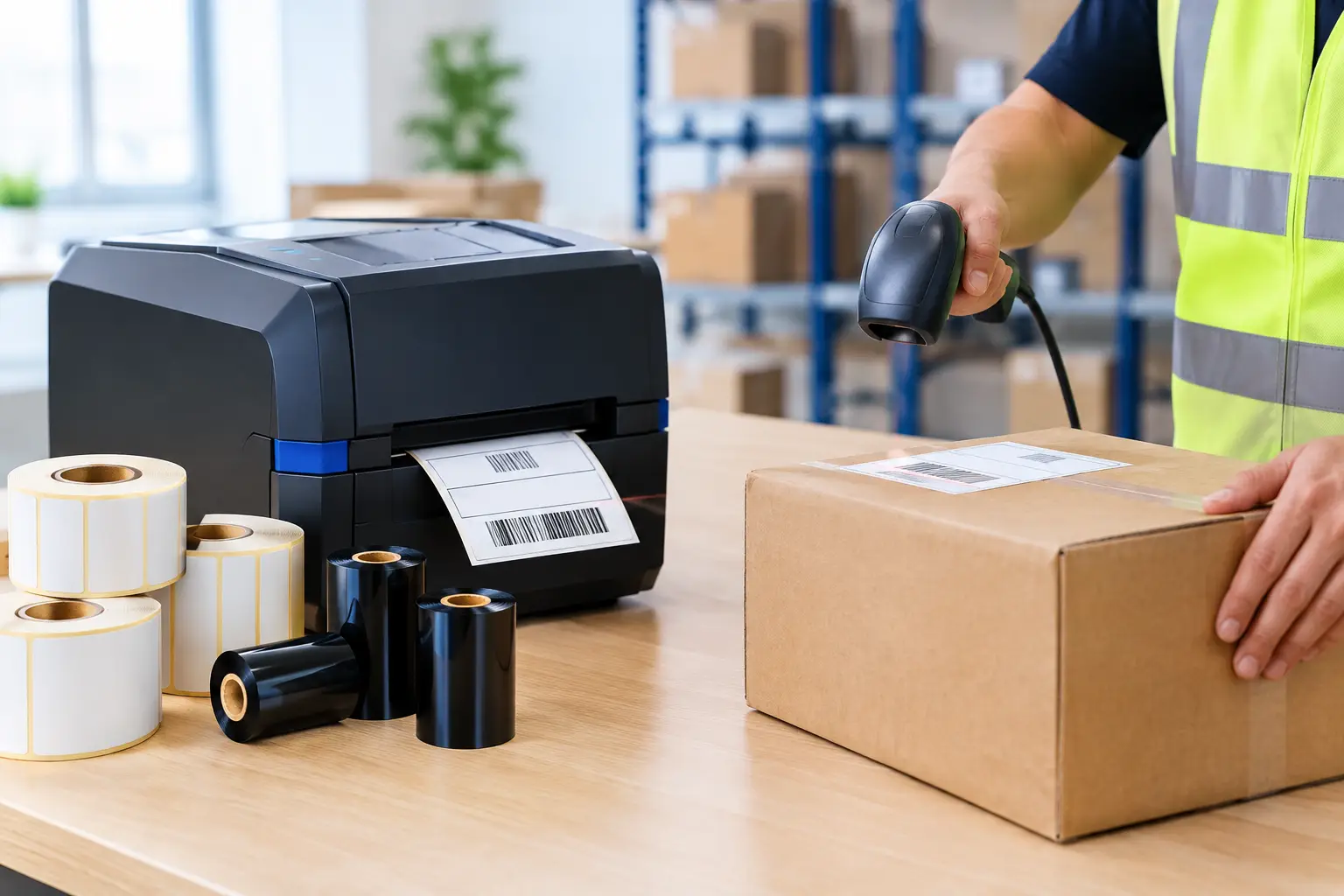
A missed receiving scan can create problems that do not appear until hours later: inventory shows available when it is still on a pallet, a customer order is picked short, or a shipment leaves without a traceable record. A disciplined shipping receiving barcode workflow prevents those gaps by giving every carton, pallet, location, and transaction a scannable identity at the point where work happens.
For most operations, the goal is not simply to print more labels. The goal is to connect physical movement at the dock to accurate records in the warehouse management system, ERP, or inventory platform. That requires the right sequence, dependable printers and supplies, and label software that staff can use without waiting on an outside developer.
Start With a Clear Shipping Receiving Barcode Workflow
A working process begins by defining the handoff points. On the receiving side, that usually means purchase order verification, item identification, quantity confirmation, inspection status, and location assignment. On the shipping side, it means order verification, packing confirmation, carrier labeling, staging, and shipment confirmation.
Each handoff should answer one question: what must be scanned, printed, or recorded before the product moves? When those decisions are left to individual employees, the process becomes inconsistent. One receiver may scan every carton, while another may only scan a pallet label. One shipping clerk may reprint a damaged carrier label immediately, while another writes information by hand. Those small variations are where traceability breaks down.
A practical workflow typically uses a combination of supplier labels, internally generated receiving labels, inventory or license plate labels, location labels, carton labels, and shipping labels. The exact mix depends on the level of control required. A high-volume distributor receiving mixed cases may need case-level identification. A manufacturer receiving raw materials in large lots may need lot, date, and inspection labels that remain readable through production.
Receiving: Create Traceability Before Putaway
Receiving is the first opportunity to establish a reliable chain of custody. If an incoming supplier barcode contains usable part, lot, and quantity data, a scanner can validate it against the purchase order. If the supplier label is incomplete, damaged, or inconsistent, the receiving team should print an internal label before material enters storage.
That label can carry a unique receiving ID, internal item number, lot or batch number, received date, quantity, and a barcode format recognized by the host system. For regulated products, it may also include inspection status, expiration date, supplier code, or a quarantine designation. The right data is application-specific, but the principle is fixed: print the label while the product is physically present and the information can be verified.
Use durable labels for the actual environment
A barcode that scans at the desk but fails in a freezer, on a dusty rack, or after contact with oil is not a working barcode. Label material, adhesive, ribbon, and print method must match the environment and expected label life.
Direct thermal labels are often suitable for short-life shipping labels and indoor receiving applications. Thermal transfer printing is generally the better choice for labels that must remain legible through storage, handling, abrasion, moisture, chemicals, or temperature changes. The ribbon matters as much as the label stock. A wax ribbon may work for general paper labeling, while wax-resin or resin ribbons are better suited for more demanding materials and conditions.
The Label Guy can provide printers, labels, ribbons, and custom label guidance from one source, which reduces the risk of pairing an otherwise capable printer with supplies that do not meet the application.
Verify first, then assign a location
Once material is labeled, the receiver scans it into the system and assigns a storage location. That location should also be barcoded. Scanning both the item and the destination confirms that the product went where the system says it went.
This step is especially valuable when multiple workers are receiving at once or when products have similar packaging. It is faster to correct a wrong location at the dock than to search an aisle after the inventory record and physical stock no longer agree.
Shipping: Scan the Order Before It Leaves the Dock
The shipping side of the workflow should be designed around confirmation, not assumptions. A pick ticket, tote, carton, or order label gives the operator a scannable reference. As items are packed, scans verify the correct SKU, quantity, lot, serial number, or order number before the carton is sealed.
For some operations, scanning every unit is necessary. For others, case- or carton-level verification is sufficient. The appropriate level depends on product value, order complexity, customer requirements, and the cost of a mis-shipment. A warehouse shipping low-value uniform cases may prioritize speed. A medical device, electronics, or aerospace supplier may require detailed serial-level records.
After packing is confirmed, print the shipping label and apply it to a clean, flat surface where barcode scanners can read it easily. Avoid placing labels over carton seams, edges, shrink-wrap wrinkles, or old barcodes. If a previous barcode remains visible, cover it completely or remove it. Carrier and customer scanners can read the wrong symbol if competing labels are left exposed.
Make reprints controlled, not casual
Reprints are sometimes necessary, but they should be traceable. A damaged shipping label should be voided or marked as a reprint in the system before a replacement is applied. Otherwise, duplicate tracking numbers, duplicate carton IDs, or conflicting shipment records can result.
Good label design software makes this easier by allowing operators to pull data from a database, prompt for approved fields, and print consistent templates. EasyLabel has been a leading label design platform since 1982 and is used worldwide by thousands of companies, including large enterprises and government agencies. It supports practical barcode label design without forcing businesses into a subscription or support-contract model simply to keep using their software or get help.
Build Labels That Operators Can Read and Scan
A barcode label must work for both people and equipment. Human-readable text should identify the most important information, such as item number, purchase order, destination, lot, or carton count. The barcode should encode the data that needs to be scanned, using a symbology supported by the scanners and software already in use.
Code 128 is common for internal inventory and shipping applications because it can encode a broad range of characters efficiently. GS1-128 may be appropriate when trading partners require structured application identifiers. Data Matrix and QR codes can hold more data in less space, but only if the scanners and downstream systems are configured to use them correctly. More data is not always better. A simple, well-sized barcode that scans immediately is usually more useful than a dense symbol that creates scan failures.
Print quality also deserves attention. Faded bars, poor contrast, undersized symbols, and damaged printheads cause avoidable delays. Thermal printers should be cleaned on schedule, and printheads should be inspected when scan performance declines. Tharo H- and T-Series 4-inch 203 and 300 DPI printers carry a two-year or two-million-printed-inch warranty, while replacement printheads are generally more cost-effective than those for flagship competitive models. That matters when the dock depends on printed identification every day.
Keep the System Simple Enough to Follow
The best workflow is not the one with the most checkpoints. It is the one employees can follow correctly during a busy shift. Create distinct label templates for receiving, inventory, location, packing, and shipping rather than asking operators to edit a generic label each time. Limit manual entry to information that cannot be captured from a scan or system record.
Train staff on exceptions as carefully as standard transactions. They need to know what to do when a supplier barcode will not scan, a carton contains the wrong quantity, a label is damaged, an item is unrecognized, or a shipment must be held. A documented exception process keeps those problems from turning into handwritten labels and undocumented workarounds.
Review scan failures, reprint rates, inventory adjustments, and shipping errors regularly. These are not just performance metrics. They point directly to process weaknesses, poor label placement, incorrect supplies, or template issues that can be corrected before they become larger operational costs.
A shipping receiving barcode workflow earns its value at the moment a worker can scan once, trust the result, and move the product forward without guessing. Build that confidence into the labels, the equipment, and the process at the dock, and accuracy becomes part of the routine rather than a recovery effort.