
On Demand Versus Preprinted Labels: Which Fits?
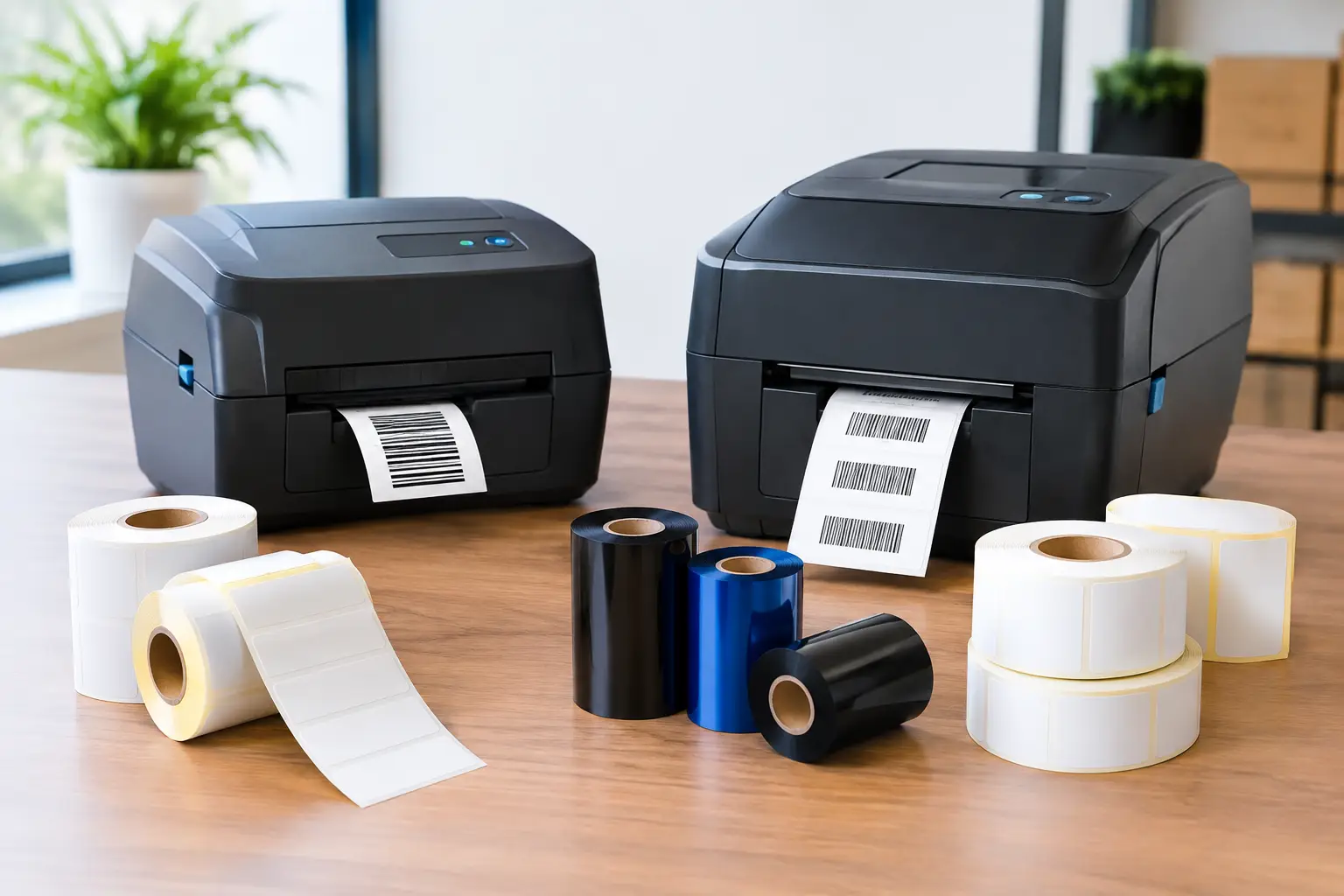
A warehouse can receive a new customer order, a revised SKU, or a supplier packaging change before lunch. If labels are already printed with outdated details, the cost is not limited to wasted rolls. It can mean relabeling labor, shipment delays, inventory errors, and avoidable compliance exposure. That is why the decision between on demand versus preprinted labels deserves more attention than a simple per-label price comparison.
For many operations, the right answer is not exclusively one method or the other. Preprinted labels can be highly economical for stable, high-volume applications. On-demand thermal printing gives teams control when data changes, label quantities vary, or traceability requirements increase. The most effective labeling program matches the method to the job, then uses dependable printers, software, labels, and ribbons to keep production moving.
On Demand Versus Preprinted Labels: The Core Difference
Preprinted labels are manufactured in advance with fixed information already on the label. That may include a company logo, product name, color bands, warning language, a static barcode, or a standard regulatory message. They are delivered ready to apply, with no printer required at the point of use for that finished label.
On-demand labels are produced when needed using a thermal printer. A team can print variable information such as lot numbers, serial numbers, dates, weights, destinations, customer names, and barcodes at the moment a label is applied. Depending on the application, the label may be completely blank before printing or may include preprinted branding and receive variable thermal information later.
The difference is operational control. Preprinted labels put the production work upstream with a label manufacturer. On-demand printing puts timing and data control inside your facility. Neither approach is automatically better. The correct choice depends on the stability of your label content, order volumes, lead-time requirements, and the cost of an error.
When Preprinted Labels Make Business Sense
Preprinted labels are a strong choice when the design is unlikely to change and the same label is used in large quantities. A manufacturer applying a single branded product label across hundreds of thousands of units may benefit from professional flexographic or digital production. The result can include high-quality color, consistent branding, specialty finishes, and a low unit cost at volume.
They also work well for applications where the label contains no changing data. Examples include permanent safety decals, standard handling instructions, company identification labels, and fixed product branding. If a label is used repeatedly for months or years without changes, ordering it in quantity can reduce internal printing time and simplify the application process.
The trade-off is commitment. Minimum order quantities, setup costs, production lead times, and inventory storage all need to be considered. A lower price per thousand labels is not a true savings if part numbers change, packaging artwork is revised, or a regulatory statement must be updated before the roll is used.
Preprinted labels also require sound inventory control. If multiple facilities use similar labels with minor variations, employees must be able to identify the correct roll every time. Applying a label intended for another product, country, customer, or revision level can create a far more expensive problem than the label itself.
Where On-Demand Printing Has the Advantage
On-demand thermal printing is designed for operations where label information changes frequently or accuracy depends on real-time data. Warehouses printing shipping labels, manufacturers tracking lots and work orders, and distributors identifying inventory locations all benefit from creating labels at the point of use.
A thermal printer can produce the exact quantity required for a job. Instead of ordering ten thousand labels because that is the economical production quantity, a team can print 25 labels for a short run, 300 labels for a work order, or one replacement label for a damaged carton. That reduces obsolete label inventory and helps operations respond faster to changes.
Variable-data labeling is the central advantage. The same label format can pull different values from an ERP, WMS, database, spreadsheet, scanner, scale, or manual entry screen. A single template may support thousands of SKUs while keeping barcode placement, text size, and compliance details consistent.
On-demand printing is particularly useful for:
- Shipping, receiving, and carton identification
- Inventory, bin, rack, and pallet labels
- Lot, batch, serial number, and date coding
- Work-in-process and asset tracking
- Customer-specific product and compliance labels
The trade-off is that your system must be properly specified. Print quality depends on matching the printer resolution, label material, ribbon, adhesive, and environment to the application. A freezer label, an outdoor equipment tag, and a clean warehouse carton label do not have the same requirements. The right thermal transfer ribbon and material selection protect readability and scan performance over time.
Cost: Look Beyond the Price of a Roll
Preprinted labels can appear less expensive because the quoted cost per label is low at high quantities. That calculation is valid only when the labels are used as planned. Add in scrapped inventory, storage, rush reorders, artwork revisions, and relabeling labor, and the economics can change quickly.
On-demand printing has upfront costs: a thermal printer, label design software, consumables, and initial setup. Yet it can lower total operational cost when label data changes often or multiple label formats are needed. Printing only what is required can reduce waste, while faster corrections can prevent a small data issue from becoming a shipment or compliance failure.
The printer itself should be evaluated as a long-term operating asset, not just a purchase price. Tharo thermal printers can be more cost-effective than flagship models from other manufacturers, while offering industrial capability for demanding label workflows. Replacement printheads are generally less expensive than many competing replacements, which matters when a printer is operating daily across multiple shifts.
Warranty coverage also belongs in the cost discussion. Four-inch, 203 and 300 DPI Tharo H-Series and T-Series printers include a two-year or two-million printed-inch warranty. Six-inch and 600 DPI models include a one-year or one-million printed-inch warranty. That coverage helps buyers evaluate the full ownership picture instead of focusing only on the initial hardware number.
Software Determines How Usable On-Demand Printing Will Be
A label printer without capable design software is little more than a specialized output device. The software must make it practical to create formats, connect variable data, produce standards-compliant barcodes, and control what employees can print. It should also work reliably with the printer models an operation uses now and may add later.
EasyLabel has been a leading label design platform since 1982 and is used by thousands of companies worldwide, including large enterprises and government agencies. Its long record of working with major printer manufacturers is valuable for businesses that do not want their software choice to limit printer options.
Subscription costs are another meaningful distinction. Some competing label software requires ongoing subscriptions or a support contract for assistance. EasyLabel does not require a subscription or support contract, helping businesses avoid turning a necessary labeling tool into a permanent recurring software expense.
For companies purchasing an EasyLabel and Tharo printer combination, one USA-based support source can address both the software and hardware side of the workflow. That is a practical advantage when a production line is waiting for labels. The Label Guy can also supply the labels, ribbons, and custom label support needed to build a complete system rather than sending buyers to separate vendors for every component.
A Hybrid Approach Often Delivers the Best Result
Many businesses do not need to choose one method for every label. A hybrid design can use preprinted labels for stable branding, warning panels, or color elements, then add variable data on demand with a thermal transfer printer. This approach is common when products need a professional branded appearance but also require changing lot codes, expiration dates, weights, or customer-specific barcodes.
The hybrid approach can reduce the amount of preprinted inventory while preserving the visual quality required for retail, product identification, or customer-facing packaging. It also provides a buffer when data requirements change. Rather than discarding complete finished labels, the operation may only need to revise its print template.
Before selecting a hybrid label, verify that the material, coating, and preprinted inks are compatible with thermal transfer printing. A label supplier should understand how the ribbon will anchor to the surface and whether the finished barcode will scan reliably under actual handling conditions.
Questions to Ask Before You Commit
Start with the data. How often do product descriptions, lot numbers, customer information, or compliance statements change? Next, assess quantity. Are you applying the same label in the hundreds of thousands, or producing many SKUs in short and uneven runs?
Then consider the consequences of being wrong. In a basic office filing application, reprinting a few labels may be a minor inconvenience. In medical device, chemical, food, automotive, or serialized inventory environments, an outdated or unreadable label can stop work, trigger a customer rejection, or weaken traceability.
Also review your internal workflow. If labels are needed at receiving docks, packing stations, production cells, and shipping departments, on-demand printing may eliminate delays caused by a centralized preprinted label inventory. If every label is static and applied in extremely high volume, preprinted production may remain the most efficient route.
Choose the labeling method that gives your team enough control to print accurate information when and where the work happens. A well-matched system turns labels from a recurring bottleneck into a dependable part of your operation.