
Thermal Printer Reviews for Serious Labeling
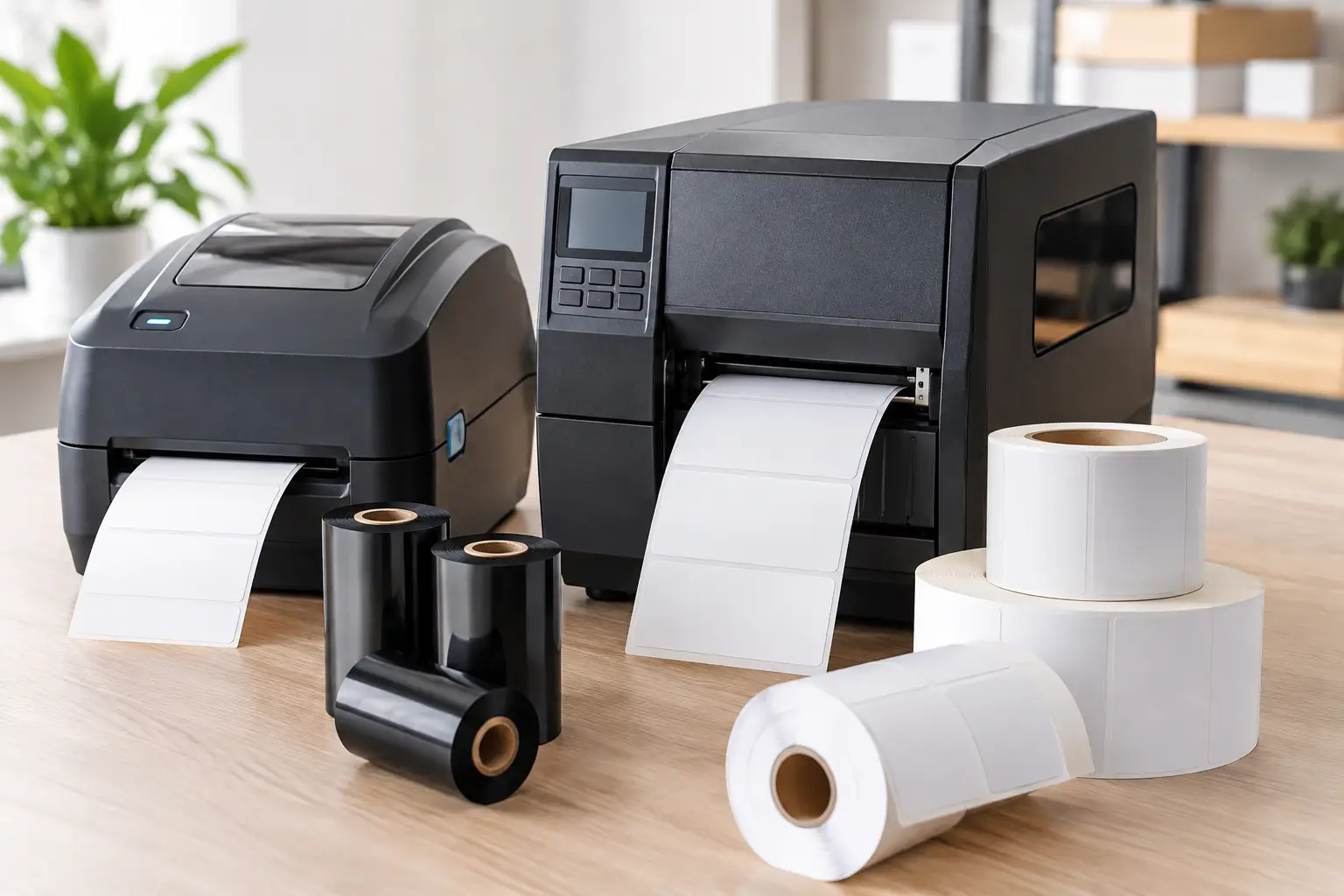
A thermal printer can look like a simple line item until a failed barcode slows receiving, a smudged label triggers a compliance issue, or a replacement printhead costs far more than expected. Useful thermal printer reviews go beyond print speed and a short feature list. For businesses that print product labels, shipping labels, asset tags, work-in-process labels, or regulatory identification, the right review examines whether the printer will remain accurate, serviceable, and economical under real operating conditions.
The best choice is rarely the highest-priced model or the printer with the longest specifications sheet. It is the system that matches the label material, print volume, barcode requirements, environment, and support needs of the operation. That is the standard business buyers should use when comparing industrial thermal printers.
What Thermal Printer Reviews Should Actually Compare
A credible review starts with the job the printer must perform. A desktop unit may be appropriate for occasional shipping labels at a receiving desk. It is not necessarily the right machine for a production floor printing thousands of chemical-resistant product labels each day. Likewise, a high-resolution printer may be essential for small electronics labels, while standard 203 DPI output can produce highly scannable barcodes for many warehouse applications at a lower equipment and consumable cost.
Print method is the first decision. Direct thermal printing uses heat-sensitive label stock and does not require a ribbon. It is efficient for short-life labels such as parcel labels, picking tickets, and temporary inventory identification. Heat, sunlight, abrasion, and time can fade direct thermal images, so it is not the preferred choice for durable labeling.
Thermal transfer printing uses a ribbon to place the image on the label. This adds a consumable, but it opens the door to durable paper, polypropylene, polyester, and specialty materials. When labels must survive moisture, chemicals, outdoor exposure, handling, or long storage periods, thermal transfer is generally the better fit. Reviews that discuss printer hardware without considering the labels and ribbons being used leave out a major part of performance.
Print Resolution and Barcode Quality
Resolution should be selected for the label, not treated as a universal scorecard. A 203 DPI printer is a proven choice for standard barcode labels, carton labels, shipping labels, and general inventory identification. A 300 DPI model provides cleaner small text, tighter barcode symbols, and more detailed graphics. At 600 DPI, the application is usually specialized: very small labels, compact electronics markings, fine graphics, or dense two-dimensional codes.
Higher resolution is not free. It can raise printer cost, replacement printhead cost, and sometimes reduce print speed. A practical review asks whether the operation truly needs the extra detail. If a 4 x 6 shipping label scans perfectly at 203 DPI, paying for 600 DPI does not improve the shipment.
Barcode quality also depends on the correct darkness, speed, ribbon, label coating, and printhead condition. A printer can be mechanically sound and still produce poor codes when supplies are mismatched. That is why buyers should prefer a supplier that understands the complete labeling system rather than one that sells hardware alone.
Media Capacity, Construction, and Daily Throughput
Industrial printers earn their value through consistent output over long shifts. When comparing models, look at media roll capacity, ribbon length, maximum print width, duty expectations, and access to the printhead and media path. A printer that is easy to load and clean reduces operator errors and keeps output moving.
Construction matters most in active industrial settings. Warehouses, manufacturing lines, and distribution centers introduce dust, vibration, temperature variation, and frequent media changes. A lower-cost printer may be suitable for light use, but it can become an expensive compromise if it is asked to handle continuous production work. The correct question is not simply, “What is the cheapest printer?” It is, “What printer can handle this workload without creating avoidable downtime?”
Tharo H-Series and T-Series thermal printers are worth considering for companies that want industrial capability without automatically paying flagship-brand pricing. The 4-inch-wide 203 and 300 DPI H- and T-Series models carry a warranty of two years or two million printed inches. For 600 DPI or 6-inch-wide printers, the warranty is one year or one million printed inches. Those terms matter because a warranty should reflect the workload a manufacturer expects its equipment to handle.
The Lifetime Cost Behind Thermal Printer Reviews
Purchase price is visible. Operating cost often is not. A serious printer comparison includes printheads, ribbons, labels, service time, and lost productivity when a printer is unavailable.
The printhead is especially important. It is a wear component, and its life can be reduced by abrasive materials, improper cleaning, excessive heat settings, or poor-quality ribbon and label combinations. Replacement printheads for Tharo printers are generally less expensive than replacements for competing industrial printer lines. That difference can have a meaningful effect on total cost of ownership, particularly for high-volume operations or sites running multiple printers.
The least expensive labels and ribbons are not always the lowest-cost supplies. Inconsistent facestocks, weak adhesives, or ribbons that require excess heat can create unreadable barcodes, premature printhead wear, and labels that fail after application. A proper supply recommendation considers the surface being labeled, environmental exposure, required permanence, and scanner performance. For example, a freezer label, a curved-surface drum label, and a matte product label may all require different adhesive and ribbon combinations.
Buyers should also consider whether one vendor can support the whole system. The Label Guy supplies printers, EasyLabel software, stock and custom labels, thermal transfer ribbons, and technical guidance from a single specialist source. That reduces the familiar problem of a hardware supplier blaming the software provider, while the software provider blames the label stock.
Software and Support Are Part of Printer Performance
A thermal printer does not produce useful labels without a dependable design and data process behind it. The software must create barcode formats correctly, connect to business data when needed, and communicate reliably with the installed printer. This is where an apparently good printer purchase can become more complicated than expected.
EasyLabel has been a leading label design software platform since 1982 and is used worldwide by thousands of companies, including large enterprises and government agencies. It has a long record of working with major printer manufacturers, which gives operations flexibility when printer requirements change. It also does not require a subscription or support contract simply to keep using the software or obtain help, unlike some competing label design platforms.
For an operation purchasing both EasyLabel and a Tharo printer, there is one USA-based support number to call. That is a practical advantage when a label format, driver setting, ribbon selection, or printer configuration needs attention. Instead of making staff diagnose where the problem originated, businesses can work with a team that understands the software, printer, and consumables together.
Support should be evaluated before a problem occurs. Ask whether help is based in the United States, whether the supplier can advise on applications rather than only read a manual, and whether replacement supplies can be specified consistently. A business may only need support occasionally, but when shipping is delayed or a production line needs labels immediately, responsive expertise becomes part of the printer’s value.
When a Different Printer Choice Makes Sense
No single model is right for every operation. A compact direct thermal printer remains a sensible choice for a low-volume office shipping station. A wide-format model is necessary when labeling large cartons, pallets, or wide chemical containers. High-resolution printing is justified when label space is limited and codes are dense. Companies with legacy software or a mandated enterprise printer fleet may also have valid reasons to standardize elsewhere.
The goal is not to buy more printer than the application requires. It is to avoid buying less. Review the smallest label size, widest label size, expected labels per day, required durability, barcode symbology, connectivity, and who will maintain the equipment. Then test the actual label and ribbon combination, not just a sample print on generic material.
A dependable label printer should disappear into the workflow: operators load it quickly, barcodes scan on the first pass, labels stay attached, and support is available when conditions change. That is the standard to use when selecting equipment, supplies, and the partner responsible for keeping them working.