
Best Warehouse Labeling Practices That Cut Errors
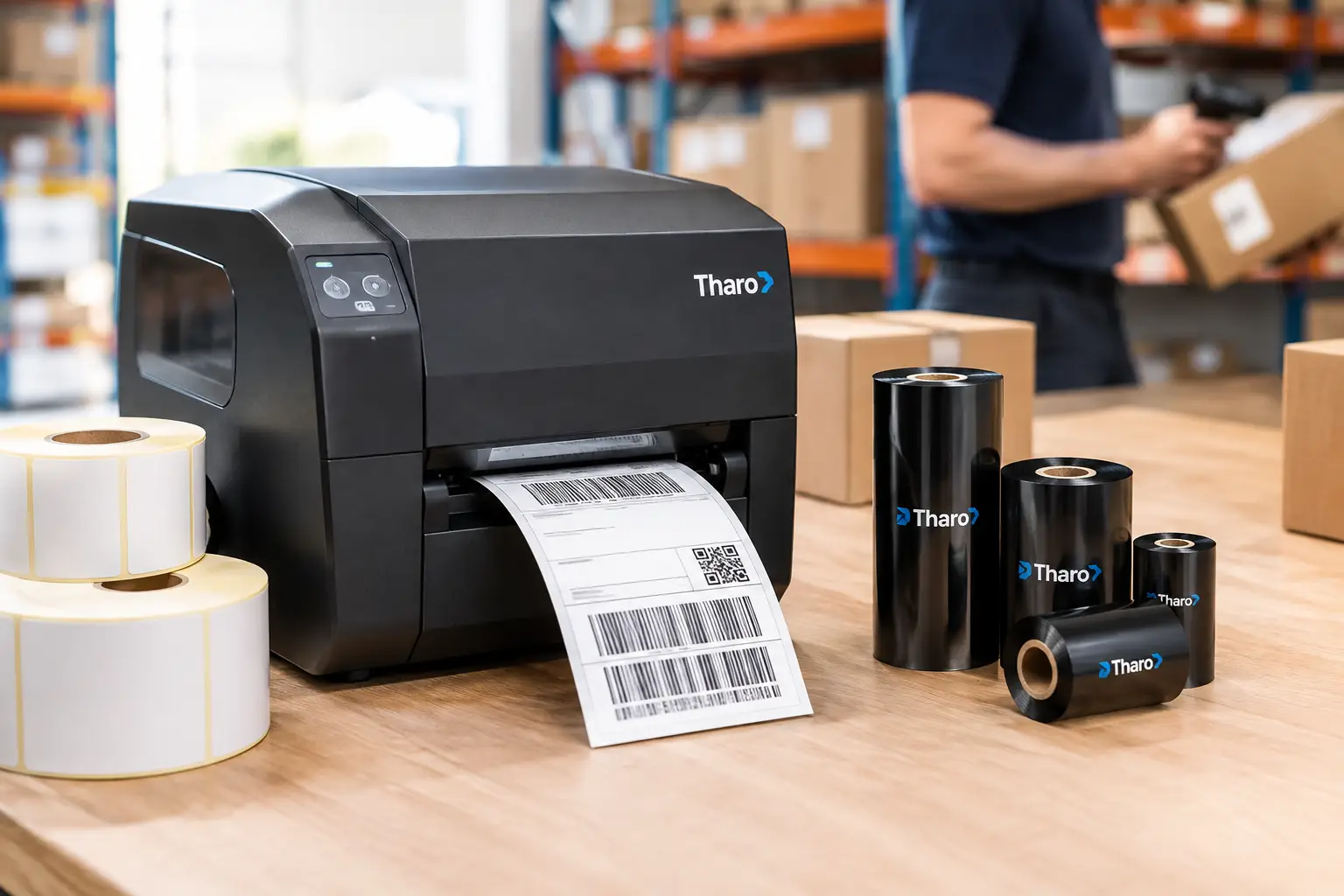
A picker standing in front of three nearly identical rack bays should not have to stop, squint, or ask for help. When a location label is hard to read, poorly placed, or inconsistent with the warehouse management system, a few seconds of uncertainty can become a mis-pick, a shipment delay, or a cycle-count discrepancy. The best warehouse labeling practices turn every storage location, pallet, container, and process step into a clear instruction that people and scanners can read correctly the first time.
Warehouse labels are operational infrastructure, not office supplies. They must survive handling, dust, temperature changes, forklift traffic, and repeated scanning while remaining accurate as inventory and layouts change. The right approach combines a logical identification system, durable materials, reliable printing, and disciplined maintenance.
Start With a Location System People Can Understand
A label cannot fix a confusing warehouse map. Before choosing label sizes or barcode symbologies, define a location convention that follows the physical path of inventory through the building. A common structure is zone, aisle, bay, level, and position. For example, A-03-12-04-02 can identify a specific position without relying on vague descriptions such as “back warehouse” or “north rack.”
The convention should be meaningful enough for employees to troubleshoot, yet consistent enough for software to interpret without exceptions. Avoid using the letter O and number 0, or the letter I and number 1, in ways that create visual confusion. If a location is active in the warehouse management system, its printed label should match it exactly, including hyphens and leading zeros.
Build the numbering sequence around travel flow. Aisles that progress logically reduce training time and help teams recognize when they are moving in the wrong direction. This matters especially in high-volume picking environments, where a familiar visual sequence provides a useful backup when a handheld device loses connection or an operator is working quickly.
Assign IDs Before Printing Labels
Create and approve a master location file before labels are produced. It should include the full location ID, a human-readable description, barcode data, label size, label placement, and any color or directional convention. The file becomes the control point for initial installation, future expansion, audits, and replacement labels.
Do not let separate shifts create their own abbreviations or temporary labels without a documented process. Temporary inventory often becomes permanent faster than expected, and handwritten workarounds are a common source of untraceable stock.
Use Barcodes That Match the Job
The barcode is the machine-readable version of the location or item identifier. It should be selected based on the amount of data required, the scanning distance, the scanner type, and the warehouse system. For fixed rack locations, a linear barcode such as Code 128 is often a practical choice because it is compact, widely supported, and effective for alphanumeric data. A 2D code may make sense when the label must hold more data, such as lot, serial, expiration, or handling details.
More data is not automatically better. A location label that embeds every possible attribute can become difficult to maintain when one attribute changes. In many operations, the barcode should identify the location while the WMS supplies the associated product, inventory, and task information. Item, pallet, and compliance labels may require more encoded data.
Always print the human-readable ID beneath or beside the barcode. Operators need a usable fallback when a barcode is damaged or a scanner fails. Use a barcode height and narrow-bar width appropriate for actual scan conditions, not just what looks acceptable on a desktop proof. Labels scanned from a forklift or across a wide aisle require larger symbols and larger text than labels scanned at arm’s length.
Validate Labels in Real Warehouse Conditions
Test samples where they will be used. Scan labels at the intended distance, angle, and lighting level with the scanners your team uses. Test them after applying them to wire rack, painted steel, corrugate, plastic totes, and other real surfaces. A barcode that reads perfectly on a clean bench can fail after it is mounted behind reflective wrap or partially obscured by a pallet.
Print quality matters. Weak thermal transfer print, ribbon wrinkling, or an aging printhead can produce bars that appear acceptable but scan inconsistently. Establish a quick approval test whenever a new material, printer setting, label format, or ribbon is introduced.
Make Labels Easy to Find From the Work Position
A correct label in the wrong place still slows the operation. Rack labels should be positioned consistently so associates know where to look before they arrive at the bay. Many facilities place primary location labels at the front of the rack beam, with duplicate labels on the aisle end or at an elevated position for forklift visibility.
Placement depends on the task. Ground-level pick faces may need labels on the beam and shelf edge. High bays may need large vertical aisle markers that guide lift-truck operators from a distance. Bulk floor locations need visible boundary markers and labels that remain readable when the space is partially occupied. Dock doors, staging lanes, returns areas, and quarantine locations deserve the same care as reserve storage.
Use color with restraint. Color can quickly distinguish temperature zones, hazardous areas, pick modules, or inventory status, but it should reinforce the ID rather than replace it. Do not depend on color alone for critical instructions. It can be missed under poor lighting, confused by color-vision limitations, or lost when a label is reprinted on the wrong stock.
Choose Materials for the Surface and Environment
Paper labels can be economical for clean, short-term applications such as shipping cartons and temporary staging. They are usually the wrong choice for permanent rack locations, freezer environments, outdoor storage, reusable totes, or labels exposed to abrasion and chemicals. The initial savings disappear when workers repeatedly replace damaged labels or scan around them.
For long-term warehouse identification, synthetic facestocks paired with the right adhesive provide better resistance to tearing, moisture, and handling. The surface matters as much as the label material. Rough corrugate, dusty steel, low-energy plastics, cold surfaces, and wire rack each create different adhesive challenges. A label that performs well on a smooth indoor rack may lift quickly from a textured tote or freezer rack.
Thermal transfer printing is generally the preferred choice for durable warehouse labels because the ribbon creates a more resistant image than direct thermal printing. Match the ribbon to the label stock and exposure conditions. Wax ribbons can suit many paper applications; wax-resin and resin options provide greater resistance for synthetics, moisture, abrasion, and chemical contact. Test the complete label-ribbon-printer combination rather than selecting consumables independently.
Standardize Formats Without Ignoring Exceptions
Standard formats make replenishment, training, and label replacement easier. A facility may use one format for rack locations, another for pallet IDs, and a third for shelf bins. Each format should have a clear purpose, fixed field order, readable typography, and approved barcode settings.
Standardization does not mean forcing every application into one small label. A six-inch-wide pallet label, for example, may need large text readable from several feet away, while a small parts bin needs compact but scannable identification. The practical goal is a controlled set of templates, not a single template for everything.
Label design software should help enforce that control. EasyLabel has been a leading label design platform since 1982 and supports barcode design, database-driven printing, and established printer compatibility without requiring a software subscription or support contract. When paired with a Tharo printer, the team has one USA-based support path for software and printer questions instead of being passed between vendors.
Protect Accuracy With Print and Change Controls
The best warehouse labeling practices include a process for changes, not just a strong initial rollout. Locations get repurposed, racks are reconfigured, and product profiles change. Require authorization for location additions, deletions, and relabeling. Update the WMS master data before labels are installed, then verify the physical label and system record match.
For high-volume or regulated operations, use a simple verification step: scan the printed label, confirm the returned value on screen, and compare it to the work order or location file. This is particularly valuable for pallet, lot, serial, and compliance labels, where one incorrect character can affect traceability.
Keep approved label files under version control and limit who can modify them. Operators should be able to print routine labels quickly, but unapproved template edits can alter barcode data, label dimensions, or critical text without being noticed. A controlled template protects both productivity and compliance.
Maintain the System Before It Becomes a Problem
Warehouse labels should be part of routine inspections. During cycle counts, safety walks, or slotting reviews, look for lifted corners, damaged barcodes, blocked location markers, faded print, and labels that no longer match the warehouse system. Replace failures promptly rather than waiting for an associate to report a scanning problem.
Printer maintenance is equally practical. Clean printheads as recommended, inspect platen rollers, use correctly matched ribbon and label stock, and keep spare consumables available for critical workstations. A lower-cost printer is not truly economical if it creates downtime during receiving or shipping. Consider total operating cost, including printhead replacement pricing, warranty coverage, support access, and supply compatibility.
The goal is simple: every person and every scanner should receive the same clear answer about where inventory belongs and what it is. Treat labels as a managed part of the warehouse system, and they will quietly remove friction from receiving, putaway, picking, counting, and shipping every day.