
RFID Versus Barcodes: Which Fits Your Operation?
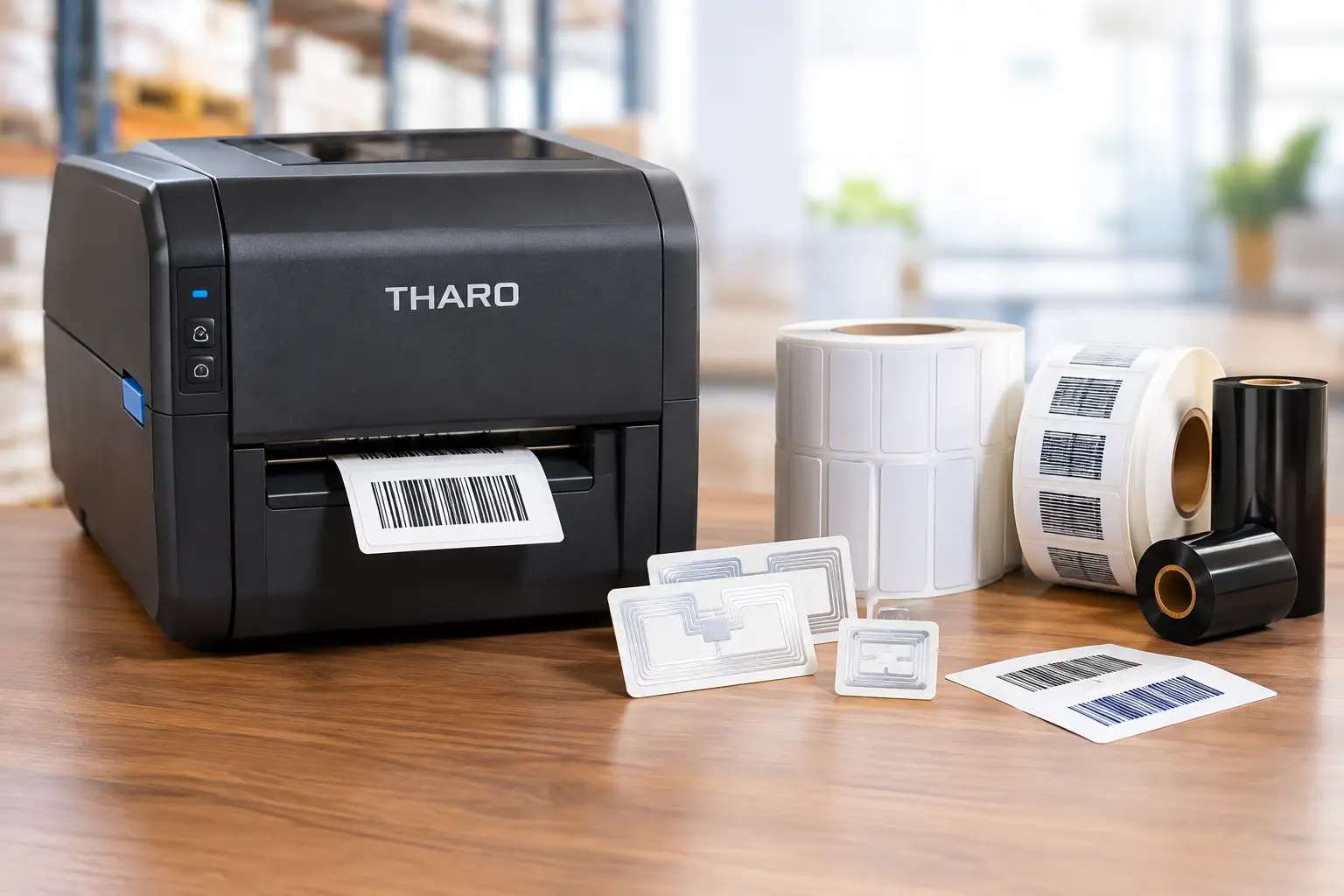
A pallet arrives at the dock, and your team needs to know what is on it, where it belongs, and whether the shipment is complete. That is where the RFID versus barcodes decision becomes practical. Both technologies identify items and support inventory control, but they collect data very differently and carry very different costs, workflow requirements, and implementation risks.
For many operations, a well-designed barcode system remains the fastest, most dependable path to better accuracy. RFID can be the right investment when manual scanning creates a measurable bottleneck or when items must be tracked without a direct line of sight. The best choice is not the newest technology. It is the technology that solves the actual identification problem without adding unnecessary complexity.
How Barcode and RFID Identification Work
A barcode is a printed pattern that represents an item number, serial number, lot number, location, or other data. A scanner reads the printed code with a direct view of the label. The scan returns the stored information to the warehouse management system, ERP, shipping software, or labeling application.
RFID uses a tag containing a small chip and antenna. An RFID reader sends a signal that powers or communicates with the tag, depending on the tag type. The reader can capture the tag’s identifier without seeing the tag directly. In some settings, it can read many tagged items during one pass through a portal or read zone.
That distinction changes the workflow. Barcode scanning is deliberate: an employee scans a specific label. RFID can be automatic: a reader detects items moving through a doorway, conveyor point, dock portal, or storage area. Automatic capture can be valuable, but it also demands careful reader placement, tag selection, software integration, and process control.
RFID Versus Barcodes: The Operational Differences
Line of sight and read volume
Barcodes require line of sight. A label must be visible, reasonably clean, and positioned so a handheld scanner or fixed scanner can read it. For cartons, bins, product labels, work orders, and shipping documents, that is usually easy to manage.
RFID does not require visual access, which can help when labels are hidden inside cartons, items move quickly, or an operator would otherwise scan dozens of individual units. A properly configured RFID portal may read multiple cases or tagged assets at once. However, RFID reads are not magic. Metal, liquids, dense product loads, tag orientation, and reader settings can reduce performance. RFID projects need real-world testing with the exact products, packaging, and environment involved.
Data capacity and serialization
A barcode can encode a wide range of information, particularly in 2D formats such as Data Matrix and QR codes. In most business workflows, the barcode does not need to hold every product detail. It simply carries a unique key that retrieves complete information from a database.
RFID tags can store a unique electronic identifier and, depending on the tag and system, additional data. Their stronger advantage is persistent, non-line-of-sight identification rather than data storage alone. If a serialized asset must be recognized repeatedly as it moves through a facility, RFID may offer meaningful value. If a label only needs to identify a product at packing, shipping, or receiving, a barcode is often more than sufficient.
Cost per item and infrastructure
Printed barcode labels are inexpensive. A thermal printer, properly matched labels, and thermal transfer ribbon can produce durable, scannable labels at a low cost per unit. That cost profile makes barcodes practical for high-volume product labeling, short-run jobs, compliance labels, and everyday warehouse identification.
RFID tags cost more than standard labels, and the expense goes beyond tags. A complete RFID deployment can require encoders, readers, antennas, mounting hardware, network connections, middleware, system integration, and ongoing tuning. The cost can be justified for returnable containers, high-value assets, reusable garments, tools, or large volumes moving through defined choke points. It is harder to justify when the item is low value, disposable, or only scanned once.
Accuracy and exception handling
Both technologies can improve inventory accuracy when the process is designed well. Barcode systems reduce key-entry errors and give employees a clear confirmation that a particular item was scanned. They are especially effective when the workflow requires intentional verification, such as confirming a specific lot, selecting a specific component, or matching a product to an order.
RFID can reduce missed scans when items move through a controlled read area, but it introduces a different type of exception management. A reader may capture tags near the intended zone, fail to read a poorly positioned tag, or report an item that was present but not actually transferred. The operational team must define what constitutes a valid read and how exceptions are resolved. The technology should reinforce accountability, not make transactions harder to verify.
Where Barcodes Are Usually the Better Choice
Barcodes are the standard for a reason. They are economical, widely supported, easy to understand, and compatible with nearly every warehouse, manufacturing, transportation, and retail software environment. They work on individual products, cartons, pallets, shelves, racks, documents, and equipment.
Choose barcodes first when employees can reasonably scan each item or container, when label cost matters, or when your operation needs flexible label content. A thermal barcode label can combine a UPC, Code 128, GS1-128, or 2D code with human-readable text, variable data, safety messaging, lot information, dates, and branding. That flexibility is useful for compliance labels and work-in-process identification where the label carries more than an ID number.
Barcode systems also offer a straightforward path to improvement. You can start with receiving labels, then add location labels, pallet labels, shipping labels, serialized asset tags, or production tracking as needs grow. The hardware and supplies are familiar, and troubleshooting is typically simple: inspect the label, verify the scan settings, and confirm the data source.
Label quality matters here. Poorly matched materials, adhesives, or ribbons can turn an otherwise sound barcode process into a source of failed scans and relabeling. Heat, abrasion, chemicals, moisture, outdoor exposure, freezer conditions, and rough handling all affect label selection. A barcode that prints sharply on day one must remain readable when the item reaches its final scan point.
When RFID Can Earn Its Higher Cost
RFID is most compelling when labor savings, visibility, or loss prevention can be measured clearly. A distribution operation may use it to capture tagged cases passing through dock doors. A manufacturer may track reusable containers that circulate between facilities. A maintenance team may identify tools and equipment without requiring technicians to search for and scan each label individually.
It can also be appropriate when an external customer, retailer, government program, or industry requirement specifies RFID tagging. In those cases, the question is not whether RFID is theoretically better than barcodes. The question is how to implement the requirement reliably while preserving usable backup processes.
Before committing, calculate the current cost of manual scanning, missing inventory, misplaced assets, shipment discrepancies, and cycle counts. Then model the expected read rate under normal operating conditions. If RFID only saves a few seconds on an occasional scan, its infrastructure cost may not pay back. If it removes repetitive scanning across thousands of movements each day, the numbers can look very different.
The Case for Using Both
RFID and barcodes are often complementary rather than competing technologies. An RFID tag can include a printed barcode and human-readable text. The RFID component supports automated reads where readers are installed, while the barcode provides a low-cost fallback for handheld scanning, partner shipments, and exception handling.
This dual approach is particularly useful across multiple facilities or supply chain partners. Not every location will have RFID readers, and not every customer will accept RFID data. A visible barcode keeps the item identifiable anywhere a scanner is available. It also gives operators a practical recovery method if an RFID read fails.
Build the Labeling System Around the Workflow
Whether you choose RFID, barcodes, or both, the labeling system has to produce accurate identifiers at the point where work occurs. That means selecting a printer that matches print volume, label width, resolution, and environment; specifying labels and ribbons that withstand handling; and using label design software that can pull variable data reliably.
For barcode workflows, EasyLabel has been a leading label design platform since 1982 and is used by thousands of companies worldwide, including major enterprises and government agencies. It supports practical label design without forcing every business into an ongoing subscription or support contract. Paired with a Tharo thermal printer, it also gives operations teams one USA-based support path for software and printer questions rather than having separate vendors point to each other.
The Label Guy can help match printers, labels, ribbons, and software to the job instead of treating each purchase as an isolated part number. That matters when a label must scan consistently, a ribbon must resist smearing, or a printer must keep a production line supplied. Orders over $100 ship free by ground within the 48 contiguous United States.
A sound identification program begins with a simple question: where does data capture fail, slow down, or become unreliable? If a durable printed label and a scan solve that problem, barcodes are usually the sensible answer. If non-line-of-sight, multi-item identification changes the economics of the operation, RFID deserves a disciplined pilot. Start with the workflow, test under real conditions, and choose the system your team can operate accurately every day.