
Label Printer Ribbon Compatibility Explained
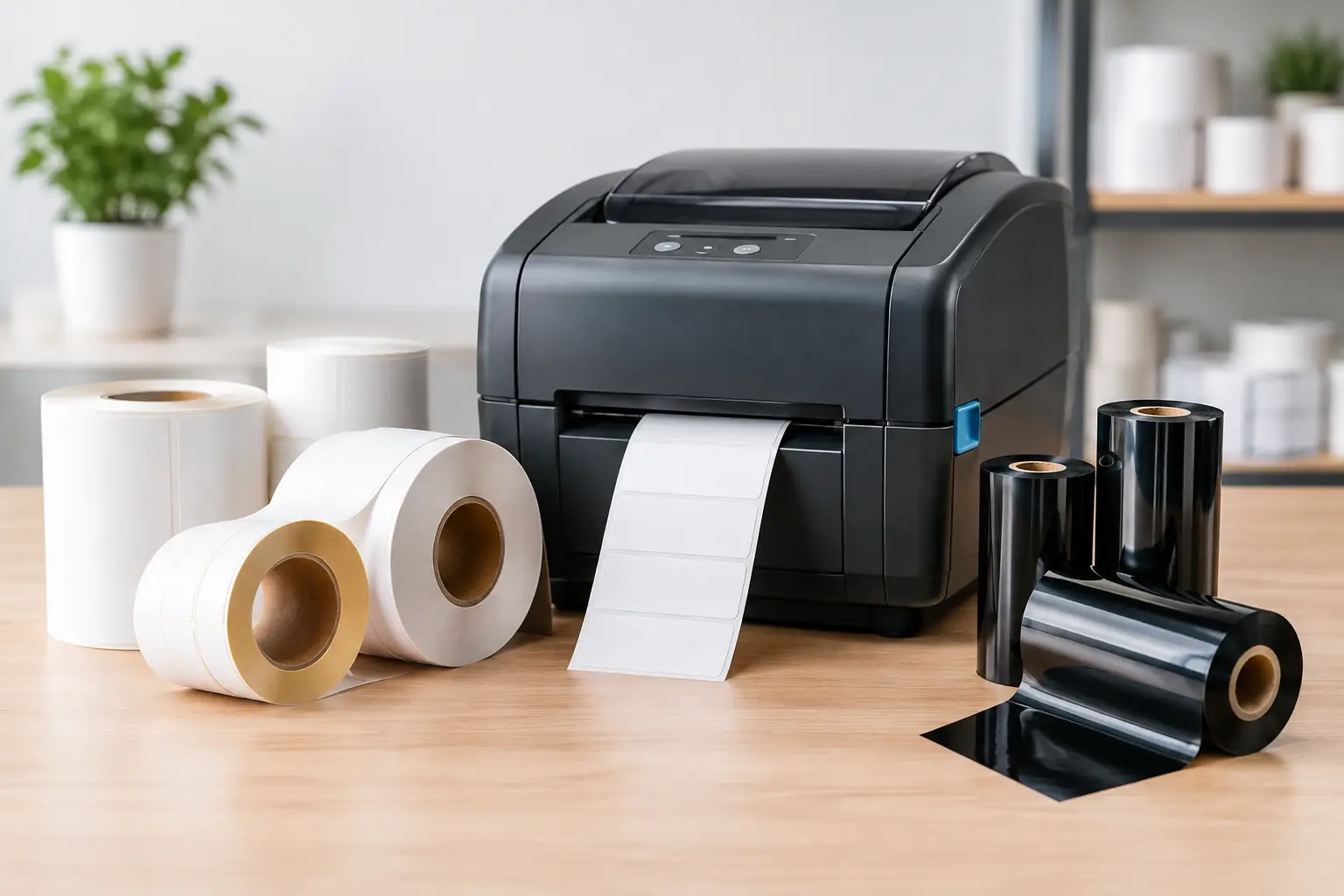
A barcode label can look acceptable at the printer and still fail at the dock door, on a warehouse shelf, or during a customer audit. In many cases, the problem is label printer ribbon compatibility: the ribbon may fit the printer but be wrong for the label material, application, or print conditions. Getting the combination right protects scan performance, printhead life, and the readability of the information your operation depends on.
What Label Printer Ribbon Compatibility Actually Means
Ribbon compatibility is more than whether a roll physically loads into a thermal transfer printer. A compatible ribbon must work with the printer’s ribbon path, core size, ribbon orientation, printhead settings, label facestock, adhesive system, and expected service environment.
A ribbon that is too wide, too narrow, wound in the wrong direction, or built on the wrong core may not load correctly. Even when it does, the print can be weak, excessively dark, streaky, or prone to smudging. The larger issue is chemical compatibility. The ink formulation on the ribbon must bond properly to the surface of the label.
Thermal transfer printing uses heat to transfer ink from a ribbon onto the label. Direct thermal printing does not use a ribbon at all. That distinction matters because a direct thermal label should not be paired with a thermal transfer ribbon simply because both products are used in similar printers. Confirm the printer technology and the label stock before ordering supplies.
Start With the Printer, Not the Ribbon Color
Every thermal transfer printer has mechanical requirements that narrow the list of usable ribbons. Check the printer model, print width, ribbon core diameter, maximum ribbon outside diameter, and whether it accepts ink-in or ink-out ribbon. These details are not interchangeable across all desktop and industrial printers.
Ribbon orientation is a frequent source of avoidable trouble. Ink-in ribbons have the ink coating on the inside of the roll, while ink-out ribbons place the coating on the outside. A printer designed for one orientation generally cannot print correctly with the other. The ribbon may move through the mechanism, but the ink will not transfer to the label as intended.
Width matters as well. A ribbon should be slightly wider than the label and printhead area being used. This helps protect the printhead from abrasion caused by direct contact with the label material. However, an overly wide ribbon can wrinkle, waste material, or interfere with the media path. Match the ribbon width to the label width and printer specification rather than choosing the widest roll available.
Length affects operating cost and changeover frequency. Longer industrial rolls reduce interruptions in high-volume operations, but only if the printer is designed to hold them. A ribbon that exceeds the printer’s diameter capacity can cause feeding issues or prevent the cover from closing.
Confirm printhead resolution and print settings
A 203 dpi printer may produce clear shipping labels with a standard wax ribbon, while a 300 or 600 dpi printer used for small text, dense barcodes, or detailed graphics may need more careful settings. Darkness, print speed, and heat settings all influence how well the ribbon transfers.
Too little heat creates faint images and poor barcode contrast. Too much heat can cause blurred edges, excessive ink spread, damaged fine text, and unnecessary printhead wear. When changing ribbon types or label materials, run a short test and adjust settings before printing a full production batch.
Match the Ribbon Formula to the Label Material
The three primary ribbon categories are wax, wax-resin, and resin. Each serves a different purpose, and selecting by price alone often leads to premature label failure.
Wax ribbons are the economical choice for uncoated paper and many coated paper labels. They print well at relatively low energy and are commonly used for carton labels, shipping labels, warehouse inventory labels, and general product identification. Their limitation is durability. Wax is more vulnerable to smearing, scratching, moisture, and chemical exposure than other ribbon types.
Wax-resin ribbons provide a meaningful step up in resistance. They are often a practical choice for glossy paper, coated stocks, and some synthetic labels where labels may see moderate handling, friction, or humidity. For operations that need better durability than wax without the higher cost of full resin, wax-resin can be the right middle ground.
Resin ribbons are designed for demanding applications and synthetic label materials such as polyester, polypropylene, and vinyl. They provide stronger resistance to abrasion, chemicals, moisture, heat, and outdoor exposure when paired with the correct label stock. Asset tags, laboratory labels, electronics identification, chemical container labels, and durable product labels are common resin applications.
The key phrase is “when paired with the correct label stock.” A premium resin ribbon cannot compensate for an unsuitable paper label in a wet or chemical-heavy environment. Likewise, using resin for a basic indoor corrugated carton label may add cost without delivering a useful business benefit.
Consider What Happens After the Label Leaves the Printer
A label’s job does not end at the printhead. The correct ribbon choice depends on how the label will be handled, stored, transported, and scanned.
For a short-life shipping label used indoors, a wax ribbon and quality paper stock may be sufficient. For a warehouse bin label that is scanned repeatedly and exposed to rubbing from cartons or totes, wax-resin may provide better long-term readability. For a label exposed to cleaning agents, oils, UV light, freezer conditions, or high temperatures, resin ribbon and a durable synthetic construction are usually the better starting point.
Ask practical questions before specifying a ribbon: Will the label be exposed to water? Does it contact solvents, alcohol, oil, or disinfectants? Will it be applied to a curved, rough, cold, or textured surface? Does the barcode need to remain readable for days, months, or years? These answers help determine both ribbon formulation and label construction.
Compliance labels deserve particular attention. Lot numbers, date codes, safety instructions, warning statements, and serialized barcodes must remain legible for the required period. A label that smears during handling can create traceability gaps, shipment delays, rejected products, or audit concerns.
Avoid Common Ribbon Compatibility Mistakes
The most common mistake is treating all black thermal transfer ribbons as equivalent. Two ribbons may look similar but use different coatings, backcoat formulations, and ink chemistry. A lower-cost ribbon that produces inconsistent scans or wears out a printhead sooner is not a lower-cost solution.
Another mistake is changing label material without reviewing the ribbon. A facility may move from uncoated paper to a glossy label or synthetic stock to improve appearance or durability, then continue using the existing wax ribbon. Print quality can become unreliable immediately, especially at higher speeds.
It is also risky to assume that an original equipment manufacturer ribbon is the only acceptable option or that every aftermarket ribbon is a sound substitute. The correct question is whether the ribbon is properly specified for the printer and the application. A high-quality compatible ribbon can perform very well when its size, orientation, formula, and construction meet the equipment requirements.
Finally, do not use print darkness to force an incompatible combination to work. Increasing heat may temporarily darken a weak image, but it can also create edge bleed and accelerate printhead wear. If the print requires extreme settings to stay readable, reassess the ribbon and label pairing.
Test Label Printer Ribbon Compatibility Before Full Production
A controlled test is inexpensive compared with reprinting hundreds or thousands of labels. Print representative text, small type, barcode symbols, and any dense graphics at normal operating speed. Scan the barcode with the same equipment used in the field, not only with a phone camera or visual inspection.
Then test the label under realistic conditions. Rub the printed image with a dry finger or cloth. Where appropriate, test exposure to moisture, chemicals, temperature changes, or abrasion. Review whether the ribbon produces clean edges, solid black bars, readable small text, and consistent results across the width of the label.
Keep a record of the printer model, label part number, ribbon part number, darkness setting, speed, and application. This gives purchasing and operations teams a repeatable specification instead of relying on a generic description such as “black ribbon.” Label design software also supports consistency by ensuring the correct barcode symbology, human-readable text, and print settings are used across workstations.
Buy the System, Not Just the Ribbon Roll
Reliable labeling comes from matching printer, software, labels, ribbons, and technical support as one working system. This is especially valuable when operations use several label sizes, multiple printers, or specialized applications that cannot tolerate trial-and-error purchasing.
The Label Guy helps businesses specify compatible thermal transfer ribbons alongside label stock, thermal printers, and EasyLabel software, so the finished label performs as required instead of merely looking acceptable when it first prints. For qualifying orders over $100, free ground shipping is available within the 48 contiguous United States.
Before placing the next ribbon order, verify the printer model, ribbon orientation, core size, label material, and field conditions. That short check can prevent poor scans, wasted labels, unplanned downtime, and the far greater cost of a label that fails when someone needs to read it.