
What Ribbon Works With a Thermal Transfer Printer?
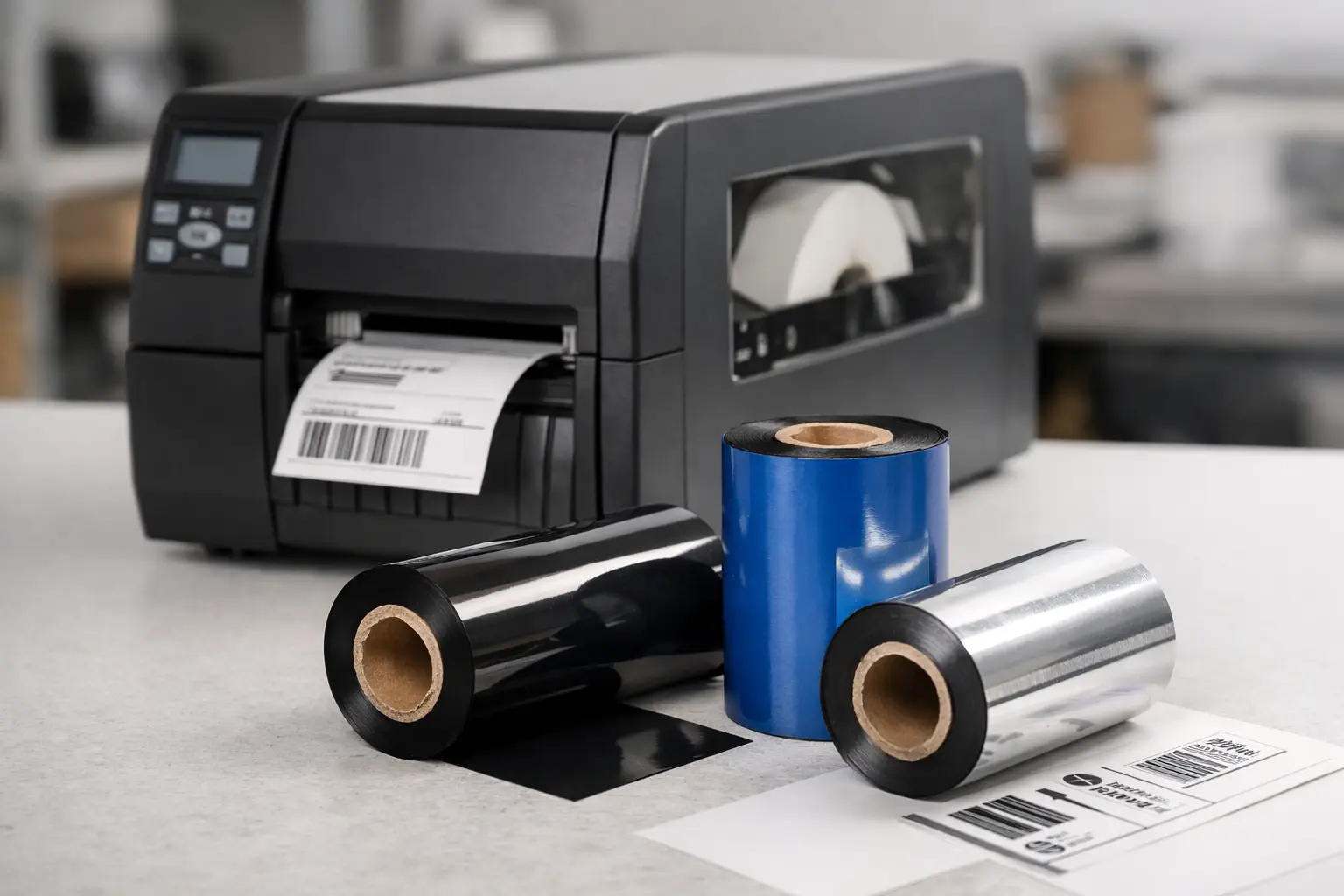
A barcode that scans perfectly at the packing station can fail after a week in a cold warehouse, on an oily production floor, or after repeated handling. The difference is often not the printer. It is the ribbon. If you are asking what ribbon works with a thermal transfer printer, the right answer depends on your label material, the environment the label will face, and the printer’s ribbon specifications.
Thermal transfer printing uses a heated printhead to transfer ink from a ribbon onto a label. That process produces durable, high-resolution identification for product labels, asset tags, inventory labels, shipping applications, and compliance marking. But a ribbon is not a universal part. Choosing one by price alone can lead to poor barcode grades, smudging, premature printhead wear, and labels that cannot do their job.
Start With the Label, Not the Ribbon
The ribbon and label face stock must work as a pair. A ribbon may print well on paper but perform poorly on synthetic material. Likewise, a premium resin ribbon can be unnecessary expense if a basic paper inventory label only needs to remain readable for a few days.
Paper labels are common for shipping, carton identification, warehouse locations, and short-term product labeling. They typically accept wax or wax-resin ribbons well. Synthetic materials such as polypropylene, polyester, vinyl, and other films are selected when labels need better resistance to moisture, chemicals, abrasion, heat, or outdoor exposure. Those materials often require resin or specialized wax-resin formulations.
Adhesive matters, too. If an application requires a freezer-grade, removable, aggressive permanent, or chemical-resistant adhesive, the face stock and ribbon should be evaluated together. A durable image is not enough if the label itself lifts, wrinkles, or fails under the application conditions.
The Three Main Ribbon Types for Thermal Transfer Printers
Most thermal transfer ribbon decisions begin with wax, wax-resin, or resin. Each has a practical role.
Wax ribbon for economical paper labels
Wax ribbons are the standard choice for many uncoated and coated paper labels. They require relatively low print energy, making them easy on the printhead and suitable for high-volume operations that need clean text, barcodes, and simple graphics at a competitive cost.
A wax ribbon is often appropriate for shipping labels, retail tags, corrugated case labels, work-in-process labels, and indoor inventory identification. Its limitation is durability. Wax images can scuff or smear when exposed to abrasion, moisture, solvents, or frequent handling. It is not the best choice for an asset label that must remain legible for years or a chemical drum label exposed to demanding conditions.
Wax-resin ribbon for added durability
Wax-resin ribbons combine the economical printing characteristics of wax with improved resistance from resin. They are a strong middle-ground choice for coated paper and some synthetic label stocks.
Many manufacturers, distributors, and warehouse operations use wax-resin ribbon when labels will experience moderate handling, light moisture, or friction during shipping and storage. It can provide darker, more durable barcodes than basic wax while avoiding the cost of a full resin formulation. The exact performance still varies by ribbon grade and label material, so testing is worthwhile when barcode readability is critical.
Resin ribbon for demanding applications
Resin ribbons offer the highest resistance to abrasion, chemicals, moisture, heat, and environmental exposure. They are commonly paired with polyester, polypropylene, vinyl, and other synthetic labels for durable identification.
Choose resin when labels need to survive industrial cleaning, outdoor exposure, sterilization processes, oils, solvents, repeated scanning, or long-term asset tracking. Typical uses include laboratory labels, electronics identification, chemical labeling, automotive parts, equipment asset tags, and UL-recognized applications where the label system must meet specific performance requirements.
Resin ribbons generally require more print energy and careful settings. They also cost more than wax. That is a sound trade-off when failure is expensive, but it is unnecessary for a basic short-life carton label.
What Ribbon Works With Your Thermal Transfer Printer?
The ribbon must physically fit the printer as well as match the label application. Check your printer documentation or existing ribbon roll for the ribbon width, maximum outside diameter, core size, and ribbon length. Industrial printers often accept longer rolls and larger cores, while desktop printers may require shorter ribbons and smaller roll diameters.
Ribbon width should be slightly wider than the label and print area. This protects the printhead from direct contact with the label surface, which can contribute to printhead wear. Do not use a ribbon that is substantially wider than necessary, however, because it creates unnecessary material waste.
You must also confirm the ribbon winding direction. Thermal transfer printers are designed for either ink-side-in or ink-side-out ribbon. Installing the wrong winding type means the ink will not transfer to the label, even if every other specification is correct. This is one of the most common and avoidable supply-ordering mistakes.
Printer resolution affects the result as well. A 203 dpi printer is appropriate for many shipping, warehouse, and general barcode labels. A 300 dpi printer is often better for smaller text, compact barcodes, and detailed graphics. A 600 dpi printer is used for very small text and high-density identification. The ribbon should be capable of producing the edge definition your barcode size and label design require.
Match the Ribbon to Real Conditions
Do not select ribbon based only on where the label is printed. Select it based on what happens after the label leaves the printer. A warehouse bin label may be indoors, but forklifts, dust, pallets, and repeated scans create abrasion. A product label may sit on a clean shelf, but it may also be refrigerated, wiped down, or exposed to skin oils and packaging friction.
Before committing to a ribbon grade, define the application conditions: expected label life, surface type, temperature range, exposure to water or chemicals, frequency of handling, and barcode scan requirements. For regulated or safety-related labeling, verify any required approvals and test the complete label-and-ribbon combination under actual conditions.
A simple rub test is useful, but it is not always enough. Test labels after exposure to the conditions that matter in your operation. Put a freezer label in the freezer. Wipe a chemical label with the relevant cleaner. Scan barcodes after labels have traveled through the production or distribution process. This approach catches failures before they become relabeling labor, shipment delays, or compliance issues.
Printer Settings Matter as Much as Ribbon Choice
Even the correct ribbon can produce poor output when print settings are wrong. Print darkness, speed, and pressure must be balanced for the ribbon and label combination. Too little heat can cause light, incomplete images and weak barcode edges. Too much heat can create bleeding, distorted text, excess ribbon buildup, and unnecessary printhead stress.
Start with the printer manufacturer’s recommended settings, then adjust in small increments while reviewing print quality. Slower speeds often improve image transfer for high-detail labels or resin printing, although they may reduce throughput. Faster speeds may work well for wax ribbon on paper, but only if barcodes remain sharp and scannable.
Clean the printhead regularly with approved supplies. Adhesive buildup, dust, and label debris can cause streaks and missing dots that look like a ribbon problem. Consistent cleaning and correctly sized ribbons protect a costly wear component and help maintain predictable barcode quality.
Avoid the Direct Thermal Mix-Up
A direct thermal printer does not use a ribbon. It prints directly onto heat-sensitive label material. Direct thermal is useful for short-life shipping labels, receipts, visitor badges, and temporary logistics labels, but the image can fade with heat, sunlight, abrasion, or time.
A thermal transfer printer can typically print without a ribbon only when configured for direct thermal media and when the printer supports that mode. For durable labels, thermal transfer media and the correct ribbon remain the better choice. Ordering a ribbon for a direct thermal-only application adds cost without improving the print.
Buy a Tested Labeling System, Not Just a Roll of Ribbon
The lowest-cost ribbon can become the most expensive choice when it produces unreadable barcodes, damages a printhead, or forces employees to relabel inventory. Supply consistency matters in high-volume operations. A ribbon should perform the same way from roll to roll, fit the printer correctly, and be available when production needs it.
The Label Guy helps businesses match thermal transfer ribbons with label materials, printer models, and real operating requirements rather than asking customers to guess from a generic part number. That matters when one labeling workflow includes shipping labels, durable asset tags, product identification, and compliance marking. Orders over $100 qualify for free ground shipping within the 48 contiguous United States.
When a label has to remain readable long after it is printed, treat the ribbon as part of the identification system. Match it to the label, the printer, and the conditions the label must survive, then validate the result where the work actually happens.