
How to Automate Warehouse Labeling Efficiently
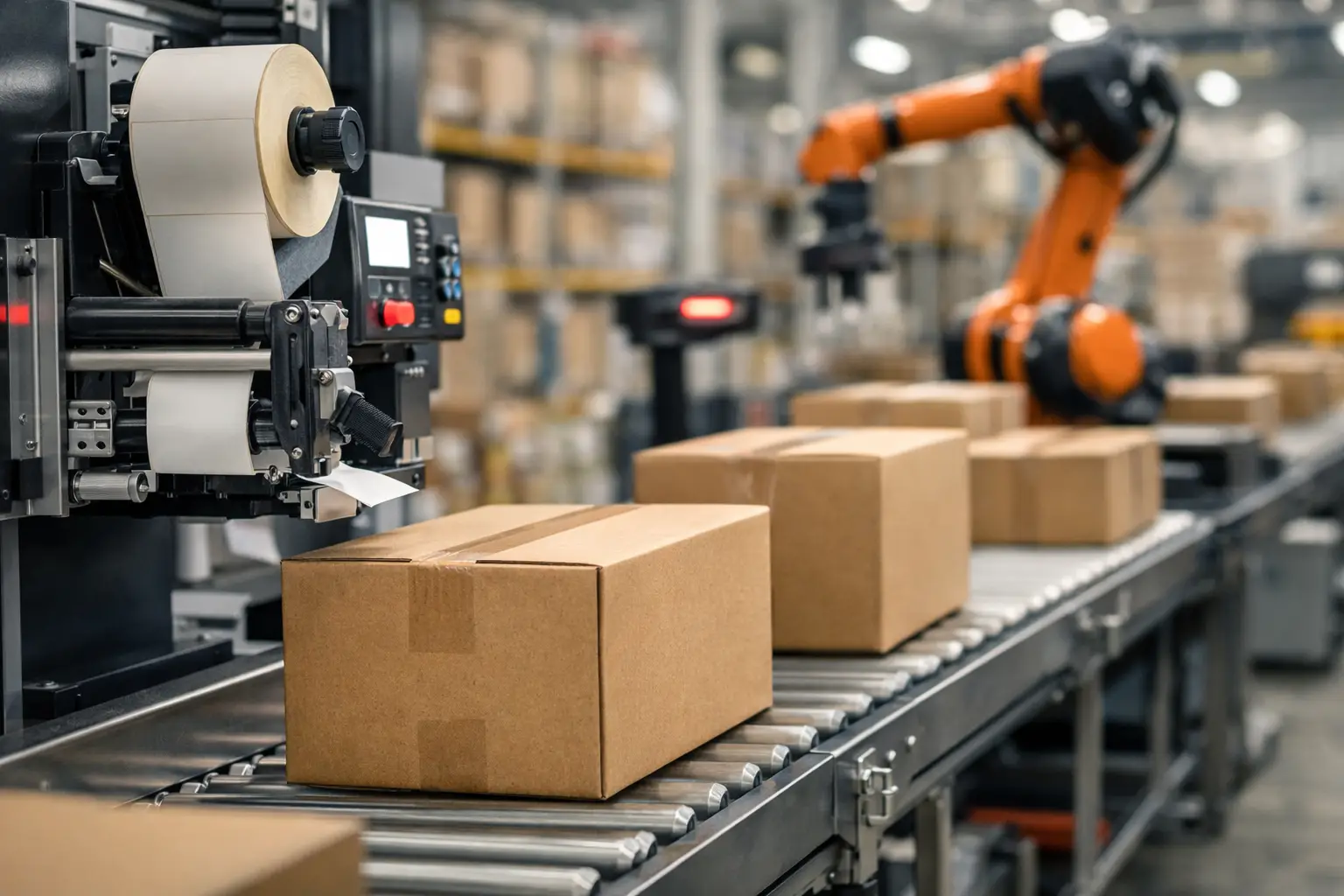
A receiving clerk prints a pallet label with the wrong item number. A picker scans it, inventory moves to the wrong bin, and the discrepancy is not found until a customer order is short. That is the operational cost of treating labels as an afterthought. Learning how to automate warehouse labeling means building a controlled process that produces the right label, with the right data, at the right point in the workflow.
Warehouse labeling automation is not simply buying a faster printer. It connects label design, source data, barcode rules, printers, media, and operator actions into one dependable system. Done well, it reduces manual entry, accelerates receiving and shipping, improves inventory visibility, and gives supervisors a cleaner audit trail.
How to Automate Warehouse Labeling From Data to Print
Start by mapping every point where a person currently writes, types, applies, scans, or reprints a label. Most warehouses need labels at receiving, putaway, storage locations, picking, packing, shipping, returns, and asset tracking. The exact mix depends on the operation, but each label should have a defined purpose and an identified data source.
For example, an inbound pallet label may need a purchase order number, supplier code, item number, lot number, quantity, receipt date, and a barcode. A location label may need a warehouse zone, aisle, rack, level, and bin. A shipping label may need carrier service, destination, carton ID, and routing information. When those fields are manually keyed into separate label files, errors and delays are predictable.
Automation begins when label software pulls those values from a business system or a controlled data file rather than relying on operator input. Depending on your environment, the source may be a warehouse management system, ERP, inventory database, spreadsheet, text file, ODBC connection, or scan transaction. The software formats the data according to the label template, generates the barcode, and sends the job to the assigned thermal printer.
This approach also creates standards. Instead of allowing every shift or location to create its own label layout, use approved templates with locked fields, defined barcode symbologies, and controlled print rules. Operators can select a job, scan a work order, or trigger printing from the host system without redesigning labels at the workstation.
Define the label event before selecting equipment
The best automation point is usually the moment a transaction occurs. Print a receiving label when goods are received, a location label when a bin is created, a carton label when an order is packed, or a replacement label when an existing barcode fails verification. Printing too early can produce labels for inventory that never arrives. Printing too late creates queues and encourages handwritten workarounds.
Ask three practical questions for each label event: What initiates the print job? Where does the variable data come from? Which printer should receive the job? Clear answers prevent a common failure: installing capable equipment without defining the workflow that controls it.
Build Label Templates That Support Scanning
A label can be technically correct and still fail in the warehouse. Small text, poor contrast, a barcode placed across a fold, or a layout that hides the human-readable item number can slow down every downstream task. Design for the person scanning and applying the label, not just for the database record.
Use the barcode type required by your systems and trading partners. Code 128 is common for general-purpose warehouse identification, while GS1-128 may be required when encoding application identifiers such as lot, serial, or expiration data. Two-dimensional codes can carry more information in less space, but they are not automatically the right choice. If floor staff use legacy linear scanners or the receiving system expects a linear barcode, adding a 2D code can complicate rather than improve the process.
Include readable backup information near the barcode. Item number, lot number, quantity, and destination should be easy to identify when a scanner is unavailable or a label is damaged. Consistent field positions matter as well. When every pallet label puts the item ID in one place and the lot number in another, workers verify labels faster.
Label software such as EasyLabel is designed for this work because it can combine fixed design elements with changing database fields, serial numbers, dates, counters, and barcode data. The objective is not to make a visually elaborate label. It is to produce a repeatable, scannable label that meets the requirements of your operation and customers.
Choose Printers and Media for the Actual Environment
Automation only works when the printer stays online. A desktop printer may be suitable for a low-volume shipping desk, but it can become a bottleneck at a busy receiving dock. Likewise, a high-performance industrial printer may be unnecessary for a small operation with a few dozen labels per day. Print volume, label size, required resolution, connectivity, and duty cycle should drive the selection.
Thermal transfer printing is often the practical choice for warehouse labels that must remain readable through handling, storage, abrasion, or changing temperatures. It uses a ribbon to transfer the image to the label material and generally provides stronger durability than direct thermal printing. Direct thermal can be a good fit for short-life shipping labels and temporary applications, provided heat, sunlight, and handling will not degrade the image before the label has served its purpose.
Material selection deserves the same attention as the printer. Paper labels may work for clean, dry cartons. Synthetic labels and more aggressive adhesives may be necessary for cold storage, rough containers, outdoor exposure, oily surfaces, or reusable totes. The ribbon must also match the facestock and durability requirement. A low-cost media combination that smears, lifts, or scans poorly creates expensive rework.
Place printers where the work happens. A printer at the receiving station eliminates walks to a central office. A unit near pack-out can print carton or compliance labels as orders close. Networked printers support centralized job control, while locally connected printers can make sense for isolated work cells. The right configuration depends on network reliability, security requirements, and how quickly each station needs to recover from a problem.
Connect Automation Without Losing Control
Integration does not have to mean a large software project. Many operations begin with a controlled import from a spreadsheet or database table, then expand to direct integration with an ERP or WMS as processes mature. The key is to eliminate duplicate entry while preserving data validation.
Before a label prints, the system should verify that required fields are present and correctly formatted. A lot-controlled item should not print without a lot number. A serial number should not duplicate an existing record. A shipping label should not route to a carrier service that has not been selected. These controls catch errors before they become mislabeled inventory.
Use print permissions and template version control, especially for regulated, customer-specific, or compliance labels. Supervisors should be able to determine which template was used, when it was printed, and which user or transaction initiated the job. For high-value goods or regulated products, consider a scan-and-verify step after application. It adds a few seconds, but it may be justified when a bad label can trigger a chargeback, recall exposure, or shipment rejection.
Test the Workflow on the Warehouse Floor
Do not approve automation based only on a screen preview. Test labels on actual cartons, pallets, totes, and products. Scan them with the devices used by receiving, picking, and shipping staff. Check performance under normal lighting, on curved surfaces, after handling, and in the temperatures the label will encounter.
A focused pilot is usually more useful than attempting a warehouse-wide conversion overnight. Select one process, such as inbound pallet identification or location labeling, and measure the results. Track print time, scan success rate, reprint volume, operator questions, and data exceptions. Those results will show whether the issue is template design, data quality, printer placement, media selection, or training.
Training should be short and task-specific. Employees need to know what triggers a label, how to load media, how to recognize a poor print, how to perform an authorized reprint, and when to escalate a data problem. They do not need to become label designers to operate a controlled system.
Avoid Common Warehouse Labeling Automation Mistakes
The most expensive mistakes tend to be process mistakes, not printer failures. Avoid these five problems as you roll out the system:
- Automating inaccurate source data. A faster print process will reproduce bad item master data faster.
- Using one label material for every application. Warehouse conditions and surfaces vary too much for a universal stock label.
- Printing labels before the transaction is confirmed. This creates orphan labels and confusing inventory records.
- Ignoring reprint controls. Unlimited reprints can introduce duplicate carton, pallet, or serial identifiers.
- Treating barcode quality as optional. A label that cannot scan consistently is not an operational label.
A capable supplier can help align software, printers, labels, and ribbons, but the warehouse still needs ownership of its data standards and workflow rules. This is where a complete labeling system has an advantage over buying individual components from unrelated sources.
The Label Guy supports that system approach with EasyLabel software, thermal printers, ribbons, stock and custom labels, and USA-based technical support. For a growing warehouse, having those pieces specified together can reduce compatibility questions and speed up deployment.
The practical goal is simple: make the correct label the automatic outcome of the work being performed. Start with the process that causes the most rework today, prove it on the floor, and expand only after the data, label, and print process are working together reliably.