
Tharo Labeling Software for Reliable Barcode Work
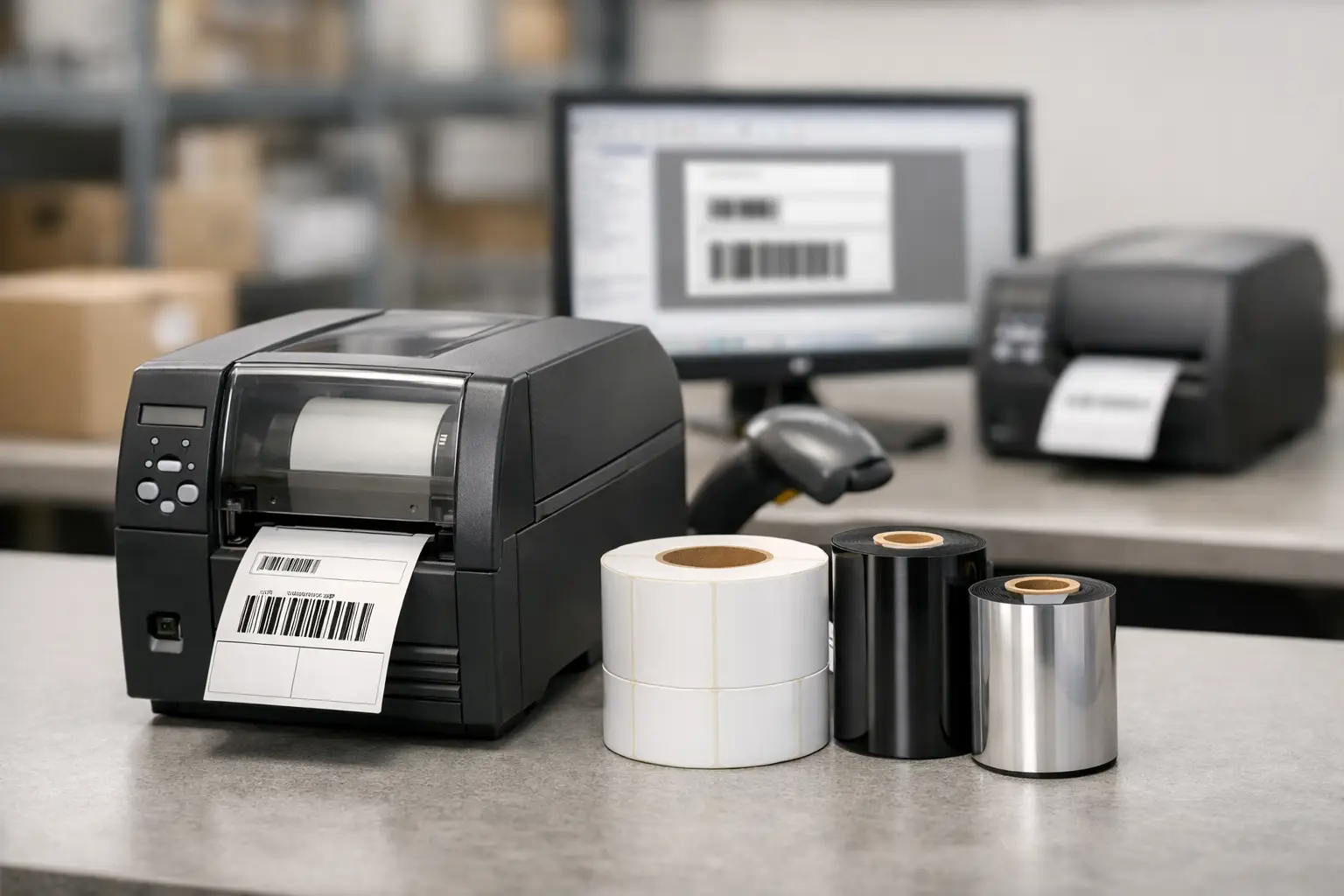
A barcode label that scans correctly is only the visible result. Behind it are label formats, variable data, printer settings, ribbon choices, and the people who need to keep the line moving when something changes. Tharo labeling software, powered by EasyLabel, is built for businesses that need that process to remain dependable without turning every new label into an IT project.
EasyLabel has been a leading label design platform since 1982. It is used worldwide by thousands of companies, including large enterprises and government agencies, because it addresses the day-to-day realities of industrial labeling: product identification, inventory control, shipping, receiving, document tracking, compliance labels, and barcode printing. The objective is straightforward – create accurate labels, connect them to the right data, and print them consistently on the equipment your operation uses.
What Tharo Labeling Software Solves
Labeling failures are rarely caused by a single issue. A warehouse may have the correct product data but use a label template that no longer matches the stock. A manufacturer may have a good printer but no practical method for changing lot numbers, serial numbers, or variable text. A compliance team may need to add required warnings or barcodes without disrupting production.
EasyLabel gives operations teams a centralized way to design and maintain label formats rather than relying on handwritten changes, fragmented files, or a separate process for every printer. Users can build labels with text, barcodes, graphics, lines, boxes, dates, counters, and variable information. That matters when label content changes by order, pallet, product, customer, location, or production run.
For less technical users, the benefit is control without unnecessary complexity. For experienced labeling professionals, the benefit is a mature platform that can support demanding workflows and a broad range of printing environments. The right EasyLabel edition depends on the application, the data source, the printer fleet, and the degree of automation required. A simple receiving label and a serialized product label may both be thermal labels, but they do not require the same configuration.
Why EasyLabel Stands Apart From Subscription Software
Many label design products are sold through subscription plans, and some vendors tie access to technical help to an active support contract. That model can make budgeting less predictable, particularly for organizations with multiple users, printers, or facilities. It can also leave a team paying recurring fees for a label system that changes very little after it is deployed.
EasyLabel does not require a subscription or a support contract. Businesses can purchase the software they need and use it without treating label design as another recurring software expense. This is a practical advantage for manufacturers, distributors, and warehouses that value stable, long-term tools.
That does not mean every operation should select software based on purchase structure alone. A cloud-based subscription product may make sense for teams that need broad browser access, frequent feature releases, or centralized administration across a highly distributed workforce. But when the priority is dependable on-site label creation, established printer compatibility, and ownership without mandatory recurring fees, EasyLabel is a strong option.
EasyLabel also benefits from a long history of working with major printer manufacturers. This is especially useful for companies that already operate mixed printer fleets or expect their hardware needs to change. Software should support the printing environment, not force an entire operation to replace equipment prematurely.
Support Is Part of the System
A label design package is only as useful as the help available when a format, printer, or data connection needs attention. When EasyLabel is paired with a Tharo printer, there is one USA-based support number to call for both the software and the printer. That eliminates the familiar cycle of one vendor blaming the application and another blaming the hardware.
This single-source approach is particularly valuable during implementation. A support team that understands label design, print settings, media, ribbons, and thermal printers can identify where the real issue is likely to be. Often, a printing problem is not strictly a printer problem. It may be a mismatched ribbon, incorrect darkness setting, unsuitable label material, or a template that was built for different media dimensions.
Pairing EasyLabel With Tharo Thermal Printers
Tharo thermal printers are designed for businesses that need commercial-grade barcode and label output without automatically paying flagship-model prices. They can be a more cost-effective choice than premium models from competing manufacturers, particularly when a business needs several printers or wants to standardize across workstations.
Cost of ownership extends beyond the initial printer purchase. Replacement printheads are generally much less expensive for Tharo printers than replacement heads for many competing models. Since printheads are a wear item, that difference matters over the working life of a printer, especially in high-volume applications or environments where labels and ribbons are not always handled perfectly.
Warranty coverage also supports a more confident purchase decision. Four-inch-wide 203 and 300 DPI H-Series and T-Series printers carry a warranty of two years or two million printed inches. Six-inch-wide models and 600 DPI printers carry a warranty of one year or one million printed inches. Those terms reflect the fact that thermal printing equipment should be selected for its expected workload, label size, print resolution, and operating environment rather than simply by its lowest purchase price.
Higher resolution is appropriate when labels include very small text, dense graphics, or fine barcode elements. Standard 203 DPI printing can be the practical choice for many shipping, inventory, and warehouse labels. The best printer is the one that produces readable, scannable output at the volume your operation requires without creating unnecessary expense.
The Label, Ribbon, and Printer Must Work Together
Labeling software controls what is printed, but media determines how well the finished label performs. A clean barcode on the wrong material can still fail when exposed to moisture, abrasion, freezer conditions, chemicals, sunlight, or handling throughout the supply chain. The same is true when the ribbon does not match the label face stock or the application.
This is why buying software separately from printers, labels, and ribbons can create avoidable troubleshooting. The Label Guy provides the full labeling system, including EasyLabel software, Tharo printers, thermal labels, thermal transfer ribbons, and custom label support. Instead of coordinating multiple vendors, businesses can work with a specialized source that understands how the components affect one another.
For example, a warehouse shipping carton may need a durable paper label and a general-purpose ribbon. A product label exposed to solvents or outdoor conditions may require a synthetic material and a more durable ribbon formulation. A healthcare, food, manufacturing, or regulatory application may add specific legibility, adhesion, or content requirements. The correct combination depends on the environment and the job, not just on the printer model.
Questions to Ask Before Selecting EasyLabel
Before selecting Tharo labeling software, define the label workflow rather than starting with a feature checklist. Consider how many label formats the team needs, whether information will be entered manually or pulled from business data, how many printers are involved, and what happens when a label changes. These answers help determine the appropriate software configuration and printer setup.
It is also worth reviewing the label itself before finalizing hardware. Measure the label width and height, identify the smallest barcode or text that must remain readable, estimate daily print volume, and document exposure conditions. A shipping label used indoors and a compliance label used on a chemical container have different material and print requirements.
Finally, consider the support path. If a printer stops producing readable labels during a shift, the operational cost can quickly exceed a modest difference in hardware price. A knowledgeable USA-based team, compatible supplies, and a clear place to call can be more valuable than a low-cost purchase that leaves your staff to diagnose the full system alone.
A dependable labeling operation starts with accurate software, but it stays dependable when the printer, labels, ribbons, and support are selected as one working system. Choose the components around your actual workflow, and your next label change can be a routine task instead of an interruption.