
Integrated Labeling Hardware Software That Works
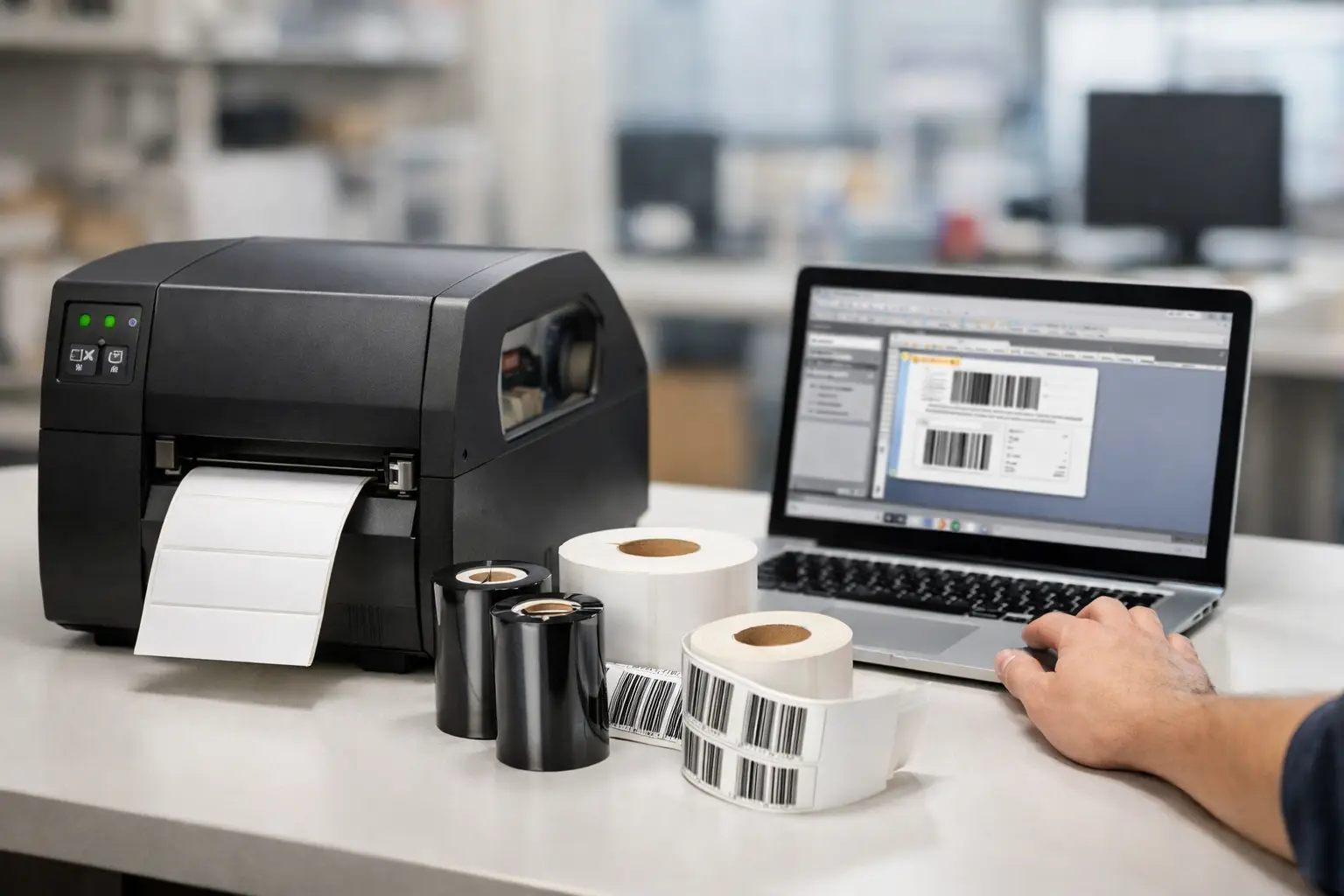
A label printer that sits idle during a receiving rush is not a minor inconvenience. It can delay shipments, interrupt inventory transactions, create manual workarounds, and leave teams guessing whether the problem is the label, ribbon, printer setting, driver, or design file. Integrated labeling hardware software addresses that problem by treating label production as one operating system rather than a collection of unrelated purchases.
For manufacturers, warehouses, distributors, and compliance-driven operations, the goal is not simply to print a barcode. The goal is to produce the right label, on the right material, with readable data, every time the process requires it. That requires software, printers, ribbons, labels, and support that work together.
Why Integrated Labeling Hardware Software Matters
Many labeling problems begin with fragmented purchasing. A business selects design software from one provider, a printer from another, labels from a third, and ribbons based only on price. Each component may be capable on its own, but no one vendor has responsibility for how the complete system performs.
That becomes costly when a new thermal transfer ribbon produces weak print, a label format shifts after a printer change, or a barcode scans poorly at the dock. The operations team may spend hours contacting multiple companies while production waits. An integrated approach gives the buyer a clearer path: select compatible equipment and consumables from a labeling specialist, then call one knowledgeable support resource when help is needed.
Integration does not mean every operation needs one specific printer or one label stock. It means the system is chosen deliberately. A 4-inch shipping label, a chemical-resistant asset tag, and a high-volume carton identification label have different requirements for print resolution, adhesive, facestock, ribbon, and printer duty cycle. The hardware and software should support those requirements without adding unnecessary complexity.
Start With Label Design and Data Control
Label software is the operating center of a printing workflow. It determines how text, barcodes, graphics, dates, serial numbers, and database fields are arranged before they reach the printer. If the software is difficult to use or poorly matched to the printer, operators lose time making format changes and troubleshooting output.
EasyLabel has been a leading label design platform since 1982 and is used worldwide by thousands of companies, including large enterprises and government agencies. Its long history matters because labeling environments rarely remain static. Businesses change products, add compliance requirements, replace printers, and move data between systems. Established software with broad printer compatibility gives buyers more flexibility than software designed around a narrow hardware ecosystem.
For a warehouse, that may mean creating a receiving label with a purchase order number, SKU, quantity, and barcode pulled from a business system. For a manufacturer, it may mean producing product, lot, date, and warning labels from a controlled template. The design should be easy to revise without forcing an operator to become a programmer.
Avoid Subscription Pressure for Core Labeling Tasks
Some competing label design products require an ongoing subscription or support contract to maintain access to features or receive assistance. That model can make budgeting harder, especially for businesses that need dependable long-term label production rather than another recurring software expense.
EasyLabel does not require a subscription or a support contract. Buyers can own proven label design software and still have access to USA-based assistance when they need it. This is a practical advantage for operations managers who want predictable costs and a clear support path without treating every label change as a recurring licensing decision.
Choose Thermal Hardware for the Actual Workload
A printer should be selected by application, not by the loudest specification sheet. Print width, resolution, volume, connectivity, media type, and environmental conditions all affect the right choice. A desktop unit may be appropriate for a modest-volume workstation, while a busy production floor or distribution area may require a more durable industrial printer.
Tharo thermal printers are a strong option for businesses that need reliable barcode and label output without automatically paying flagship-model pricing from larger printer brands. They are built for practical labeling work and pair directly with EasyLabel, reducing the chance that a buyer is left coordinating printer and software support across separate companies.
Resolution is one common decision point. A 203 DPI printer is often well suited to standard shipping, carton, inventory, and warehouse labels. A 300 DPI model provides finer print for smaller text, denser barcodes, and more detailed graphics. For very small labels or demanding identification applications, 600 DPI may be the better fit. Higher resolution is not always better if it adds cost without improving the required label result.
Warranty coverage should also factor into the decision. Tharo 4-inch-wide 203 and 300 DPI H-Series and T-Series printers carry a two-year or 2 million printed inch warranty. Six-inch-wide and 600 DPI models carry a one-year or 1 million printed inch warranty. That coverage reflects the role these printers are designed to play in ongoing business operations.
Look Beyond the Printer Purchase Price
The cost of ownership includes more than the printer itself. Printheads are wear items, and replacement pricing can become a meaningful expense in high-use environments. Tharo replacement printheads are generally much less expensive than replacements for competing printer lines, which can improve long-term operating costs.
The right printer also reduces waste. When the printhead, ribbon, label material, and settings are matched correctly, labels are less likely to smear, wrinkle, fail to adhere, or produce unreadable barcode grades. The lowest-priced printer or ribbon is not a savings if it causes relabeling, scanning failures, or downtime.
Labels and Ribbons Are Part of System Performance
Thermal labels and ribbons should not be treated as generic commodities. A label that performs well on a dry corrugated case may fail on a cold surface, a curved container, an oily part, or an outdoor asset. Likewise, the ribbon formulation must be compatible with the label material and the durability requirements of the application.
Direct thermal labels are efficient for short-life uses such as shipping, receiving, and temporary logistics labels. They do not require a ribbon, which simplifies replenishment. Their trade-off is durability: heat, light, abrasion, and extended storage can affect the image over time.
Thermal transfer printing uses a ribbon to create a more durable image on appropriate label materials. It is often the better choice for product identification, inventory labels, asset tracking, compliance information, and applications exposed to handling or variable conditions. Wax, wax-resin, and resin ribbons each serve different performance needs. Choosing the wrong ribbon can produce poor edge definition or inadequate resistance even when the printer itself is working properly.
A specialist supplier can help match label facestock, adhesive, ribbon, and printer configuration to the job. That guidance is especially valuable for custom labels, where size, color, adhesive, preprint requirements, and application surface all influence the final result.
One Support Call Changes the Troubleshooting Experience
When EasyLabel software and a Tharo printer are purchased together, the support experience is simpler: one USA-based number for help with the system. That is not merely a convenience. It shortens the time between identifying a problem and getting back to printing.
A knowledgeable support team can help determine whether the issue is a media calibration setting, print speed, darkness level, label sensor position, ribbon selection, driver configuration, or label format. In a fragmented environment, those questions may be passed between vendors. In an integrated environment, they can be addressed with the full workflow in view.
The Label Guy has focused on labeling, marking, and barcode solutions since 1993, with the ability to supply software, thermal printers, ribbons, stock labels, and custom label support through broad fulfillment capacity. That specialization matters when a business needs more than a box delivered. It needs a system that can be specified correctly, replenished reliably, and supported after installation. Qualifying orders over $100 also receive free ground shipping within the 48 contiguous United States.
Build the System Around Your Process
The best labeling system starts with a few direct questions. What information must appear on the label? Where does the data come from? How many labels are printed per day? What surface receives the label, and what conditions will it face? How small are the text and barcode elements? Who needs to change the format when requirements change?
The answers determine whether the operation needs desktop or industrial hardware, direct thermal or thermal transfer media, standard or high-resolution print, and simple variable fields or database-connected label templates. They also reveal where integration provides the greatest return. A single shipping station may need a straightforward, economical setup. A multi-shift plant may need standardized formats, durable media, spare supplies, and a support relationship that protects uptime.
Buy the system that fits the work, not the system that creates the most vendor relationships. When software, printer, labels, ribbons, and technical guidance are selected as one solution, label printing becomes a controlled part of the operation instead of a recurring source of disruption.