
A Guide to Variable Data Labels for Operations
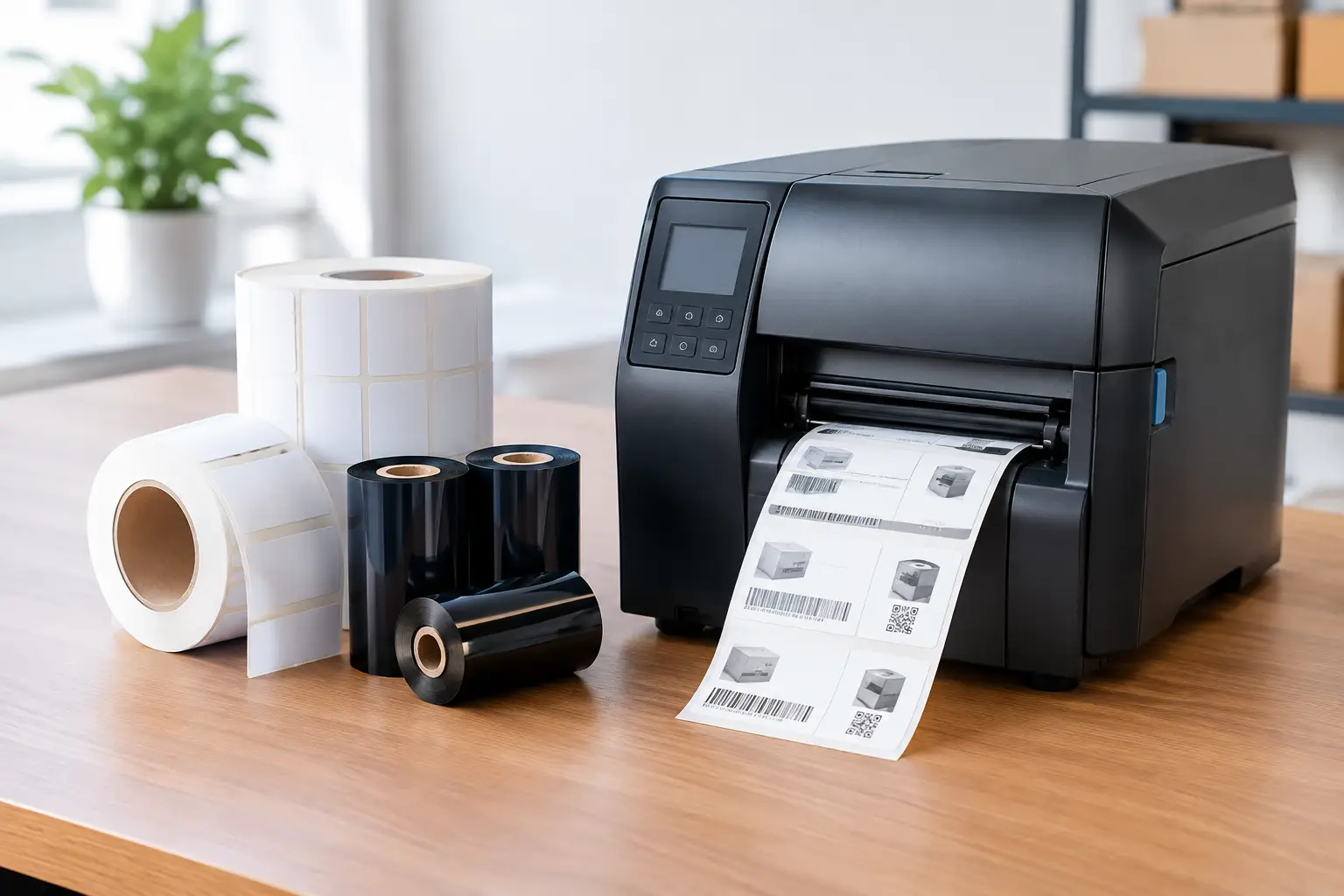
A shipping label with the wrong destination, a product label with an outdated lot code, or a barcode that will not scan can stop work far beyond the printer. For operations teams, a guide to variable data labels is really a guide to controlling the information that moves products, inventory, records, and compliance processes forward.
Variable data printing lets a business keep the label design consistent while changing selected information from one label to the next. That can include serial numbers, SKUs, lot codes, expiration dates, shipping addresses, asset IDs, prices, pallet quantities, or barcode values. The result is faster, more accurate identification without manually redesigning a label for every item or transaction.
What Variable Data Labels Actually Do
A variable data label has two parts. The static portion stays the same, such as a company logo, handling instruction, fixed product description, or required warning. The variable portion is populated from a keyboard entry, counter, database, spreadsheet, ERP system, warehouse management system, or scanner input.
Consider a manufacturer labeling medical components. The label format may always contain the same part description, material statement, and company address. Each individual label, however, needs a unique serial number, production date, lot number, and scannable barcode. Rather than creating separate artwork for every component, the operation uses one controlled format with fields that update at print time.
That distinction matters because variable data labels are not simply labels with changing text. They are part of an identification process. When designed correctly, they connect physical items to the data used for receiving, production, quality control, shipping, maintenance, and recall readiness.
A Practical Guide to Variable Data Labels
The first decision is not which printer to buy. It is determining what information must change, where that information originates, and who owns its accuracy. Many labeling problems start when those questions are skipped and a team tries to solve a data issue with a new label format.
Identify the data that must be unique
Start with the transaction or item being identified. A warehouse carton may need an order number, ship-to address, carrier service, tracking barcode, and carton sequence. A finished product may require a SKU, UPC, lot code, use-by date, and country-of-origin information. An asset tag may require an equipment number, department, service date, and QR code that points users to an internal record.
Separate information that never changes from information that changes by product, batch, or individual unit. This makes the template easier to manage and reduces the chance that operators edit fixed text when they should only be entering or importing variable fields.
It also helps to define the required format for each field. A date may need MM/DD/YYYY or YYYY-MM-DD. A serial number may need a fixed prefix and a specific number of digits. A barcode may have a mandated symbology, check digit, or human-readable interpretation. Small formatting inconsistencies can create large downstream problems.
Choose the right source for each field
Variable data can be entered manually, generated automatically, or pulled from a data source. Manual entry is practical for low-volume, occasional labels, provided the screen prompts are clear and the process includes a verification step. It is usually the wrong choice for high-volume fulfillment, serialized products, or regulated records where a mistyped character has consequences.
Counters are useful when labels need a simple sequence, such as carton 1 of 100 or serial numbers within a controlled range. Database and spreadsheet connections are better when label records already exist elsewhere. A receiving department, for example, may import purchase order details rather than rekeying item descriptions and quantities at the printer station.
The best approach depends on the operation. Direct integration can reduce repeated data entry, but it requires setup, testing, and ownership when source systems change. A well-controlled CSV import may be more practical for a smaller operation. The goal is not maximum technical complexity. The goal is getting the correct information onto the correct label every time.
Build a template that operators cannot easily break
A variable label format should guide the person printing it. Use fixed-position fields, clear field names, controlled fonts, and a layout that leaves enough space for the longest expected value. If an order number can be 10 characters today but 18 characters next year, design for the longer value before labels are in production.
Barcode placement deserves the same discipline. Keep the barcode away from edges, folds, seams, and areas likely to be covered by tape. Allow sufficient quiet zones, select a size that scans reliably in the actual environment, and avoid squeezing a code into a space that forces narrow bars or poor contrast.
For labels used in cold storage, outdoor yards, manufacturing floors, or chemical environments, the template is only one part of the solution. The label material, adhesive, ribbon, print darkness, and printer resolution all affect whether the variable information remains readable for its required life.
Test the complete print-and-scan workflow
A label that looks correct on screen may fail once it is printed, applied, handled, and scanned. Test representative records, including the longest names, largest quantities, unusual characters, and every barcode type used in the format. Print labels on the actual media and printer that will be used on the floor.
Then test them where they work. Scan a warehouse label from normal working distance. Expose a freezer label to the temperature it will see. Verify that a chemical container label remains legible after contact with the expected environment. If customers or carriers scan the barcode, validate it with their requirements in mind, not only with the scanner at the design desk.
Software Determines How Manageable the Process Becomes
Label software should do more than place text and barcode objects on a page. For variable data applications, it needs to make data connections, counters, prompts, calculations, conditional fields, and printer control manageable for everyday users.
EasyLabel has been a leading label design platform since 1982 and is used worldwide by thousands of companies, including large enterprises and government agencies. It is particularly well suited to operations that need more control than a basic label utility provides but do not want every label change to become an IT project. Users can build formats that draw variable information from common data sources, create serialized labels, and support standard barcode requirements across different printer environments.
The commercial model is also worth considering. Some competing label design packages require ongoing subscriptions or support contracts before users can receive help. EasyLabel does not require a subscription or support contract. For organizations planning a long-term labeling system, that can make budgeting more predictable while preserving access to a proven software platform.
Printer compatibility matters as well. A label design application that works well only with one device family can limit future equipment choices. EasyLabel has a long record of working with major printer manufacturers, which gives businesses more flexibility when standardizing equipment across departments or facilities.
Match the Printer, Labels, and Ribbon to the Job
Variable data labels place real demands on print equipment. Every changing field must be sharp enough to read and scan, whether it is the first label of the shift or the thousandth. Direct thermal printing can be an efficient choice for short-life shipping labels and indoor applications. Thermal transfer printing is generally the better choice when durability, abrasion resistance, chemical resistance, or extended readability is required.
Printer selection should reflect volume, label width, resolution, connectivity, and expected duty cycle. A low-cost desktop printer may be appropriate for an office that prints a few asset tags per week. It may not be appropriate for a receiving dock producing hundreds of carton labels per shift. Under-sizing the printer often costs more in downtime, replacement equipment, and delayed shipments than buying the right class of equipment initially.
Tharo thermal printers can offer a cost-effective alternative to flagship models from other manufacturers without treating print quality as an afterthought. Replacement printheads are generally less expensive than competitor replacements, an important operating cost for facilities with consistent printing volume. Four-inch, 203 and 300 DPI H-Series and T-Series printers also carry a two-year or two-million printed-inch warranty. Six-inch and 600 DPI models carry a one-year or one-million printed-inch warranty.
Supplies must match the application. A high-quality barcode printer cannot compensate for a ribbon that smears or a label adhesive that releases in the cold. Specify label stock and ribbon based on the surface, temperature range, exposure conditions, required label life, and scanner expectations. This is where working with a specialist supplier is more useful than choosing generic consumables solely by size and price.
Control Changes After the Format Is Approved
A variable data label template should be treated as an operational document. Once approved, limit who can modify it, keep the approved version identifiable, and document the data source and printer settings used for production. This is especially important for labels tied to traceability, safety, customer specifications, or regulatory obligations.
Review formats when a product changes, a customer updates its routing guide, a barcode standard changes, or new materials are introduced. A label process that was correct six months ago may no longer be correct after a system migration or packaging revision. Periodic scan checks and operator feedback catch many problems before they become shipment errors.
The Label Guy can help businesses bring the full system together: EasyLabel software, thermal printers, labels, ribbons, and USA-based technical support from one source. When EasyLabel and a Tharo printer are purchased together, there is one place to call for support rather than separate software and hardware vendors assigning responsibility elsewhere. Qualifying orders over $100 also receive free ground shipping within the 48 contiguous United States.
The strongest variable data labeling process is not the one with the most fields or the most complicated integration. It is the one your team can repeat confidently: correct data, a controlled template, a dependable print system, and labels that still scan when the work gets busy.