
Barcode Compliance: Print Labels That Scan
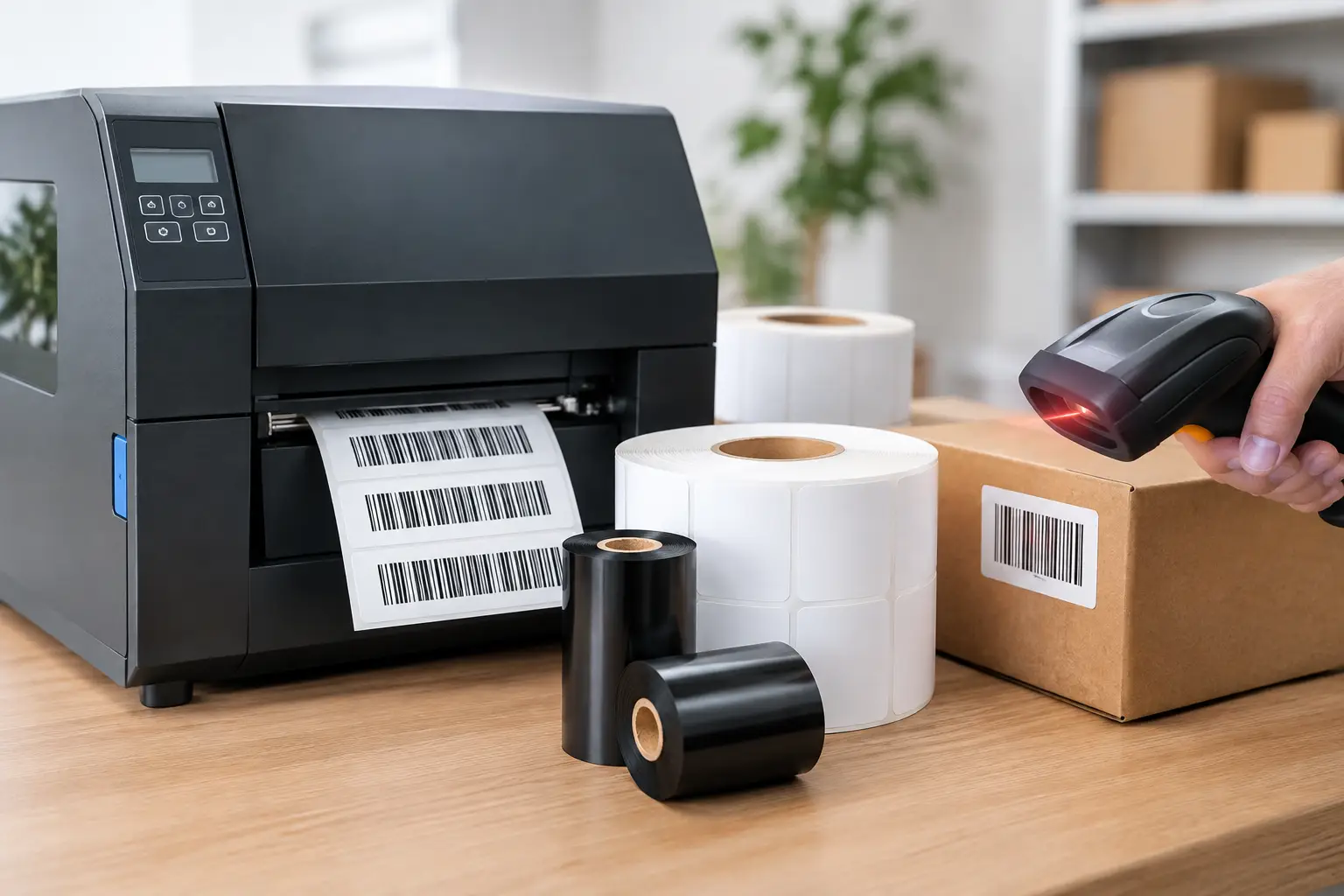
A barcode that looks correct to the eye can still fail at the dock door, on a production line, or in a customer’s receiving system. Barcode compliance is not simply a matter of placing bars and numbers on a label. It means producing a barcode that meets the rules of the application and scans consistently throughout the label’s expected life.
For manufacturers, warehouses, distributors, and logistics teams, a failed barcode can create chargebacks, delayed shipments, manual data entry, inventory errors, and frustrated trading partners. The right labeling system reduces those risks by controlling the full process: data, barcode design, printer performance, ribbon selection, label material, and verification.
What Barcode Compliance Actually Requires
Barcode compliance means a barcode conforms to the specifications required by the organization, customer, industry, or government program that will use it. Those requirements may address barcode symbology, data structure, barcode dimensions, quiet zones, human-readable text, label placement, and scan quality.
A retail carton label may need a GS1 barcode with a specific application identifier and placement. A warehouse may require Code 128 labels that work with its internal inventory system. A medical device, chemical, food, or government application may have additional identification and traceability requirements. The correct answer depends on where the label is used, who scans it, and how long it must remain readable.
Compliance also has a practical side. A label can contain the correct data and still be unacceptable if it prints too lightly, has poor edge definition, smears during handling, or is placed over a seam or curve that prevents reliable scanning. A compliant barcode must be both correctly encoded and physically printable for its operating environment.
Start With the Requirement, Not the Printer
Many barcode problems begin when teams select a printer or label stock before confirming the actual specification. Before building a label format, identify the required barcode type, data source, label size, print resolution, scan environment, and customer rules.
Ask whether the barcode will be scanned at close range with a handheld device, read on a conveyor, exposed to abrasion, or stored in a freezer, warehouse, or outdoor setting. A barcode used for internal work-in-process tracking has different demands than one used for a retailer’s distribution center. The difference affects materials, print method, size, and quality-control steps.
It is also wise to confirm whether a trading partner requires a barcode verification grade rather than a simple scan test. A scanner only tells you whether one device can read one label at that moment. Verification measures barcode quality against recognized standards and can reveal issues with contrast, modulation, defects, decodability, and edge determination before labels enter the supply chain.
Barcode Design Errors That Cause Expensive Failures
Most barcode failures are preventable. They often come from small design decisions that look harmless on screen but reduce real-world readability after printing.
Incorrect symbology or data formatting
A barcode is only useful if the receiving system interprets it correctly. Using the wrong symbology, omitting required check digits, adding unnecessary characters, or failing to apply required GS1 formatting can result in a label that scans but delivers unusable data. Label software should make it easy to control data fields, serial numbers, database connections, and barcode rules without relying on manual edits.
Barcodes that are too small
Trying to fit too much data into a small space creates narrow bars and spaces that are difficult to print and scan. This is especially common with dense Code 128 or 2D barcodes. Reducing the amount of encoded data, increasing the barcode area, or selecting an appropriate 300 or 600 DPI printer can improve results. Higher resolution helps with fine detail, but it does not correct a poor barcode design or unsuitable media.
Missing quiet zones
The blank area around a linear barcode is not wasted space. It is the quiet zone that allows the scanner to identify where the symbol begins and ends. Text, borders, graphics, or another barcode placed too close can interfere with scanning. Protecting that clear space is a basic requirement that is often lost when a label is revised to fit more information.
Weak contrast and poor print definition
Thermal transfer printing depends on the right combination of label face stock, adhesive, ribbon, printhead condition, temperature, and speed. A wax ribbon may be appropriate for many paper labels, while a wax-resin or resin ribbon may be necessary for synthetic materials, chemicals, abrasion, heat, or moisture. Selecting the least expensive ribbon without considering the application can produce smearing, fading, or poor scan performance.
Why the Full Printing System Matters
Barcode compliance is a system outcome. Software generates the correct data and format. The printer puts that design on the label with consistent dot placement. The ribbon and label materials create contrast and durability. Operator procedures keep the process consistent from shift to shift.
This is why mixing unknown supplies with a high-quality printer can be a false economy. An incompatible ribbon can leave uneven coverage or require excessive heat. Excessive heat can damage the printhead, distort fine barcode elements, and shorten equipment life. Low-grade labels may curl, release poorly, or lose adhesion in cold storage and industrial handling.
A properly matched thermal transfer system gives operations more control. For example, a durable synthetic label with a resin ribbon may cost more than a paper label and wax ribbon, but it can be the better choice for an asset tag, outdoor identification label, or product exposed to oils and cleaners. For short-term shipping labels in a controlled environment, direct thermal or paper thermal transfer labels may be more economical. The correct choice depends on the label’s job, not just its unit price.
Software Is the Control Point for Barcode Compliance
Label design software should do more than create an attractive layout. It should support barcode symbologies, controlled data entry, database-driven printing, serialization, counters, date calculations, and repeatable formats. Those capabilities reduce the risk of operators typing different information into each label or making last-minute changes outside an approved template.
EasyLabel has been a leading label design platform since 1982 and is used by thousands of companies worldwide, including large enterprises and government agencies. It is built for practical industrial labeling work, with dependable barcode support and a long record of compatibility with major printer manufacturers.
For many organizations, ownership cost is just as important as design capability. Some competing software products require a continuing subscription or support contract to keep using key functions or to receive help. EasyLabel does not require a subscription or support contract. That gives businesses a more predictable path for maintaining barcode formats that are already working in production.
Controlled templates also simplify compliance changes. If a customer changes a carton-label rule or a new internal tracking field is added, the approved format can be updated once and distributed to the people who print it. That is much safer than asking multiple locations to modify individual label files.
Printer Reliability Protects Production Uptime
A barcode label is only compliant if it can be produced consistently, not merely during a one-time test. Industrial operations need printers that hold registration, print crisp barcode elements, and remain serviceable under regular use.
Tharo thermal printers provide a cost-effective option for companies that need dependable performance without paying flagship pricing for every application. Their H-Series and T-Series 4-inch, 203 and 300 DPI models include a warranty of two years or two million printed inches. The 600 DPI and 6-inch models are covered for one year or one million printed inches. Replacement printheads are generally less expensive than comparable replacements from competing manufacturers, which can lower the long-term cost of maintaining a barcode printing operation.
Resolution should be selected based on the actual label. A 203 DPI printer is suitable for many shipping, inventory, and carton labels. A 300 DPI model is often the better fit for smaller text, denser barcodes, and more detailed graphics. A 600 DPI printer may be justified for very small labels or high-density barcode applications, but it carries a higher cost and is not automatically necessary for every compliance project.
Build a Repeatable Quality Check
A practical barcode quality program does not need to be complicated, but it must be consistent. Review the approved label proof before production, inspect the first labels from each run, and scan samples with the devices used in the actual operation. When customer or regulatory requirements call for grading, use a barcode verifier and retain results according to your quality procedures.
Operators should also know the warning signs: faded bars, missing print elements, ribbon wrinkles, labels drifting out of position, or a barcode that scans only after several attempts. Cleaning the printhead, adjusting darkness and speed, and replacing worn components early can prevent a small print issue from becoming a rejected shipment.
The Label Guy can supply the software, Tharo printers, labels, ribbons, and USA-based technical support needed to manage the complete process from one source. When EasyLabel and a Tharo printer are purchased together, there is one support number to call rather than separate software and hardware vendors pointing to each other. Orders over $100 also qualify for free ground shipping within the 48 contiguous United States.
Treat every barcode as an operational instruction, not just a printed graphic. When its data, design, materials, and print process are controlled together, labels keep moving products, records, and shipments forward without avoidable interruptions.