
Choosing an RFID Label Printing System
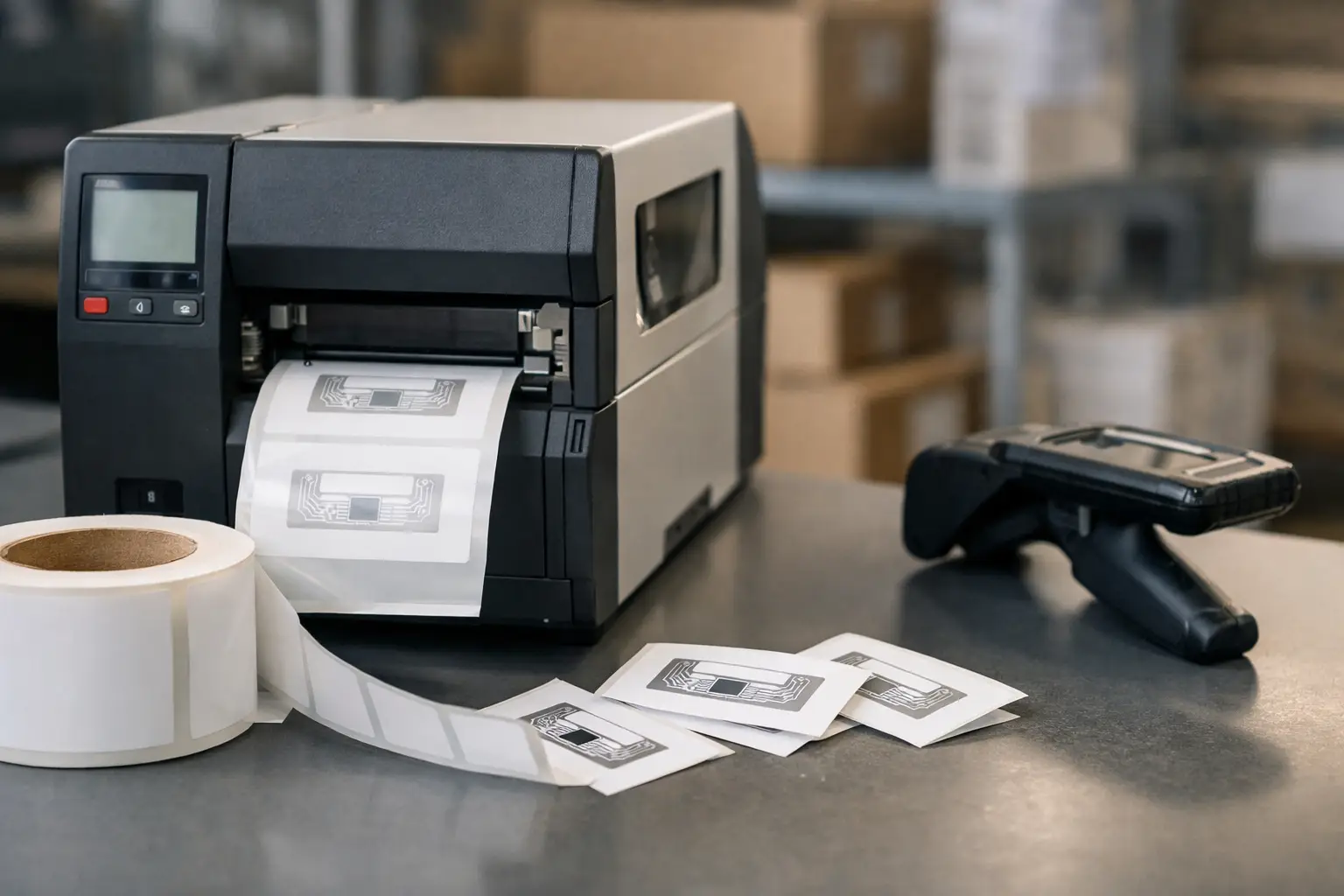
A missed scan at the dock door can turn into a chargeback, a delayed shipment, or hours of manual reconciliation. That is why an RFID label printing system gets attention from operations teams that are already stretched thin. When labels need to carry both printed information and RFID data, the system behind them has to be accurate, repeatable, and practical to support.
For many businesses, RFID sounds like a simple upgrade from barcode labeling. In practice, it changes more than the label itself. It affects printer selection, software setup, media and ribbon compatibility, data management, verification, and the way operators work on the floor. If those pieces are chosen well, RFID can reduce touches, improve visibility, and strengthen compliance. If they are pieced together from mismatched components, it can create new failure points instead of solving old ones.
What an RFID label printing system actually includes
An RFID label printing system is not just an RFID-capable printer. It is the combination of software, printer hardware, RFID labels or tags, ribbon when required, and the data rules that control what gets encoded and printed. In most business environments, the system also includes scanner or reader validation, template management, and support for ongoing label changes.
That distinction matters because buyers often focus first on printer specs and leave the rest for later. The result is a printer that can technically encode RFID labels, but a workflow that still depends on manual edits, inconsistent data entry, or media that does not perform well in the application. A real system is built around the job the label has to do, not just the machine that prints it.
In warehousing and distribution, that job may be pallet tracking, case labeling, shipping compliance, or inventory movement. In manufacturing, it may support work-in-process, asset identification, product traceability, or customer-specific routing. In regulated environments, the label may also need human-readable text, barcodes, serialized data, and specific placement requirements that make software control essential.
Where RFID delivers value and where it does not
RFID earns its keep when line-of-sight scanning slows down the operation or leaves too much room for human error. If you are tracking pallets moving through portals, validating outbound shipments, or managing large volumes of reusable assets, RFID can remove manual scan steps and improve inventory visibility. It can also support customer compliance programs that require encoded labels rather than standard barcode labels.
But RFID is not automatically the right answer for every labeling process. If your products move slowly, labels are applied one at a time, and barcode scanning already gives reliable control, the return may be limited. RFID labels cost more than standard labels, and the system requires more planning upfront. Metal surfaces, liquids, tag placement, and read-environment variables can also affect performance. The right decision depends on the use case, not the trend line.
That is why experienced buyers start with the operational problem. Are you trying to eliminate missed scans, speed up receiving, improve asset visibility, or meet a retailer or customer mandate? Once that is clear, it becomes much easier to determine whether RFID belongs in the workflow and what kind of system will support it without creating unnecessary complexity.
Software is the control point
In an RFID label printing system, software does much more than design a label. It manages the logic behind the label, including database connections, serialization, field mapping, encoding rules, printer communication, and format consistency across users and locations. That is where many implementations succeed or fail.
If operators have to open templates and type critical data by hand, the system is exposed to avoidable mistakes. If label formats are hard to edit, every customer change turns into a delay. If printing and encoding steps are not tightly coordinated, you can end up with a readable printed label tied to the wrong RFID data. Good label software reduces those risks by controlling what can be changed, pulling from trusted data sources, and keeping the print process repeatable.
This is one reason established platforms such as EasyLabel remain a serious choice for industrial environments. Businesses need label design tools, but they also need production reliability, integration options, and the ability to support both barcode and RFID workflows from one platform. When the software is stable and the support team understands real production labeling, implementation gets faster and ongoing maintenance gets easier.
Printer selection is about fit, not just features
An RFID printer has to do two jobs at once. It must print clear, durable labels and encode RFID inlays correctly, at production speed, with minimal waste. That means printer selection should be based on the media, volume, environment, and required RFID format rather than price alone.
Desktop models can work well for lower-volume stations, smaller operations, or office-side labeling. Industrial printers are usually the better fit for warehouse, manufacturing, and shipping environments where uptime matters and labels run for long periods. Print width, resolution, connectivity, memory, and RFID encoding support all matter, but so do practical concerns such as operator ease of use, calibration behavior, and how quickly your team can change media without introducing errors.
There is also the question of durability. A printer in a climate-controlled office faces very different demands than one on a production floor near dust, vibration, or temperature swings. Overbuying can waste budget, but underbuying usually costs more in downtime, maintenance, and operator frustration.
Labels and ribbons make or break performance
RFID projects can stall because buyers treat labels as a commodity. They are not. The face stock, adhesive, inlay type, label size, and finished construction all affect print quality, encode success, and field performance. A label that prints cleanly may still perform poorly if the inlay is wrong for the surface or application.
This is especially true with challenging materials. Items containing metal or liquid often require specialized tag construction and careful placement. Exposure to abrasion, chemicals, outdoor storage, or freezer conditions changes the material requirements again. The same goes for compliance labeling, where readability, adhesive performance, and exact format control may all be non-negotiable.
Ribbon selection matters too when thermal transfer printing is used. The wrong ribbon can reduce print durability, create poor contrast, or increase printhead wear. In an RFID environment, you do not want to troubleshoot failed reads when the actual issue is an unreadable printed barcode or human-readable text that smears in transit. The print layer and the RFID layer have to work together.
Implementation mistakes to avoid
Most RFID problems are not caused by the concept of RFID. They come from weak planning. One common mistake is assuming all RFID labels behave the same way. Another is skipping site testing and moving straight to rollout. A third is treating software setup as a basic label design task instead of a controlled production process.
Data discipline is another issue. If serial numbers, item records, or customer identifiers are inconsistent upstream, the printer cannot fix that. It will simply produce bad labels faster. The same applies to validation. Encoding without verification may look efficient until mislabeled inventory starts moving through the building.
Support is often overlooked as well. When buyers source software, printer, labels, and technical help from different vendors, every issue turns into a blame loop. A single-source approach is usually more efficient because it shortens troubleshooting and helps ensure the components were chosen to work together from the start.
What to look for from a supplier
A strong supplier should be able to ask the right questions before recommending hardware. What are you labeling? What environment will the labels face? What data has to be printed and encoded? What system triggers the print job? What compliance rules apply? How will labels be verified?
Those questions matter more than a generic product pitch. The best outcomes come from matching software, printer, labels, and support to the actual workflow. That is particularly valuable for businesses that do not have internal RFID specialists and need guidance that is practical, not theoretical.
The Label Guy serves buyers who need that kind of complete labeling support. Instead of piecing together a system from unrelated sources, operations teams can work with a specialist that understands software, printers, labels, ribbons, and custom requirements as one connected process. That reduces risk and saves time, especially when the application includes compliance demands or high-volume production use.
Is an RFID label printing system the right move now?
If your operation is losing time to manual scans, struggling with asset visibility, or facing RFID label mandates from customers or trading partners, the answer may be yes. If your current barcode process is stable, low volume, and easy to control, the better move may be to improve standard labeling first. RFID is valuable, but only when it solves a real operational problem better than the alternatives.
The good news is that the path does not have to be complicated. Start with the application, define the data and compliance requirements, and build the system around proven software, dependable printing hardware, and media matched to the job. When those pieces are aligned, RFID becomes less of a technology project and more of a practical improvement to daily operations.
The right system should make your labeling process easier to trust every day, not harder to explain when something goes wrong.