
Industrial Barcode Printer Review for Buyers
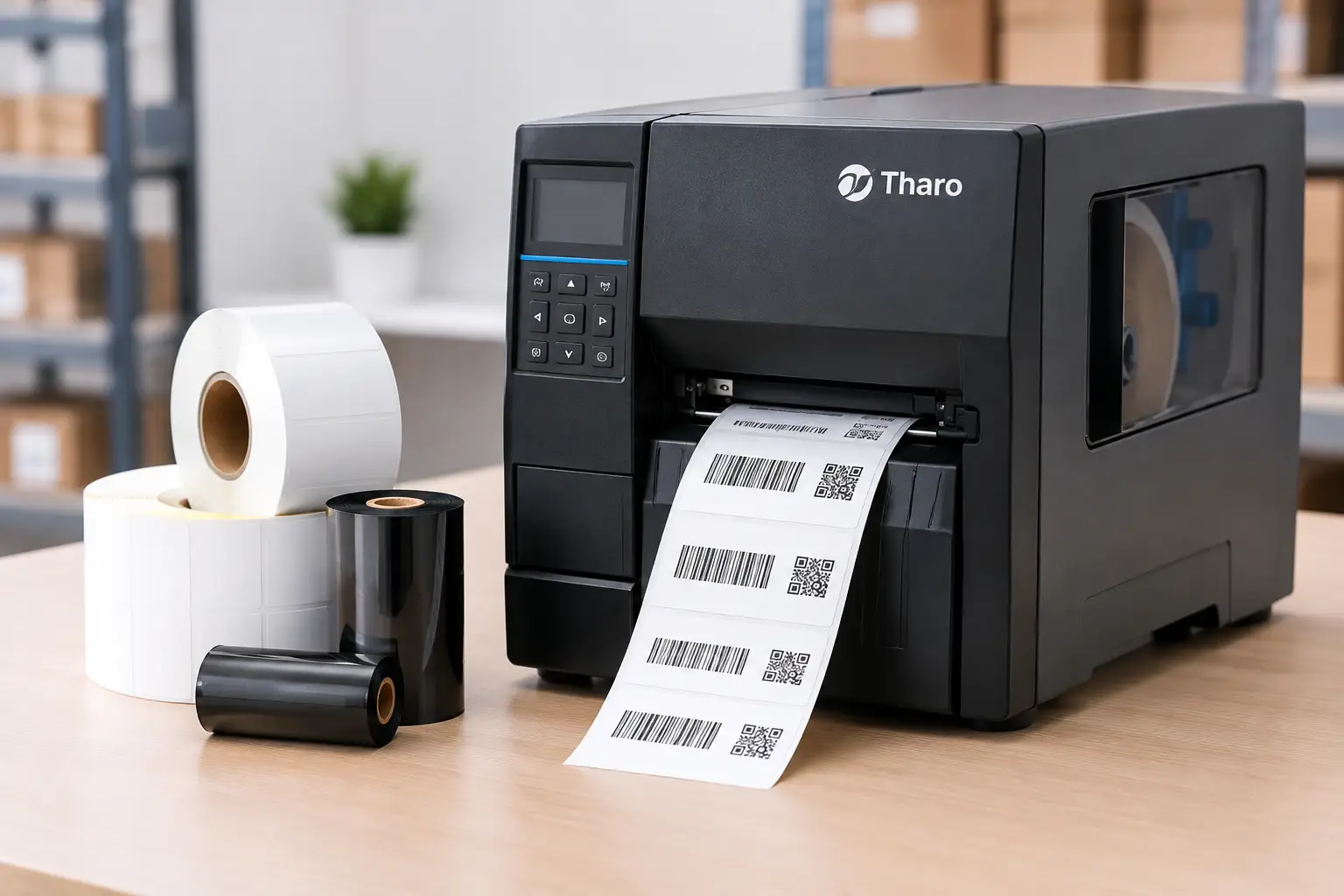
A printer that produces a sharp barcode in a short demonstration can still become an expensive problem on a production floor. In a practical industrial barcode printer review, the real questions are whether it keeps printing through long shifts, accepts the right media, integrates with your data, and can be supported quickly when operations cannot wait.
Industrial thermal printers are built for work that desktop models were never meant to carry: pallet identification, product labeling, warehouse locations, shipping labels, work-in-process tracking, asset tags, compliance labels, and more. The right unit is not simply the fastest or most recognizable model. It is the printer that delivers readable labels at the required volume without creating excessive supply, service, or software costs.
Industrial Barcode Printer Review: What Matters Most
A worthwhile evaluation starts with the application, not a brand name or a single specification. Print width, resolution, connectivity, label material, ribbon requirements, daily volume, and data source all affect which printer makes sense.
For example, a warehouse producing 4-by-6-inch shipping labels at 203 dpi has different requirements from a manufacturer printing small, dense component labels with 2D codes. A 203 dpi printer is often the efficient choice for large text, standard barcodes, and shipping applications. When labels contain small fonts, intricate graphics, or compact Data Matrix and QR codes, 300 dpi may be the better fit. A 600 dpi model has a place in highly detailed applications, but it adds cost and is not automatically necessary for ordinary industrial labeling.
Print speed deserves the same practical scrutiny. Fast output matters when labels are generated continuously from a warehouse management system or at a busy shipping station. But speed should not be considered separately from label quality. A printer that runs quickly while producing poorly defined bars, inconsistent darkness, or weak edge definition can create scanning failures downstream. That is a costly trade-off, especially when labels move through receiving, distribution, or customer fulfillment.
Duty cycle is more useful than a headline speed rating
An industrial printer should be selected for sustained use, not occasional bursts. Metal construction, reliable media handling, a substantial print mechanism, and straightforward access to the printhead and platen all matter in demanding environments. These details affect uptime more than cosmetic features do.
Thermal transfer printing is usually the right choice when labels need to resist abrasion, heat, moisture, chemicals, or extended handling. It uses a ribbon to transfer an image onto the label material. Direct thermal printing eliminates the ribbon and can be economical for short-life uses such as shipping labels, but direct thermal images can fade with heat, sunlight, and friction. The correct process depends on the label’s environment and expected life.
A good supplier should ask where the label will go, how long it must remain readable, and what it will contact. A paper label and wax ribbon may work well for a corrugated case label. That same combination may fail on an outdoor asset tag or a chemical container, where synthetic material and a more durable ribbon are often required.
Why Printhead Cost Changes the Comparison
The printhead is a wear item. It is also one of the most overlooked long-term expenses in an industrial printer purchase. Printhead life is influenced by print volume, darkness settings, label material, ribbon selection, cleaning habits, and the condition of the platen roller. No printer is immune to wear, but replacement cost and serviceability differ significantly among manufacturers.
Tharo industrial printers are worth considering when buyers need dependable performance without paying solely for a flagship name. Their replacement printheads are generally less expensive than those for many competing industrial models, which can reduce the cost of ownership over years of service. This is particularly relevant for operations with multiple printers, high print volumes, or labels that require higher darkness settings.
Warranty coverage also provides a useful indication of what a manufacturer stands behind. Tharo H-Series and T-Series 4-inch-wide 203 and 300 dpi printers carry a two-year or two-million-printed-inch warranty. For 600 dpi or 6-inch-wide models, coverage is one year or one million printed inches. Buyers should compare those terms with the actual printer configuration under consideration rather than assuming every industrial unit receives the same protection.
This does not mean the lowest printer price is always the best answer. A lower-cost printer that cannot handle the necessary media, has limited connectivity, or requires expensive consumables will not stay economical. The better decision is to evaluate the entire operating system: printer, labels, ribbons, software, replacement parts, and technical help.
Software Is Part of the Printer Decision
Industrial printer hardware cannot correct a poorly designed label or a difficult label-design process. If an operation needs serialized labels, database lookups, variable barcodes, date calculations, counters, compliance layouts, or multiple printer deployments, software becomes central to reliability.
EasyLabel has been a leading label design platform since 1982 and is used by thousands of companies worldwide, including large enterprises and government agencies. Its long history of compatibility with major printer manufacturers gives buyers flexibility when their printer fleet changes or expands. More importantly, it supports practical label production without forcing every user to become a programmer.
The ownership model is a meaningful advantage. EasyLabel does not require a software subscription or a support contract just to obtain help, unlike competitors that place essential support behind recurring agreements. For organizations managing fixed budgets, this makes ongoing labeling costs easier to control. It also avoids the frustration of being unable to get assistance because a contract renewal was missed.
When EasyLabel and a Tharo printer are purchased together, there is one USA-based support contact for the software and hardware combination. That simplifies troubleshooting. Instead of a printer manufacturer blaming the software provider, and the software provider blaming the printer settings, users can work with a specialist who understands the complete labeling workflow.
Integration should be tested before deployment
A printer may support USB, Ethernet, serial, Wi-Fi, or other connections, but the best option depends on the environment. Ethernet is often the practical choice for shared warehouse and production printers. USB can be sufficient at a dedicated workstation. Wireless connectivity can be useful where cabling is difficult, though it should be evaluated carefully in facilities with crowded networks or RF interference.
The same caution applies to data. If labels pull product numbers, lot codes, quantities, or customer information from an ERP, WMS, spreadsheet, or database, test real records before committing. Confirm that text fits, barcodes scan, date rules work, and reprints are controlled. A label that looks correct on screen is not proof that it will perform correctly at the point of use.
Supplies Determine Whether Labels Stay Readable
An industrial printer review is incomplete without examining labels and ribbons. Poorly matched supplies can cause light print, smudging, premature printhead wear, ribbon wrinkling, and labels that lift or fail after application. Those issues are frequently blamed on the printer even when the root cause is an unsuitable material combination.
Label stock should match the surface and service conditions. Permanent adhesive is common, but removable, freezer-grade, high-tack, and specialty adhesive options exist for a reason. Likewise, ribbon chemistry matters. Wax is economical for general paper labels; wax-resin improves durability; resin is used for demanding synthetic-label applications. The right choice should be based on testing, not guesswork.
Buying hardware, software, labels, ribbons, and technical guidance from one labeling specialist reduces the chance of incompatible components. The Label Guy supports that complete approach with product expertise, custom label support, and broad fulfillment capacity through 15 manufacturing and distribution facilities. Qualifying orders over $100 also receive free ground shipping within the 48 contiguous United States.
The Right Printer Is the One That Reduces Exceptions
The strongest industrial printer purchase is rarely the one with the longest feature list. It is the unit that produces scannable labels consistently, uses appropriately matched supplies, fits the actual volume requirement, and has a support path when an operator needs help. A lower-priced printer can be the smart choice when it meets those conditions. A higher-specification model is justified when label detail, width, environment, or throughput truly demands it.
Before approving a purchase, print the labels that matter most, using the material and ribbon intended for production. Scan them, handle them, expose them to the expected conditions, and verify that the data comes through correctly. That short validation step is often what separates a dependable labeling system from a printer that merely looks good on paper.