
How to Choose RFID Labels for Your Operation
A pallet leaves the dock with the correct shipping label, but the receiving team still has to scan every carton one at a time. That is where RFID labels can change the workflow. With a properly selected label, reader, printer, and software process, teams can capture many items at once, reduce manual scans, and gain better visibility into where inventory and assets move.
RFID is not a replacement for every barcode label. It is a tool for operations where speed, traceability, non-line-of-sight reading, or item-level identification delivers a measurable return. The right system starts with choosing labels that match the application, not simply selecting the lowest-cost RFID inlay.
What RFID Labels Do Differently
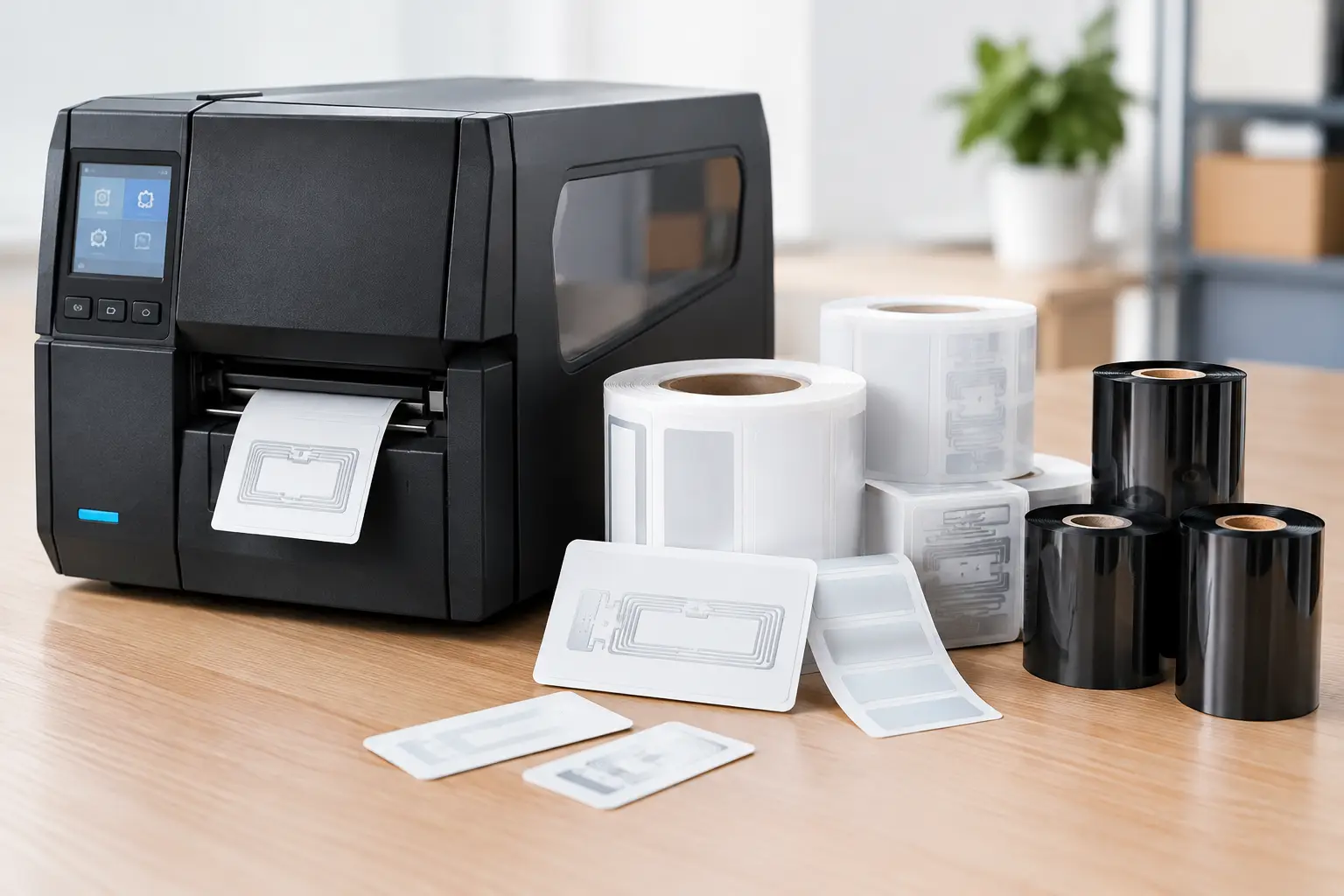
An RFID label combines a printable face stock with an RFID inlay containing a small chip and antenna. The printer can encode the chip with a unique identification number while printing human-readable text, barcodes, handling instructions, or compliance information on the label surface.
A barcode requires a scanner to see the printed symbol. RFID readers communicate with compatible tags through radio frequency signals, allowing readers to identify tags without a direct line of sight. Depending on the reader setup, many tags can be captured in a single pass. That distinction matters in receiving lanes, warehouse portals, asset rooms, work-in-process areas, returnable-container programs, and high-volume inventory counts.
The chip usually stores a unique identifier, while the business system associates that identifier with information such as a SKU, serial number, lot, location, shipment, or asset record. This means the label design and encoding process must be accurate from the start. A tag that is physically attached but incorrectly encoded is no more useful than a barcode printed with the wrong data.
Start With the Operating Environment
The best RFID label is determined by what it will identify, where it will be applied, and how it will be read. A label applied to a corrugated case has very different requirements than one placed on a metal tool, a pharmaceutical container, or a reusable plastic tote.
Identify the Item and Surface
Paper and corrugated packaging are generally straightforward RFID surfaces. Standard UHF label constructions often perform well when the tag has adequate separation from liquids and metal. Plastic containers, curved containers, and densely packed items may require more testing because the material can affect antenna performance.
Metal and liquid are the two most common challenges. Metal can reflect or detune RFID signals, while liquid can absorb radio frequency energy. A conventional RFID label placed directly on a metal asset may have a much shorter read range or may not read consistently at all. On-metal RFID labels use specialized constructions or foam spacing to overcome this problem. They cost more, but they are often less expensive than deploying a system that produces unreliable reads.
Temperature, abrasion, chemicals, moisture, and outdoor exposure also matter. Warehouse carton labels may only need to last through shipping and receiving. Labels used for industrial assets, drums, laboratory samples, or outdoor equipment may need durable synthetic face stocks, stronger adhesives, protective overlaminates, or thermal transfer printing with a ribbon selected for the environment.
Define the Read Point Before Selecting the Tag
A tag can be readable on a desktop test bench and still fail in the actual process. The distance from the reader, orientation of the antenna, speed of the item, product density, and presence of nearby metal all influence performance.
For example, a dock door portal may need to read mixed cases on a moving pallet. A handheld inventory process may only require a few feet of consistent read distance. An RFID label built for long-range pallet tracking may not be the best choice for close-range item verification. Define where the read will occur, how many tags must be captured, and what accuracy level the process requires before choosing an inlay.
Choose the Right RFID Frequency
Most business labeling applications use one of three frequency categories: low frequency, high frequency, or ultra-high frequency. The correct choice depends on the use case and the RFID infrastructure already in place.
Low-frequency RFID is commonly associated with access control, animal identification, and certain specialized tracking applications. It generally offers shorter read ranges and is less common for warehouse case and pallet labeling.
High-frequency RFID, including NFC applications, is useful when close-range scanning is preferred. It can support applications such as document control, authentication, healthcare tracking, and consumer interaction. NFC is often read with a compatible mobile device at very close range.
UHF RFID is the standard choice for many supply-chain, inventory, asset-tracking, and logistics applications. It can support longer read ranges and high-volume tag reading, making it practical for cases, pallets, apparel, reusable containers, and fixed-asset programs. In the United States, UHF deployments should use labels, readers, and configurations appropriate for local regulations and the required operating range.
Frequency is not a detail to decide after purchasing labels. It affects the label, printer, reader, antenna, software configuration, and overall system design.
Match the Label to the Printer and Print Method
RFID labels require more than an RFID-capable reader. If you need to print and encode tags in-house, the printer must include RFID encoding capability and support the tag size, inlay placement, and frequency type you intend to use.
Thermal transfer is often the preferred print method for durable RFID labels because it uses a ribbon to create a more resistant image than direct thermal printing. It is well suited for asset labels, product identification, outdoor storage, chemical environments, and labels that must remain readable through handling and transportation. Direct thermal can be appropriate for short-life shipping or receiving applications, but heat, light, and abrasion can fade or damage the printed image over time.
The printer must also calibrate correctly for the RFID inlay position. RFID inlays are not placed randomly inside the label. The printer needs to locate the inlay, encode it, verify the result, and print in the correct position. If a tag does not encode correctly, the system should identify the exception and follow a controlled reprint process. Wasted labels are sometimes unavoidable, particularly during setup, but repeated encoding failures usually point to a compatibility, calibration, or media-selection issue.
A Tharo RFID-capable printer paired with EasyLabel can simplify support because the printer, label design process, and supplies can be evaluated together by one USA-based specialist. That matters when an operation cannot afford to spend hours determining whether a problem originates in the printer, software, label stock, ribbon, or encoding settings.
Plan the Data, Not Just the Label Layout
RFID projects often stall when the physical tag is selected before the data process is defined. Every encoded identifier needs a purpose. It should connect cleanly to an item, case, asset, order, or transaction in the business system.
For simple internal asset tracking, a serialized asset number may be enough. For supply-chain applications, the encoded data may need to follow customer, retailer, industry, or government requirements. Some programs require an Electronic Product Code format, while others use a company-defined serialized number. The label may also need a barcode as a backup for locations that do not yet have RFID readers.
Label design software should make it practical to combine fixed text, variable database data, barcodes, serial numbers, and RFID encoding rules in a controlled template. EasyLabel has been used by thousands of companies worldwide since 1982 and does not require a subscription or support contract for help. For operations that print a wide range of labels, that can offer a more predictable long-term software cost than platforms that place essential support or features behind recurring fees.
Test Before Rolling Out at Scale
RFID is a physical technology. Paper specifications alone cannot guarantee performance in a real facility. A structured test should use actual products, packaging, equipment, travel paths, and reader locations.
Test labels on the intended surface and at the intended orientation. Run the product through the actual receiving lane, conveyor, portal, storage rack, or handheld process. Evaluate read rate, duplicate reads, missed reads, print quality, encoded-data accuracy, and label adhesion. If labels will be exposed to heat, cold, moisture, chemicals, or abrasion, test after that exposure as well.
It is also smart to test labels from the same production method you will use after deployment. A hand-applied trial label and an automated print-and-apply workflow can create different placement and orientation results. Small changes in label position can have a large effect on read consistency.
Buy RFID Labels as Part of a Working System
The lowest unit price is not always the lowest operating cost. An inexpensive label that creates missed reads, frequent reprints, weak adhesion, or time-consuming troubleshooting quickly becomes expensive. The same is true of purchasing a printer, ribbons, labels, and software from unrelated suppliers with no clear support path.
A practical RFID labeling program considers the full system: the inlay and label construction, the printer and printhead, ribbon compatibility, software template, encoded data, reader configuration, and technical support. Businesses that need all of those elements can reduce purchasing complexity by working with a labeling specialist rather than a general office supply source.
Before ordering in volume, define the item, environment, read point, required durability, data format, and printer compatibility. A well-tested RFID label does more than identify an item – it gives your operation dependable information at the moment decisions need to be made.