
Barcode Labeling for Document Tracking Systems
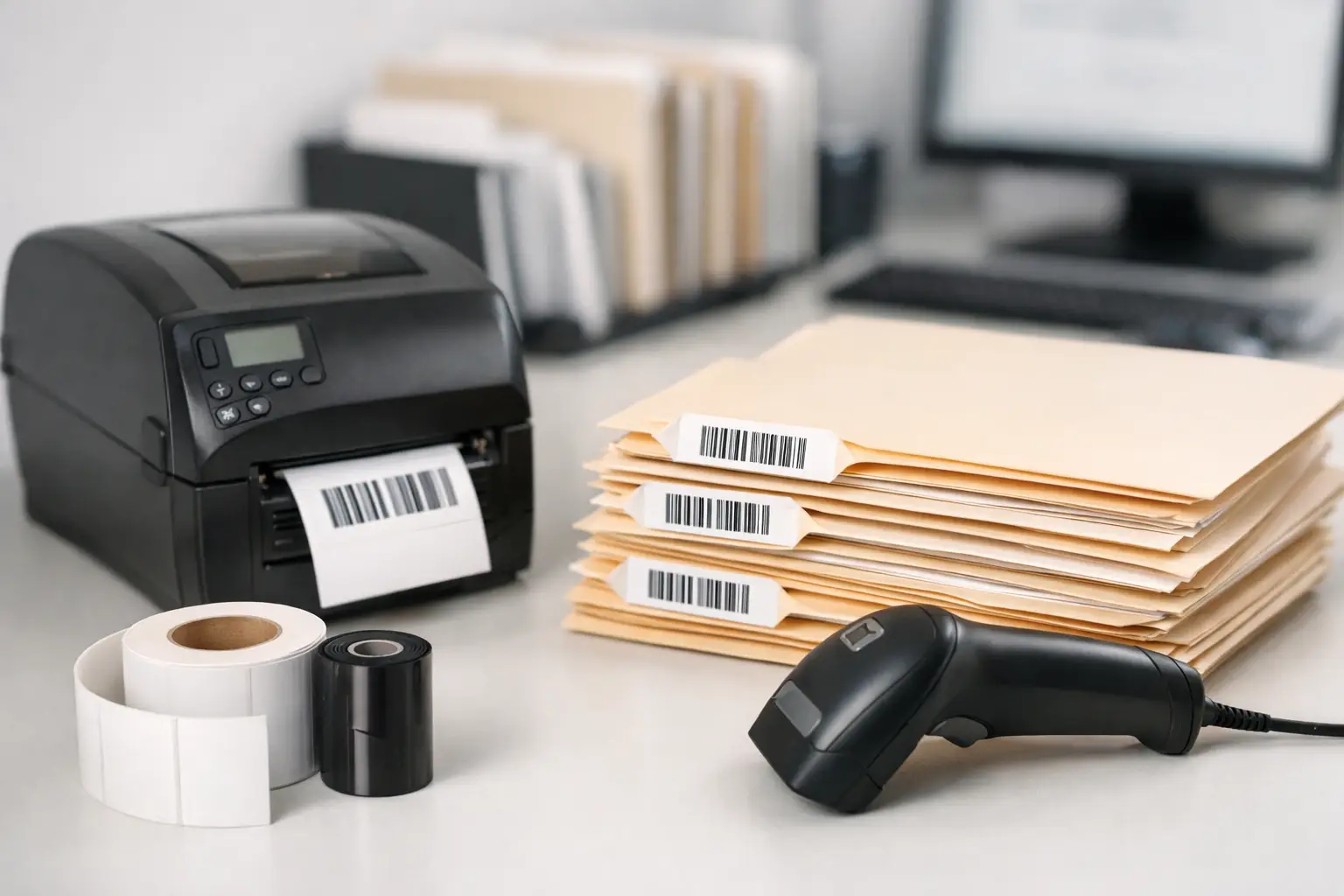
A missing quality record, signed bill of lading, personnel file, or maintenance packet can stop work far beyond the few minutes spent looking for it. Barcode labeling for document tracking gives every physical file a unique, scannable identity, so staff can record where it is, who has it, and when it moved without relying on handwritten logs or memory.
The label itself is only one part of the result. A dependable document-tracking process requires a barcode format that scans consistently, software that produces the right label at the right time, a printer suited to the workload, and label materials that remain readable through normal handling and storage. When those components are chosen together, document control becomes faster, more accountable, and easier to audit.
What Barcode Labeling Solves in a Document Workflow
Paper remains essential in many operations. Manufacturing teams retain inspection packets and work orders. Warehouses manage receiving documents, pick tickets, and proof-of-delivery paperwork. Human resources, legal, healthcare, and government offices often maintain files that must be located quickly while access is controlled.
Without a tracking method, the question “Where is the file?” creates a chain of interruptions. Employees search desks, inboxes, staging areas, cabinets, and departments. A file may not be lost at all – it may simply be in transit, waiting for approval, or filed under a slightly different name. Barcodes replace that uncertainty with a transaction record.
A scan can associate a document or folder with a file number, project, customer, retention category, department, or location. When a user checks the file out, transfers it, returns it, or archives it, another scan updates its status in the document-management database, spreadsheet, records system, or custom application. The process is simple enough for frequent use, which is exactly why it is more reliable than a manual sign-out sheet.
Designing Barcode Labels for Document Tracking
A document label must be designed for the way staff actually handle files. It should scan quickly, remain attached, and show useful human-readable information when a scanner is not immediately available. The barcode is the machine-readable key, not necessarily the only information on the label.
For many applications, Code 128 is a practical choice because it handles letters, numbers, and common identifiers in a compact symbol. Code 39 remains common in legacy and industrial workflows. A 2D symbol such as Data Matrix or QR code can carry more data in a smaller footprint, but it is not automatically the best choice. If the document-control system only needs a unique ID, a clean 1D barcode can be faster to print, easier to scan with existing equipment, and easier for staff to troubleshoot.
Label size depends on the file and the available application surface. A narrow spine label may need a short identifier and a compact barcode. A folder cover or document jacket can accommodate a larger label with a barcode, title, record series, date range, and color-coded department information. The best layout favors scan performance first. Barcodes need clear quiet zones on each side, sufficient contrast, and a size matched to the scanner and expected scanning distance.
Thermal transfer printing is usually the stronger choice for files that will be handled repeatedly, stored for years, or exposed to warehouse dust, friction, and temperature changes. It uses a ribbon to create a durable image on the label material. Direct thermal can work for short-term routing slips or temporary document packets, but its image may fade with heat, light, abrasion, or time. That trade-off matters when the barcode must still scan at the end of a retention period.
Match Adhesive and Facestock to the Filing Environment
Paper labels can be an economical fit for clean, dry office files and short to moderate retention needs. For warehouse paperwork, field-service binders, reusable totes, or folders that encounter rough handling, a synthetic label stock may be the better investment. It resists tearing and moisture more effectively than standard paper.
Adhesive selection deserves equal attention. A permanent adhesive helps prevent labels from lifting off folders or document jackets. A removable adhesive is useful for temporary job packets, circulating binders, or files that are reused. Applying the wrong adhesive can create avoidable problems: labels that detach before scanning, or labels that cannot be removed without damaging a reusable folder.
Ribbon selection also affects barcode quality. Wax ribbons are often suitable for paper labels in routine indoor use. Wax-resin and resin ribbons offer greater resistance to smudging and abrasion when paired with compatible label materials. A supplier should help confirm the label-ribbon-printer combination rather than treating each item as an isolated purchase.
Build the Tracking Process Before Printing Labels
A barcode cannot correct an unclear records process. Before creating labels, define the identifier that each barcode represents and the events that require a scan. In a basic system, the barcode may represent only a unique file ID. The tracking application then stores the current location, custodian, and history. This approach keeps labels simple and allows record details to change without relabeling the folder.
Decide whether the process tracks individual documents, complete folders, boxes, or all three. Tracking every page is useful in some regulated workflows but may add labor with little operational benefit. Tracking at the folder or packet level is often enough for work orders, project files, and case records. The right level depends on the cost of a missing item, the volume of transactions, and the detail required for compliance or customer commitments.
Location barcodes make the process more useful. Label cabinet ranges, shelves, archive boxes, department drop points, and temporary holding areas. A user can scan the file barcode followed by the location barcode to record a transfer with less typing. For controlled files, a staff badge barcode can also identify the person receiving custody.
Set clear exceptions as well. Staff need to know what happens when a label is damaged, a barcode will not scan, a file is split, or a document is archived. Reprinting a label should preserve the original identifier unless the business deliberately creates a new record. Otherwise, duplicate IDs or disconnected histories can undermine the system’s value.
Choose Software That Keeps Label Changes Under Control
Document labels change more often than they appear to. A new department may need a different prefix. A customer may request a new field. A barcode might need to pull data from a database, serialize automatically, or print a batch of labels from a CSV file. General office applications can produce a basic label, but they are poorly suited to controlled barcode design, printer-specific settings, and repeatable batch printing.
EasyLabel has been a leading label design software platform since 1982 and is used worldwide by thousands of companies, including large enterprises and government agencies. It supports practical label design with text, barcodes, counters, database fields, and variable data, allowing operations teams to build document labels that are consistent from one print run to the next.
This matters when several people print labels or when the workflow expands across departments. A saved label format reduces the risk that one user changes barcode dimensions, enters an incorrect prefix, or prints to the wrong media setting. EasyLabel also has a long history of working with major printer manufacturers, which is useful for organizations operating mixed printer fleets.
Unlike software models that require recurring subscriptions or a support contract to receive help, EasyLabel does not require either. That can make budgeting more predictable for organizations that want established label-design capability without adding another recurring software charge.
Printer Reliability Affects Document Availability
For low-volume file labeling, a desktop thermal printer may be sufficient. For central records rooms, warehouses, or multiple-shift operations, a more durable industrial printer can reduce interruptions and accommodate larger media and ribbon rolls. Print resolution also matters. A standard 203 dpi printer handles many common document barcodes well, while 300 dpi can improve small text and compact symbols. Higher resolution is useful when the label design genuinely requires it, not simply because it sounds better on a specification sheet.
Tharo thermal printers are a cost-effective alternative to flagship models from other manufacturers for many document-labeling applications. Their H- and T-Series 4-inch, 203 and 300 dpi printers carry a warranty of two years or two million printed inches. Six-inch-wide and 600 dpi models carry a one-year or one-million-printed-inch warranty. Replacement printheads are generally less expensive than those for competing printers, an important lifecycle cost for operations that print continuously.
Buying printer, software, labels, and ribbons from separate sources can create a familiar support problem: each vendor points to another component. A matched EasyLabel and Tharo printer system gives customers one USA-based support number for the software and printer. The Label Guy can also supply the consumables and help align the material choice with the application, reducing the guesswork that causes poor print quality and premature label failure.
Test Labels Under Real Conditions
Do not approve a document label only because it scans when freshly printed. Print a representative batch and test it after files have been carried, stacked, placed in cabinets, and handled by the people who will use them. Check scan performance with the actual scanners in use, not just a phone camera. Test labels at the smallest acceptable size and on the folder materials used in production.
A short pilot also exposes workflow problems before a full rollout. Measure how long it takes to print labels, scan a checkout, return a folder, and locate an item. Ask staff where labels are blocked by clips, tabs, or handwriting. Small adjustments to placement and process at this stage can prevent thousands of poorly applied labels later.
Document tracking works best when it becomes ordinary: scan the file, scan the destination, and move on. With durable barcode labels, appropriate thermal printing, and controlled label formats, records staff spend less time searching for paper and more time keeping work moving.