
Industrial Label Printer for Production Lines
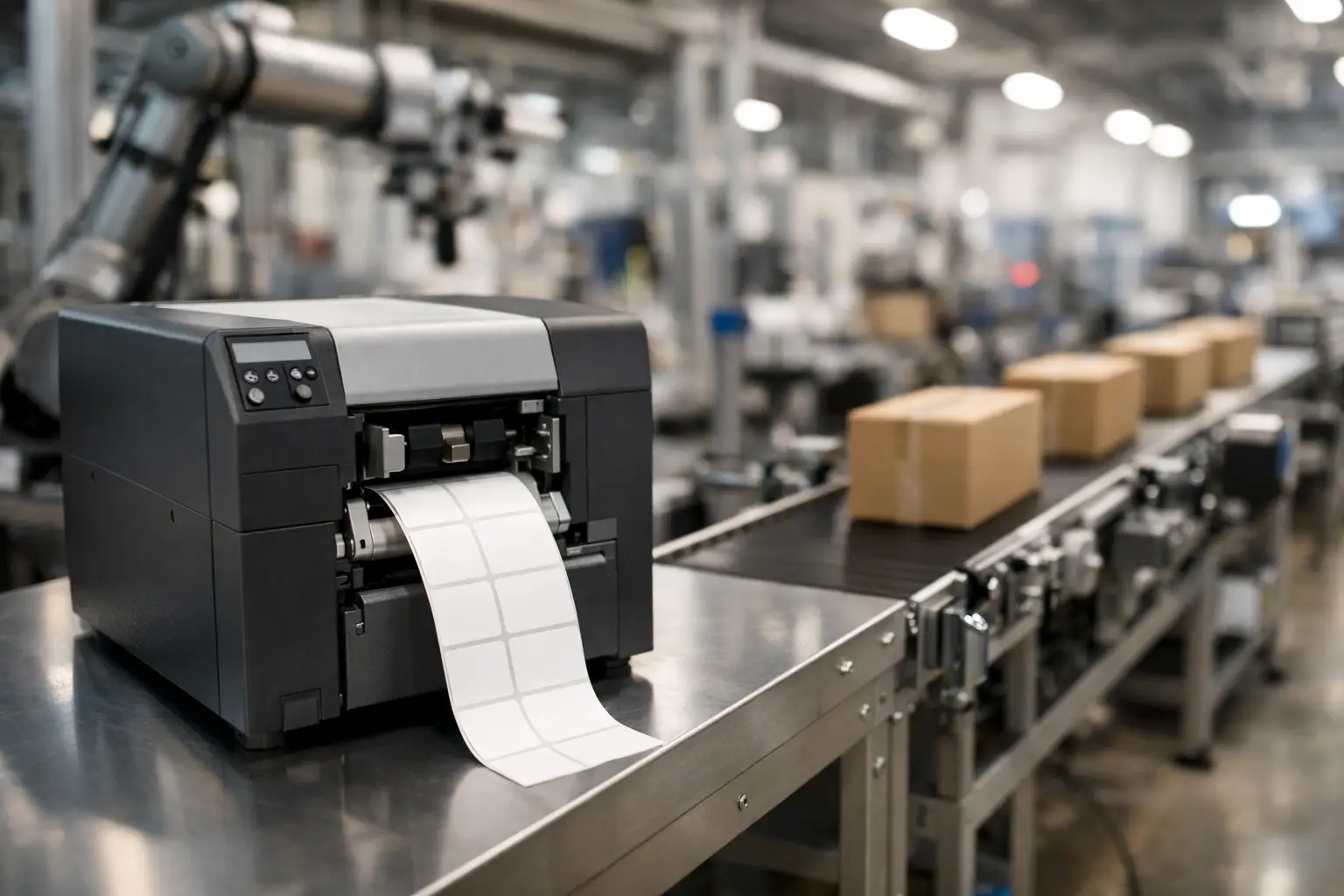
If a label printer goes down in the middle of a production shift, the problem is rarely limited to labels. Pallets stop moving, finished goods stack up, scan compliance slips, and operators start working around the system instead of through it. That is why choosing an industrial label printer for production lines is less about buying a box with a printhead and more about protecting throughput, traceability, and uptime.
In most facilities, the printer sits inside a larger process. It may be printing product identification labels at the end of a line, work-in-process labels between stations, compliance labels for outbound shipments, or barcode labels that connect inventory to an ERP or WMS. When the printer is undersized, poorly integrated, or matched with the wrong supplies, the whole labeling workflow becomes harder than it needs to be.
What an industrial label printer for production lines really needs to do
A production environment exposes weak equipment quickly. Dust, vibration, heat, long duty cycles, frequent media changes, and operator turnover all test whether a printer is actually built for industrial use or simply marketed that way.
The first requirement is consistency. Print quality has to stay sharp enough for scanners to read barcodes accurately, even after hours of continuous operation. The second is speed that matches the pace of the line. A printer that can produce a good label but cannot keep up with demand creates bottlenecks just as surely as a slow conveyor or an understaffed station.
Durability also matters, but not in the abstract. Buyers should look at metal construction, industrial-grade mechanisms, printhead life, and whether the unit is designed for sustained high-volume output. In a warehouse office, a pause for adjustment may be manageable. On a production line, repeated adjustments cost labor and disrupt schedule discipline.
Then there is connectivity. An industrial printer has to fit the operation you already run, not force a workaround. That includes support for networked environments, host systems, barcode formats, variable data, and label design software that production and compliance teams can actually use without constant IT intervention.
Matching printer capacity to the production line
One of the most common buying mistakes is choosing based on headline specs alone. A printer may advertise high print speed, but the right question is whether it can maintain that output at the label size, resolution, and duty cycle your application requires.
If you are printing small 1D barcode labels for internal tracking, your needs may differ significantly from a line producing chemical, food, medical, or electronics labels with dense content, lot numbers, date codes, and regulatory fields. Higher resolution often improves readability for smaller text and barcodes, but it can also affect print speed. That trade-off is not a problem if your line speed allows it. It becomes a problem when print demand spikes and labels start queuing.
Media width and label format are just as important. Some operations need narrow product labels, while others need wider carton or pallet labels. If your product mix changes often, flexibility matters. If your line runs a narrow range of SKUs at high volume, simplicity and repeatability may matter more than broad capability.
This is where an experienced labeling supplier adds value. The printer, ribbon, label stock, and software should be evaluated as a system. A high-performance printer paired with the wrong ribbon or poorly matched label material will still produce failures, wasted media, and avoidable downtime.
Software is not optional in production labeling
A surprising number of printer evaluations focus heavily on hardware and barely touch the software environment. In practice, software often determines whether the printer supports operations efficiently or becomes another point of friction.
For production lines, label software should make it easy to design templates, manage variable data, pull information from databases or business systems, and control print logic across stations. It should also support standardized label formats so operators are not making manual edits on the floor.
That matters for accuracy as much as convenience. The more a process depends on manual entry, the more likely it is to generate wrong part numbers, bad date codes, or mismatched lot information. Those errors can lead to rework, rejected shipments, chargebacks, or compliance exposure.
Established platforms such as EasyLabel are widely used because they reduce complexity in real operations. For many manufacturers and distribution environments, the goal is not flashy software. The goal is dependable label creation, efficient variable data handling, and straightforward deployment across the business. A printer that works well with proven labeling software is usually the safer long-term choice than one that looks impressive in isolation.
The supplies you choose affect printer performance
The printer gets most of the attention, but consumables influence performance every day. Label material, adhesive, ribbon formulation, and even liner characteristics all affect print quality and reliability.
In production settings, labels may face abrasion, moisture, chemicals, heat, cold storage, or outdoor handling. A direct thermal label may be perfectly acceptable for short-life internal applications, while a thermal transfer label with the correct ribbon may be the better fit for durable identification or compliance labeling. There is no universal best option. It depends on how long the label must last, what it will be exposed to, and what surface it will be applied to.
Adhesive performance is another point buyers sometimes underestimate. Labels applied to corrugated cases, drums, shrink wrap, metal, or textured packaging do not behave the same way. If labels lift, smear, or become unreadable, the issue may not be the printer at all.
That is why sourcing hardware, software, labels, and ribbons through one specialist can save time and reduce troubleshooting. When every component is selected to work together, support becomes faster and root causes are easier to identify.
Key questions to ask before you buy an industrial label printer for production lines
A strong purchasing decision starts with process questions, not product brochures. What exactly is being labeled, where in the workflow is the label applied, how many labels are printed per shift, and what systems provide the data? Those answers shape the right solution.
It also helps to think through operator use. Will the printer be handled by trained technicians, general line staff, or multiple shifts with mixed experience levels? A machine that is technically capable but difficult to load, calibrate, or maintain may create avoidable friction in the real world.
You should also ask how much downtime your operation can tolerate. If the answer is very little, then service access, parts availability, replacement speed, and technical support matter as much as print specs. Support from a specialized provider with real product knowledge usually pays for itself the first time a line issue needs to be resolved quickly.
Another practical question is whether your operation is stable or evolving. If you expect new SKUs, changing compliance demands, or expansion into more automated labeling workflows, it makes sense to choose a platform that can scale. Buying only for current volume can be shortsighted if growth is already on the horizon.
When lower cost upfront becomes higher cost over time
Price matters, but production buyers know acquisition cost is only part of the picture. A lower-cost printer can become expensive if it requires frequent intervention, uses hard-to-source supplies, produces inconsistent barcode quality, or lacks dependable software support.
The true cost of a label printer includes downtime, wasted labels and ribbon, operator time, mislabels, delayed shipments, and support burden. In a production environment, one recurring issue repeated across shifts quickly outweighs any savings from a cheaper initial purchase.
This is especially true for operations with compliance obligations. If labels support traceability, regulatory marking, or customer-specific barcode requirements, reliability is not negotiable. The right industrial system protects more than the print job. It protects the business process behind it.
For that reason, many buyers prefer to work with a specialist that understands the full labeling ecosystem. The Label Guy serves that need by supplying printers, EasyLabel software, labels, ribbons, and technical guidance from one source, which simplifies purchasing and support for operations that cannot afford guesswork.
A practical way to evaluate your options
The best evaluation process is straightforward. Start with the application, not the brand. Define your label size, required durability, barcode symbology, print volume, data source, and operating environment. From there, narrow the printer class that fits the duty cycle and media requirements.
Next, evaluate software compatibility and ease of use. Then verify supply matching, because media and ribbon performance are part of the system, not an afterthought. Finally, assess support. If the supplier cannot help you with setup, troubleshooting, and replenishment planning, you may be buying only a printer when you really need a working labeling process.
A production line does not care how attractive a product sheet looks. It rewards equipment that prints clearly, runs reliably, integrates cleanly, and keeps moving through long shifts without drama. That is the standard an industrial label printer should meet, and it is the standard worth buying for.