
How to Create Serialized Barcode Labels for Work
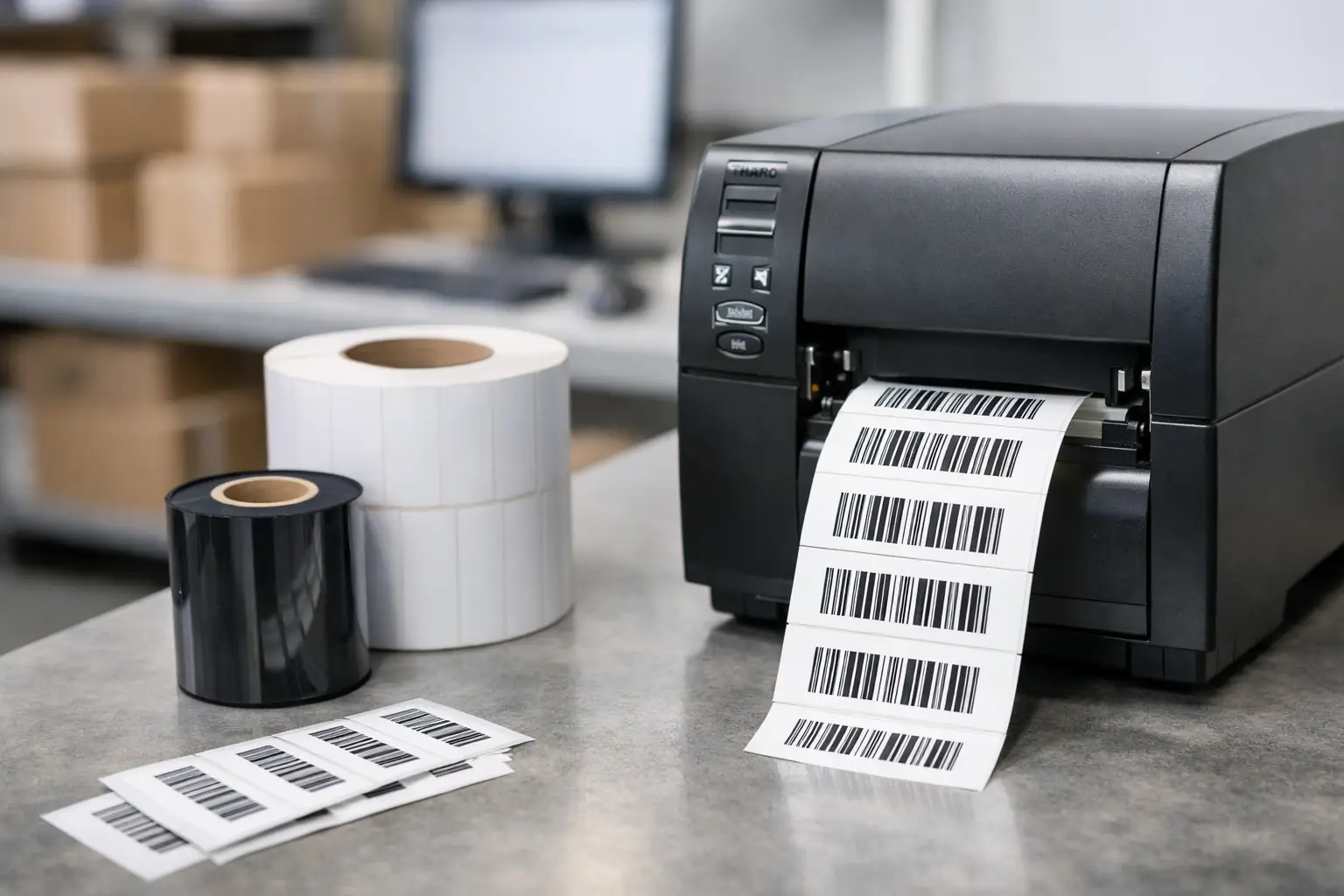
A duplicate serial number can create more than a scanning problem. It can send the wrong product into a shipment, break an asset-tracking record, or leave a compliance team unable to prove which unit was inspected. Knowing how to create serialized barcode labels means building a process that produces one unique identifier per label, encodes it accurately, and prints it clearly enough to scan when operations are moving fast.
Serialized labels are used across manufacturing, warehousing, distribution, equipment service, healthcare supply chains, and government-related applications. The label may identify a finished product, carton, pallet, work order, returnable container, document, or individual asset. The physical label is only the final output. The real work is deciding what the serial number represents, where the sequence comes from, and how the printer, ribbon, label material, and software work together.
How to Create Serialized Barcode Labels Without Gaps
Start by defining the identifier before opening label design software. A serial number must be unique within the scope that matters to your business. For some operations, a simple six-digit sequence is enough. Others need a structured value containing a product prefix, plant code, date, lot number, or a sequence that resets by shift or production run.
For example, a manufacturer might use `FG-26-000001` through `FG-26-999999` for finished goods. A warehouse tracking reusable totes may need a permanent sequence such as `TOTE-00000001`. The right approach depends on whether the identifier must remain unique for years, match an ERP or WMS record, or communicate information to people who read the label without a scanner.
Avoid building a numbering scheme around a detail that may change. A location code can be useful, but it becomes a problem if inventory moves between facilities. Keep the serial format readable, but do not force every piece of business data into the serial number. The barcode can carry a compact identifier while the associated database record holds descriptions, dates, statuses, and other changing information.
Select the barcode symbology
Code 128 is the practical default for many serialized barcode labels. It supports letters, numbers, and common characters in a compact linear barcode, and it is widely recognized by industrial scanners. If the serial number contains only digits and label space is plentiful, Code 39 or Interleaved 2 of 5 may be appropriate in specific established workflows. However, those choices can require more space or impose content restrictions.
A 2D code such as Data Matrix or QR Code makes sense when the label is small or when you need to encode more information than a serial number. Data Matrix is common for compact part marking and traceability applications. QR Code is broadly familiar and easy to scan with camera-based devices, although it is not always the preferred format for high-volume industrial scanning. Use the symbology your customer, scanner fleet, trading partner, or compliance standard requires. A barcode that is technically valid but incompatible with the receiving process still fails the job.
Build the label around scanning conditions
Barcode size is not a cosmetic decision. Narrow bars, tight spacing, low-contrast printing, and a code placed too close to a label edge all reduce scan reliability. If the label will be scanned at arm’s length on a warehouse floor, give the barcode enough size and quiet zone for that environment. If it will be scanned on a small electronic component, choose a suitable 2D symbol and verify it with the actual scanner.
Include human-readable text below or near the code. Operators need a way to confirm the serial number when a scanner is unavailable or a label is partially damaged. For regulated products, you may also need item description, part number, lot number, date fields, warning text, or a revision level. Keep the serial number visually distinct from other numbers so an employee does not transcribe the wrong value.
Create the Serial Number in Label Software
The most dependable label design process keeps the serial counter under software control or draws serial values from an approved data source. Manual entry is acceptable for a one-off sample label. It is not a dependable method for a production run of 500 labels.
EasyLabel is designed for this kind of variable-data labeling. You can create a text field for the readable serial number, define an incrementing counter, and use the same variable as the data source for the barcode. That one-source approach matters. If the printed text and barcode are driven by separate fields, an operator can accidentally change one value and not the other.
Set the starting number, increment amount, field length, and any prefix or suffix. A common setup starts at `000001`, increments by one, and preserves leading zeros. Leading zeros are frequently necessary because they keep every serial number the same length and may be expected by downstream systems. Test the rollover behavior as well. If a six-digit range reaches `999999`, the system should not quietly restart at `000001` unless that is intentional and safe.
For labels tied to an existing business system, import serial values from a spreadsheet, database, ERP export, or other controlled data file. This is usually the better choice when serials are assigned by the ERP, when each label includes multiple variable fields, or when shipment labels need to match order data. The important control is to make the barcode and readable serial pull from the same record.
EasyLabel has been a recognized label design platform since 1982, with a long record of working with major printer manufacturers. Unlike software that requires a recurring subscription or a support contract before assistance is available, EasyLabel does not require either. That can make a meaningful difference for operations that need stable, long-term label capability without adding recurring software costs.
Use a controlled print sequence
Before sending a full job, print a small test batch. Scan every test label with the scanner used in the actual process, not just a smartphone camera. Confirm that the scan returns the correct characters, the sequence increments as expected, and the label remains readable after normal handling.
Production printing needs controls for reprints. If label 1037 jams or prints poorly, decide whether it should be reprinted with the same serial number, voided and replaced with the next number, or recorded as a destroyed label. The correct policy depends on your traceability requirements. In high-accountability environments, keep a record of issued, reprinted, voided, and unused serials. A clean sequence is useful, but traceable exceptions are more valuable than an artificially perfect sequence.
Match the Printer, Labels, and Ribbon to the Job
A properly designed barcode can still fail because of poor print quality or the wrong label stock. Direct thermal labels work well for short-life applications such as shipping, receiving, and temporary inventory identification. They require no ribbon, but heat, sunlight, abrasion, and time can darken or fade the image.
Thermal transfer printing is the better fit for durable serialized barcode labels. It uses a ribbon to transfer the image onto the label material, producing a more durable print for products, assets, bins, industrial parts, and long-term records. The label face stock and adhesive should match the surface and exposure. Paper labels are cost-effective for indoor cartons and packaging. Synthetic materials are better for moisture, chemicals, outdoor exposure, or rough handling.
Ribbon selection matters just as much. Wax ribbons are economical for many paper-label applications. Wax-resin ribbons improve abrasion resistance. Resin ribbons provide the highest durability on compatible synthetic label materials, but they cost more and require the right print settings. Saving a few cents on ribbon can be expensive if barcodes rub off before the first inventory count.
Printer resolution should fit the code size and label content. A 203 dpi printer is often sufficient for standard 4-inch shipping, carton, and inventory labels. Choose 300 dpi when labels include smaller text, compact barcodes, or detailed graphics. Higher resolution does not automatically make a poor label design scannable, and it can reduce print speed, so specify it based on the smallest element you must print clearly.
Tharo H-Series and T-Series thermal printers are a strong value option for operations that need dependable industrial output without automatically paying flagship-printer pricing. Their 4-inch, 203 and 300 dpi models carry a warranty of two years or 2 million printed inches. Replacement printheads are also generally less expensive than those for competing industrial printers, helping control ownership costs over the life of the equipment.
Verify Every Change Before It Reaches the Floor
Treat the label template as a controlled operational document. If someone changes the barcode symbology, serial length, print darkness, ribbon type, or label supplier, run a verification test. A scanner can confirm whether it reads, but a barcode verifier can also grade print quality and identify issues such as insufficient contrast, poor edge definition, or quiet-zone problems.
Keep approved settings with the job: printer model, printhead resolution, speed, darkness, label part number, ribbon part number, barcode type, and serial-number rule. This record shortens troubleshooting when a new operator takes over or when a job moves to another facility. It also prevents a familiar failure: a label template works perfectly on one printer, then produces marginal barcodes after someone loads a different material or changes the driver settings.
The Label Guy can supply the software, Tharo printer, labels, ribbons, and USA-based technical support needed to put that process in place from one specialist source. Orders over $100 qualify for free ground shipping within the 48 contiguous United States.
The best serialized barcode program is not the one with the most elaborate format. It is the one your team can repeat accurately: controlled serial data, a scannable code, materials matched to the environment, and a tested template that keeps every label connected to the right record.