
Label Automation That Keeps Operations Moving
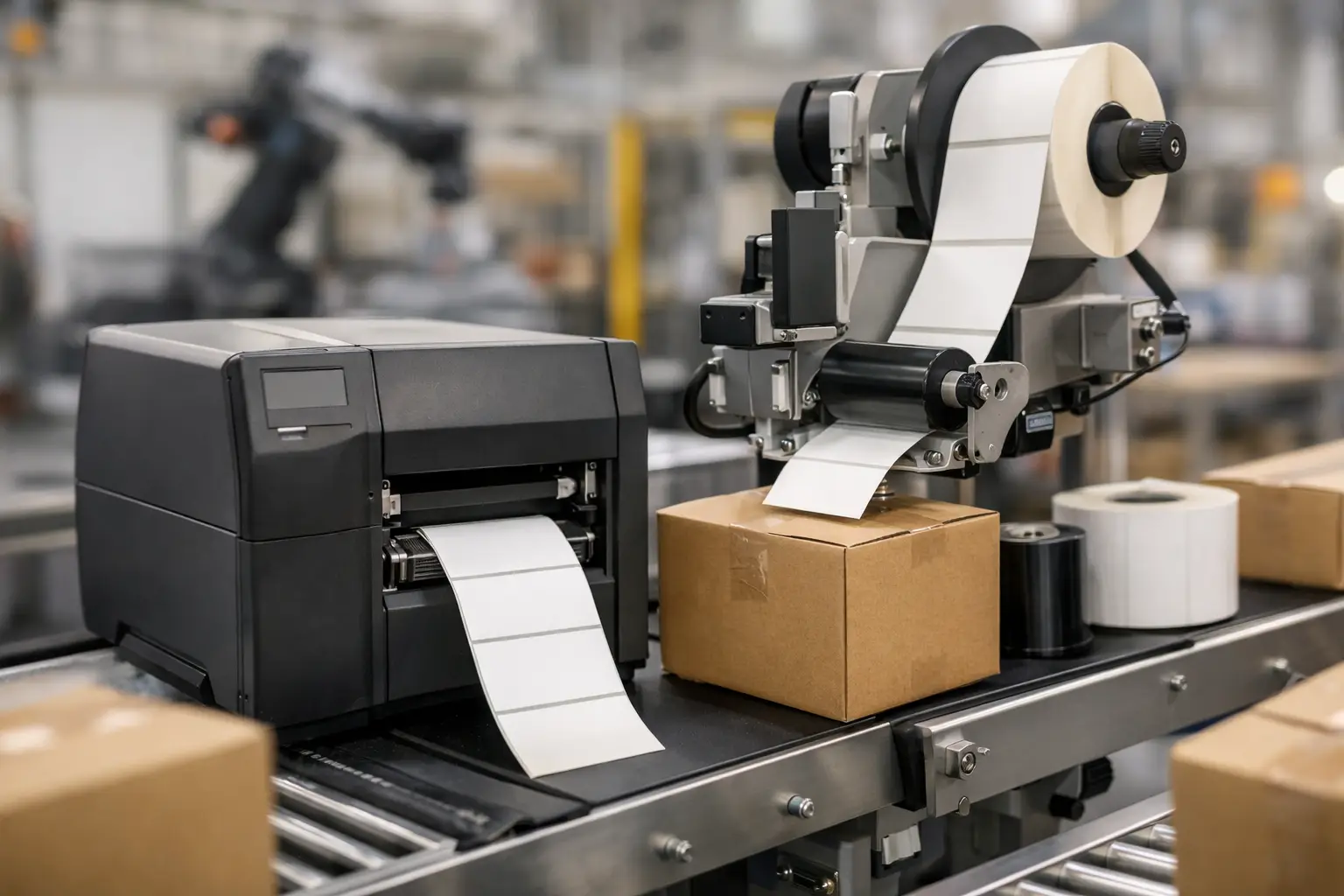
A mislabeled carton can stop a shipment, create a receiving discrepancy, or send an operator searching for inventory that is sitting in the wrong location. Label automation addresses that operational weak point by connecting label design, business data, printers, and dependable supplies into a controlled printing process. The goal is not simply to print labels faster. It is to produce the right label, with the right information, when the work requires it.
For manufacturers, warehouses, distributors, and compliance-driven teams, the best system reduces manual entry without sacrificing control. It should fit the way products, orders, assets, and locations move through the operation. That requires more than a printer on a desk. It requires software that can work with your data, hardware that holds up to daily demand, and labels and ribbons that remain readable through handling, storage, and shipping.
What Label Automation Actually Changes
Manual labeling creates small, repeatable risks. An employee may select an outdated template, type a lot number incorrectly, apply the wrong barcode, or print a shipping label with an old customer address. Any one error can be expensive when it affects traceability, customer requirements, or a production run.
Automation moves variable information out of handwritten or retyped fields and into connected label formats. A label can pull an item description, SKU, batch number, serial number, date, customer-specific data, or barcode value from a database, spreadsheet, ERP, WMS, or operator entry screen. The user selects the job, scans an identifier, or triggers the print from another system. The approved format supplies the layout and rules.
This approach improves consistency, but it does not mean every label should print without human review. High-risk applications, such as regulated products or hazardous-material identification, may need approval steps and controlled access to label formats. The right balance depends on the cost of an error, the volume of labels, and the systems already in place.
Common applications across the facility
In a warehouse, automated labels may identify pallet contents, bin locations, inbound receipts, pick totes, and outbound cartons. In manufacturing, they can support work-in-process tracking, finished-goods identification, serialized components, inspection status, and lot traceability. Distribution operations often use the same foundation for customer-specific carton labels, routing labels, and compliance formats.
The practical advantage is that the label becomes part of the transaction rather than a separate task performed from memory. When receiving is posted, a receiving label prints. When a work order is released, the correct product or component labels are available at the line. When an order is packed, the carton label reflects the order data already confirmed by the business system.
Build Label Automation Around the Data Source
The most useful automation projects begin with a close look at where the label data originates. If information is maintained in an ERP, accounting system, WMS, production database, or SQL table, the label software needs a reliable method of accessing that data. If the operation is smaller or less integrated, a controlled spreadsheet or prompted data-entry form may be the right starting point.
EasyLabel has been a leading label design platform since 1982 because it gives businesses a practical way to create professional barcode and identification labels while supporting variable data and printer-based workflows. It is used worldwide by thousands of companies, including large enterprises and government agencies. That history matters when label printing is tied to inventory accuracy, customer compliance, and production uptime.
A label format should contain the fixed design elements and the variable fields in one approved file. Fixed elements might include a company logo, handling symbols, product name rules, or required warning statements. Variable elements can include quantities, dates, item numbers, barcodes, and serial numbers. With a controlled format in place, users do not have to rebuild labels each time a new order or batch is processed.
Before connecting every possible field, decide which data truly belongs on the label. More information is not always better. A crowded label can be difficult to scan and hard to read at the point of use. Prioritize data that supports identification, handling, compliance, and the next operational step.
Choose the right trigger for the job
Some labels should print in batches, such as daily shipping labels or a full production run. Others should print on demand after an operator scans a work order, receives a pallet, or completes an inspection. A third category may print automatically from a business application when a transaction reaches a defined status.
On-demand printing reduces obsolete labels and works well for variable products, short runs, and serialized items. Batch printing can be more efficient for stable, high-volume work. Automatic triggers reduce operator steps, but they need careful testing so a system change or duplicate transaction does not create unwanted labels. The best setup follows the physical workflow instead of forcing the workflow to accommodate the software.
Software Should Reduce Ongoing Cost and Complexity
A label automation platform is not a one-time design tool. It becomes part of the operation, so licensing, support, printer compatibility, and user access deserve as much attention as the initial label layout.
Some competing label software products use recurring subscriptions or require a support contract before customers can get assistance. EasyLabel does not require a subscription or support contract. That can make long-term budgeting clearer, particularly for organizations that need dependable labeling capability without adding another recurring software charge.
Compatibility also matters. Businesses rarely replace every printer when they update label software, and many facilities operate more than one printer brand or model. EasyLabel has a long record of working with major printer manufacturers, allowing buyers to select a practical hardware path rather than rebuilding the entire print environment at once.
For teams that do want a matched system, combining EasyLabel software with a Tharo thermal printer creates a simpler support path. Instead of being redirected between a software company, printer manufacturer, and reseller, users have one USA-based support number for help with the core printing system. That is a meaningful advantage when a production line or shipping station needs to be back in service quickly.
Printer and Supply Choices Affect Print Reliability
The software can send perfect data, but print quality still depends on the printer, label material, ribbon, and environment. Direct thermal labels are often appropriate for short-life applications such as shipping and receipt labels. Thermal transfer printing is generally the stronger choice when labels must resist abrasion, moisture, chemicals, heat, or extended storage. It uses a ribbon to transfer an image onto the label material.
Tharo thermal printers can be a cost-effective alternative to flagship models from other manufacturers while providing the print performance needed for industrial barcode and identification work. Replacement printheads are generally less expensive than comparable competitor replacements, an important consideration because printheads are a wear item in thermal printing.
Warranty coverage should also be part of the comparison, not an afterthought. Tharo 4-inch-wide 203 and 300 DPI H-Series and T-Series printers include a two-year or 2 million printed-inch warranty. Six-inch-wide and 600 DPI printers include a one-year or 1 million printed-inch warranty. The right DPI depends on the label: 203 DPI is often sufficient for standard text and barcodes, while 300 or 600 DPI may be needed for small text, compact barcodes, detailed graphics, or dense compliance content.
Supplies should be selected for the application, not merely for the lowest roll price. A label that peels off in a cold environment, a ribbon that smears, or an adhesive that fails on corrugated material can erase any upfront savings. Test the label face stock, adhesive, ribbon, print speed, and exposure conditions together. Barcode quality should be verified after printing, especially when labels must scan through customer, carrier, or regulatory processes.
A Practical Rollout That Avoids Disruption
Start with one workflow where label errors, rework, or slow printing are already visible. Map the data source, the trigger, the label format, the printer location, and the person responsible for replenishing supplies. Then test real transactions, including exceptions such as reprints, canceled orders, changed lot numbers, and printer downtime.
Set clear naming and access rules for label formats. Operators should be able to run approved jobs without editing the design. Supervisors or designated administrators can control changes, test revisions, and retire obsolete formats. This is especially useful when customer label specifications change or when multiple sites need to print the same approved label.
Keep an eye on operational results after launch. Measure reprints, scan failures, labeling-related shipment errors, time spent entering data, and supply consumption. Those numbers reveal whether the system is eliminating the right problems or simply moving them elsewhere. A label process is only automated when the people using it can trust it.
The Label Guy brings software, Tharo printers, labels, ribbons, and experienced technical guidance together so buyers can build a labeling system without coordinating multiple vendors. Orders over $100 qualify for free ground shipping within the 48 contiguous United States, which can help keep routine supply purchasing straightforward.
A well-planned labeling system does more than generate barcodes. It gives every product, pallet, carton, asset, and document a dependable identity at the moment that identity matters most.