
Print and Apply Labeling Systems That Reduce Labor
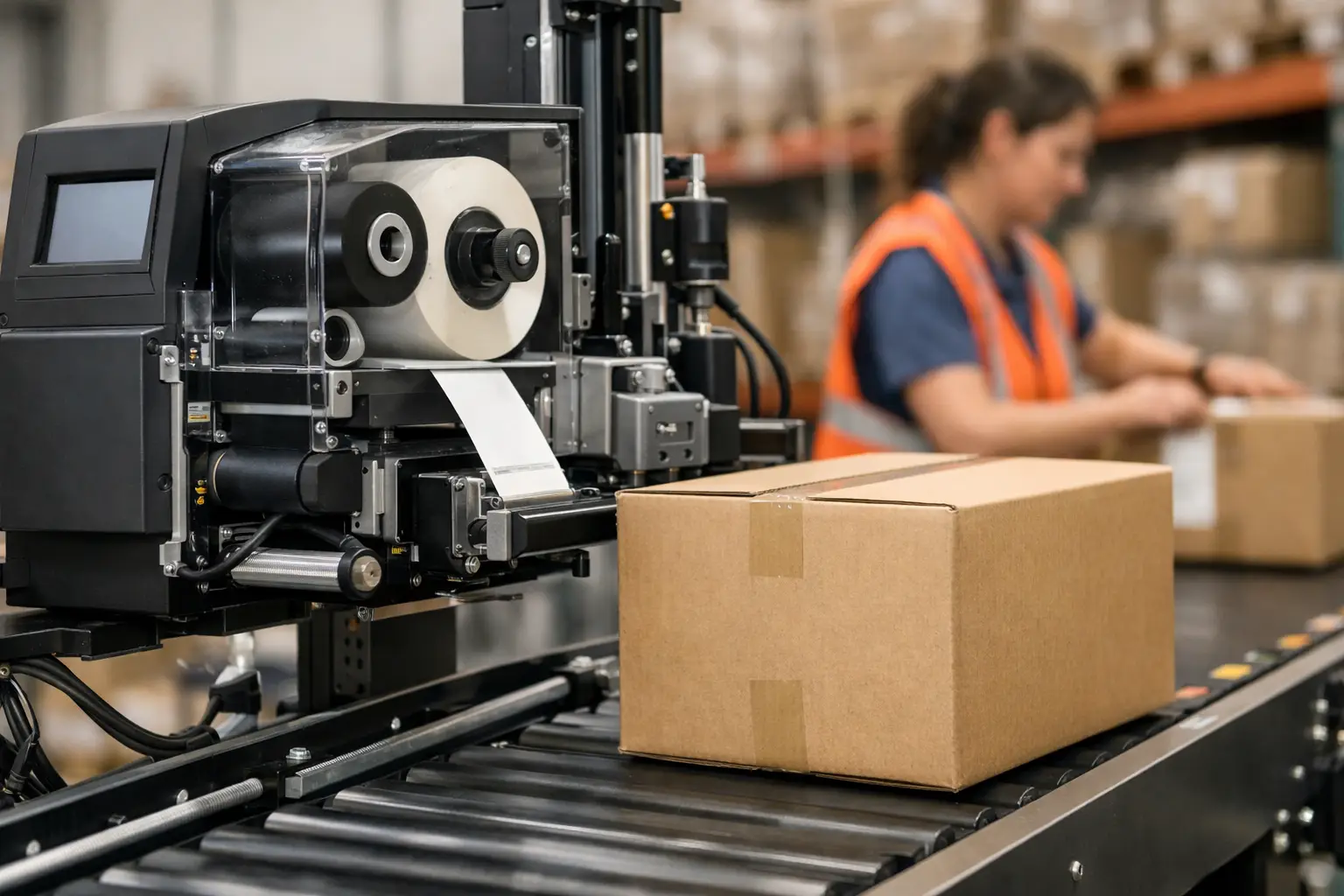
A missed label on a pallet, carton, or product can stop more than one shipment. It can create a receiving dispute, a traceability gap, a rejected order, or a manual rework job that consumes the rest of the shift. Print and apply labeling systems are built to prevent those failures by printing the right label and applying it at the right point in the operation, at a repeatable speed.
For manufacturers, warehouses, and distributors, the value is not simply automated label placement. It is a more controlled identification process. The best system connects label design, variable data, printer performance, media selection, applicator configuration, and support into one dependable workflow.
What Print and Apply Labeling Systems Do
A print and apply system combines an industrial thermal printer with an applicator. The printer creates a label from information supplied by a warehouse management system, enterprise resource planning system, database, scanner, scale, or production controller. The applicator then places that label on a product, case, tote, carton, pallet, or other item.
Thermal transfer printing is often the right choice for operations that need durable, high-quality identification. It uses a ribbon to transfer an image onto the label material, producing barcodes and text that can hold up to handling, abrasion, temperature changes, or exposure associated with the application. Direct thermal labels may be appropriate for shorter-life shipping labels, but they are not automatically the lower-cost answer when labels must remain readable throughout storage or distribution.
The real requirement is accuracy under operating conditions. A label may need to apply to corrugated boxes, stretch wrap, plastic pails, painted metal, or uneven product surfaces. It may be applied while a conveyor is stopped, while a carton moves at speed, or after a scan verifies the item. Those variables determine the applicator, sensor configuration, print resolution, label stock, adhesive, and software setup.
Where Automation Pays Off
Manual labeling can work for low-volume, variable jobs. It becomes costly when employees must print, peel, verify, and apply labels hundreds or thousands of times per shift. The labor cost is only one part of the equation. Manual handling introduces inconsistency in label location, increases the chance of applying an outdated label, and makes reprints harder to track.
A print and apply system is especially useful when labels carry changing information such as lot numbers, serial numbers, dates, order data, carrier details, GS1 barcodes, or customer-specific content. Instead of relying on preprinted inventory for every variation, the operation can generate current data at the line or shipping station.
Common applications include case labeling at the end of a production line, pallet labels for warehouse movement, shipping labels for outbound orders, serialized product labels, and compliance labels that must be placed in a defined location. The payback tends to be strongest where volume is steady, errors are expensive, or throughput depends on keeping product moving without a manual labeling bottleneck.
Select the Application Method Before the Printer
The printer matters, but the applicator method must fit the product and process. A tamp applicator extends a label to the package and is useful where precise placement is required. An air-blow method places a label without direct contact, which can help with delicate or irregular surfaces. A wipe-on applicator applies labels to moving cartons and can be a practical choice for consistent conveyor applications.
There is no universal best method. A fast-moving corrugated case line has different needs than a drum labeling station or a pallet wrapper. Surface texture, package orientation, line speed, available space, label size, and access for maintenance all need to be reviewed before equipment is selected.
It is also wise to plan for exceptions. What happens when the applicator detects a missing label? How is a failed barcode handled? Can an operator pause the line, reprint a label, and document the event without creating duplicate inventory records? A lower-priced system that cannot handle normal exceptions may cost more in downtime than a properly specified solution.
Print and Apply Labeling Systems Need Reliable Data
Automation will reproduce bad data very efficiently. Before installing equipment, determine where each field originates and who owns its accuracy. Product descriptions, SKU numbers, lot codes, expiration dates, shipping information, and barcode data should come from defined sources, not operator memory or improvised keyboard entry.
Label design software plays a central role here. EasyLabel has been a leading label design platform since 1982 and is used worldwide by thousands of companies, including large enterprises and government agencies. It can create professional barcode labels and connect variable fields to operational data without forcing users into a recurring software subscription or requiring a support contract just to obtain help.
That ownership model is a meaningful difference from competing label software that may add ongoing subscription costs or restrict support behind a contract. EasyLabel also has a long track record of working with major printer manufacturers. That gives operations more flexibility when they need to standardize on an existing printer fleet, add new equipment, or protect a prior hardware investment.
For a print and apply deployment, the practical question is whether the software can reliably format the label, select the correct printer settings, pull the required data, and give operators a usable interface. A complex design tool is not a benefit if routine label changes require outside programming help. The right software should let the people responsible for labeling control their formats while maintaining approved templates and data rules.
Specify the Printer, Labels, and Ribbon as One System
Buying a printer, labels, and ribbon from separate sources can look economical until print quality declines or a label fails in the field. Thermal printing depends on the interaction of the printhead, ribbon coating, label facestock, adhesive, print speed, darkness setting, and environmental conditions. A barcode that scans on the bench may fail after a carton passes through a cold warehouse or after a product sits in direct sunlight.
Tharo thermal printers are a strong option for businesses that need industrial-quality output without automatically paying flagship-model pricing from other manufacturers. Their replacement printheads are generally less expensive than comparable competitor replacements, which matters because printheads are a wear item and part of the true cost of ownership.
Warranty coverage should also be part of the comparison. Tharo 4-inch-wide, 203 and 300 DPI H-Series and T-Series printers carry a two-year or two-million-printed-inch warranty. The 600 DPI and 6-inch-wide models carry a one-year or one-million-printed-inch warranty. Those details matter when a printer is expected to run through production schedules, shipping cutoffs, and seasonal volume spikes.
Media selection should be based on the application rather than a generic roll size or lowest per-roll price. A paper label may be ideal for dry indoor cartons. A synthetic material can be a better fit for moisture, chemicals, abrasion, or extended life. Adhesive choice is equally important: permanent adhesive, removable adhesive, freezer-grade adhesive, and aggressive adhesive solve different problems. Ribbon selection must match the label material and durability target.
Plan Installation Around Uptime
A successful installation starts with a site review. Confirm the product path, conveyor speed, package dimensions, line controls, available power, network requirements, air supply when needed, and safe operator access. Also review the label roll capacity and ribbon length. Frequent media changes can erase much of the labor savings expected from automation.
Build testing into the rollout. Print sample labels using production data, scan the codes with the scanners used downstream, and test adhesion after the product has experienced actual handling and storage conditions. If labels are used for customer compliance, verify format, placement, barcode symbology, and human-readable content before full deployment.
Operator training should cover more than loading supplies. Personnel need to recognize poor print quality, clean the printhead correctly, respond to a label-out condition, confirm proper application, and know when a failed label requires a controlled reprint. Simple procedures reduce avoidable service calls and protect the accuracy of inventory records.
One Source Makes Support Easier
When software, printer, labels, ribbons, and technical support come from separate vendors, troubleshooting often becomes a series of handoffs. The printer supplier may blame the media, the media supplier may blame the settings, and the software provider may point to the driver. That delay is costly when the shipping dock is waiting.
The Label Guy provides a more practical path by supplying the complete labeling ecosystem: EasyLabel software, Tharo printers, labels, ribbons, custom label support, and USA-based technical assistance. When EasyLabel and a Tharo printer are purchased together, customers have one place to call for support. Orders over $100 also qualify for free ground shipping within the 48 contiguous United States.
Start with the product being labeled, the required data, the production rate, and the environment the label must survive. Those four details will lead to a system that does more than print labels quickly – it keeps identification accurate when the operation has no time for a second attempt.